 @mypathtofire
more from that month
@mypathtofire
more from that month
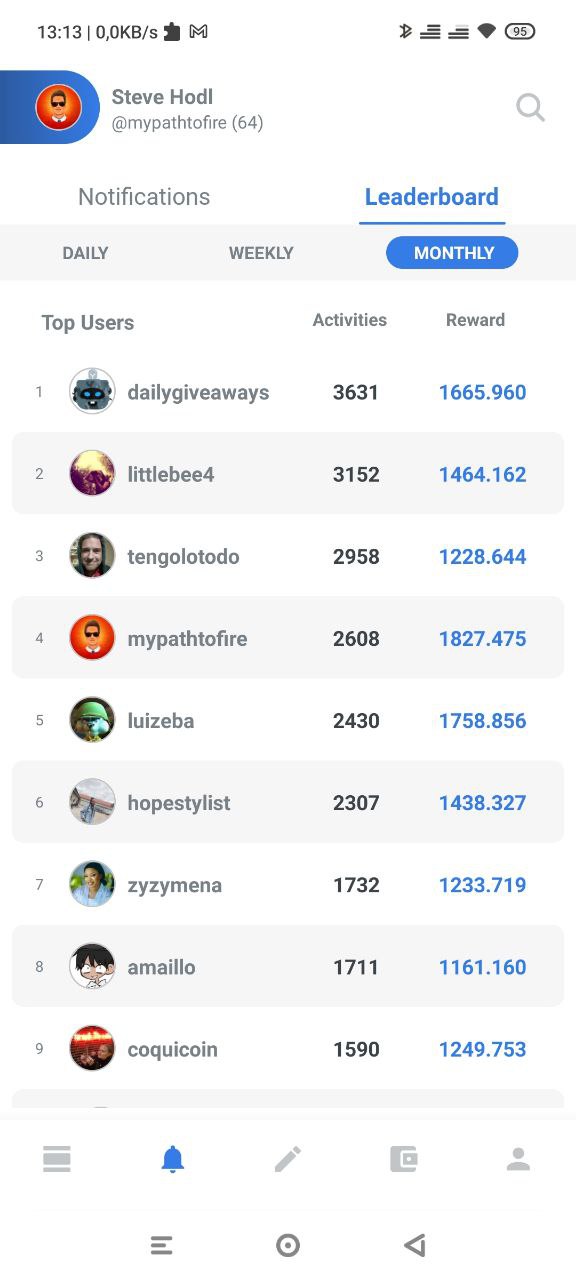
Discovering the Leaderboard in the Ecency App I am now on my 2nd month of using the Ecency App and another great feature that I like is the Ecency Leaderboard feature. This is a special feature that you can only access in the App. The great thing about the Leaderboard is that it gives you the daily, weekly, and monthly engagement scores.
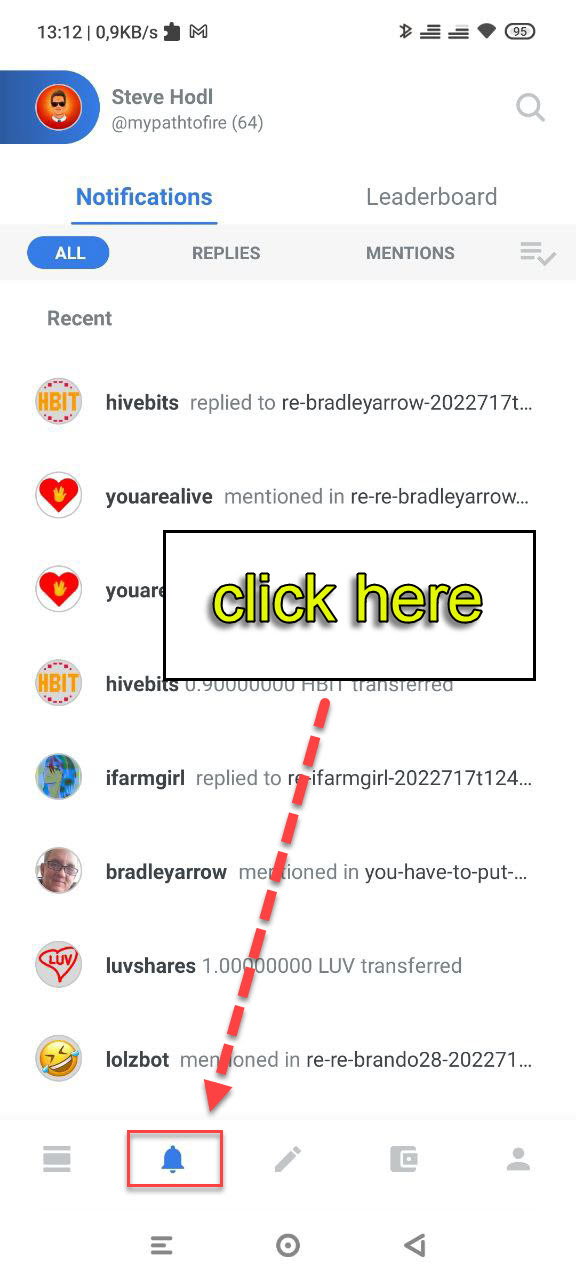
**How to access** First click on the notifications button as below.
Next click on where it says "Leaderboard":
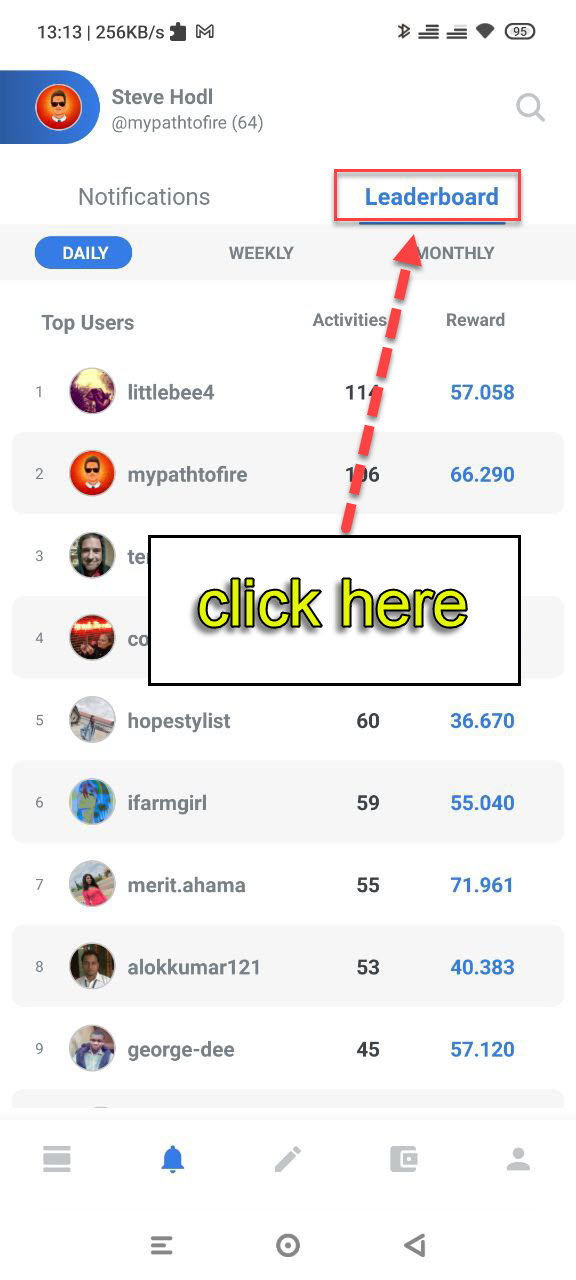
This then brings you into the Leaderboard feature. From here you can select Daily, Weekly or Monthly.
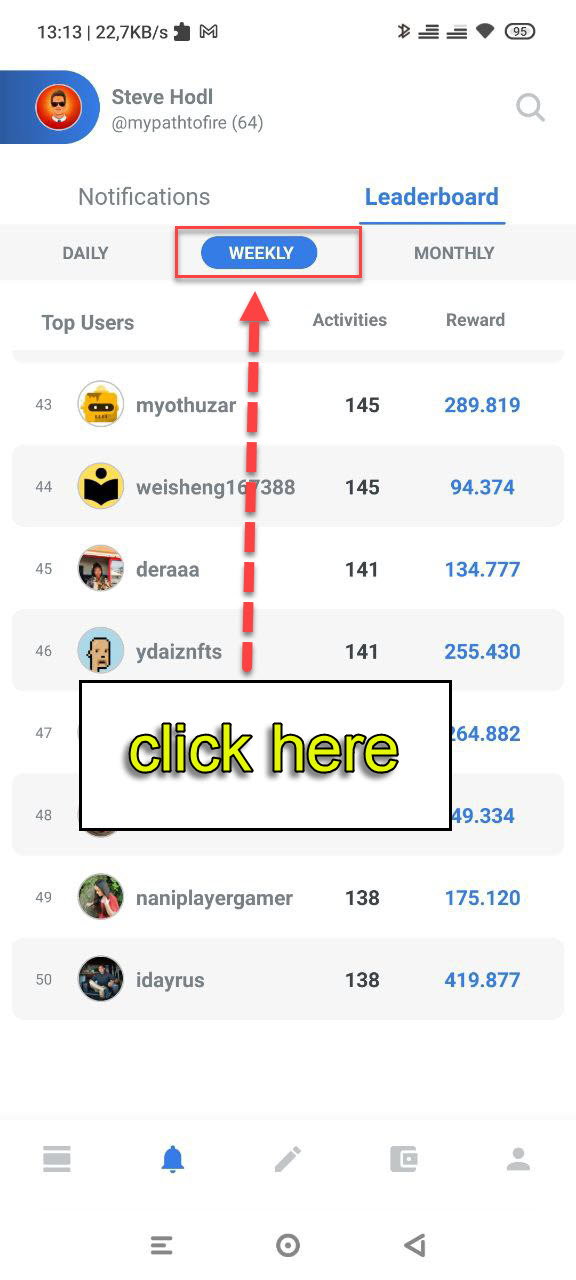
**What can you see on the Leaderboard?** The Leaderboard counts the Top 50 active users in Ecency and is a fun and great way to measure your engagement. There are 3 columns in the table: Top Users - This is self explanatory Activities - How many activities you have made in Ecency Reward - How many Ecency points you have earned I have highlighted these fields below:
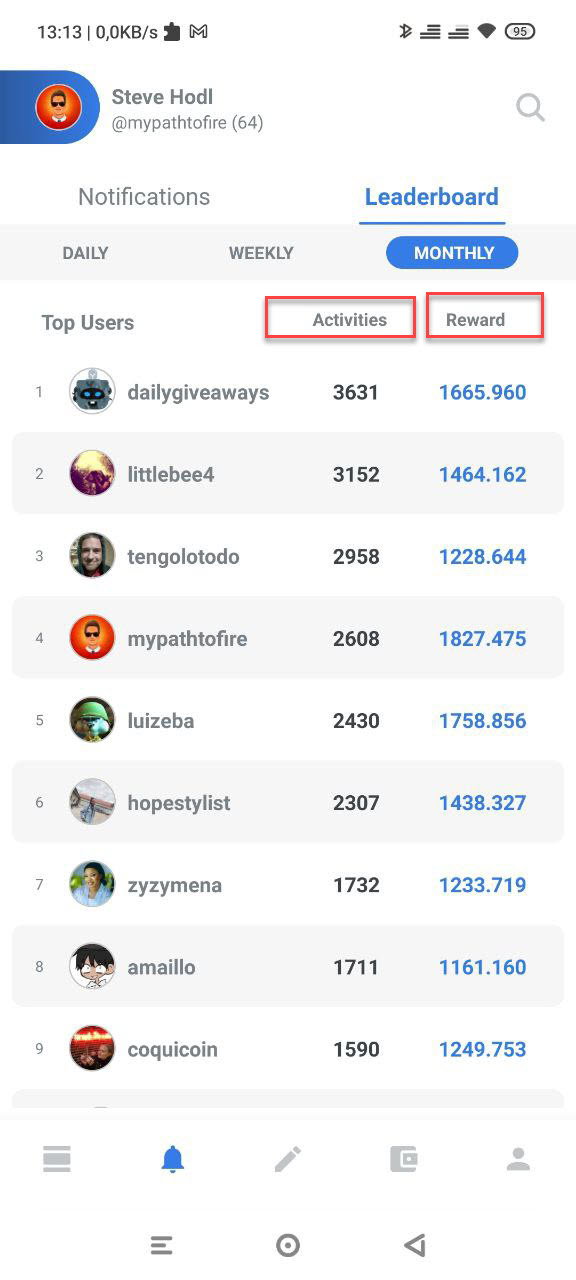
The great thing about the Leaderboard is that you can track how many Ecency points you are earning each day, week or month and it is a great incentive to keep engaging on Hive. This is another great reason to download and install the Ecency App on your phone today. **Do you have the Ecency App yet?** It is available on Android in the Play Store or for iPhone in the Apple App Store. https://play.google.com/store/apps/details?id=app.esteem.mobile.android&hl=en&gl=US https://apps.apple.com/us/app/ecency/id1451896376 If you have any questions, please leave a comment below or join us in the Discord where we have many experienced users who can help. **Resources used:** Screenshots are taken from the Ecency App. The title image was created in canva.
1 comment
Ah that's cool, I didn't even know that feature existed. I haven't used the app myself yet, do you find the app nice to use?