 @libertycrypto27
edited
more from that month
@libertycrypto27
edited
more from that month
Tutorial: How to buy BNB to use on Cub Finance
Thanks to **CubFinance** (https://cubdefi.com/), the latest interesting project of Leofinance (community of Hive blockchain), I started my adventure in the world of decentralized finance (**DeFi**) that until a few days ago I knew only in theory. https://leofinance.io/ Today March 16, 2021 is also the last day available to use CUB tokens on HiveEngine/LeoDex. In fact, on **March 17** **CUB HE** tokens will become unusable.

I have done the claim operation and I have sent the CUB HE tokens on CubFinance without particular difficulties thanks to the very good guides of the site https://docs.cubdefi.com/ Two days ago I wrote a tutorial with the intent to make even simpler and more detailed the steps to follow to: https://leofinance.io/@libertycrypto27/tutorial-leofinance-cub-airdrop-from-hive-engine-leodex-to-cubfinance-using-metamask - install and configure Metamask for the Binance Smart Chain - send CUB tokens from Hive Engine to MetaMask wallet - connect MetaMask to CubFinance.
**Link:** https://leofinance.io/@libertycrypto27/tutorial-leofinance-cub-airdrop-from-hive-engine-leodex-to-cubfinance-using-metamask In my tutorial, I did not explain how to buy the **BNB** tokens needed to use the **Farms** and **Dens** sections of Cub Finance. To help those who asked me for help on Discord or in the comments to my last post, I decided to complete the previous tutorial by showing the steps to **buy the BNB tokens from Binance** and to **stake** the **CUB** tokens in the **Dens** section of **Cub Finance**. Ok let's get started :) How to buy BNB tokens on Binance Binance is a centralized exchange that I've never used before because I love decentralization and I always prefer decentralized solutions to centralized ones but in this case Binance is necessary because **without BNB you can't use the Dens and Farms sections of Cub Finance**. https://www.binance.com/en/register?ref=GL52MBRF To buy BNB tokens you can choose between **two main options**: - **Buy Crypto** section: you can buy BNB tokens using traditional purchasing tools: Bank Transfer, Credit Card...(however, identity verification is required - KYC)
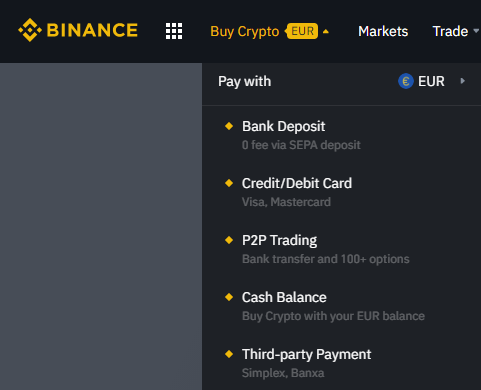
- **Trade** section: you can sell cryptocurrencies in exchange for **BNB** (no identity verification required if you don't exceed a certain daily trade value).
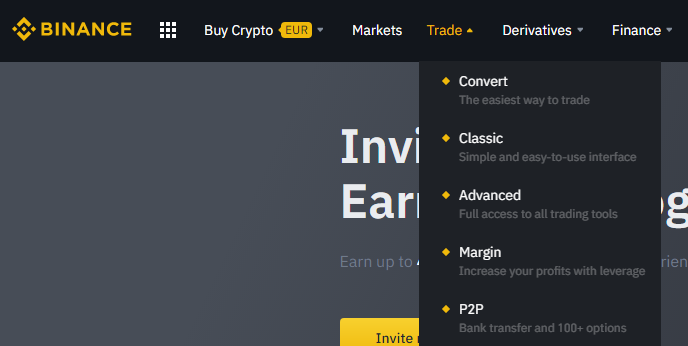
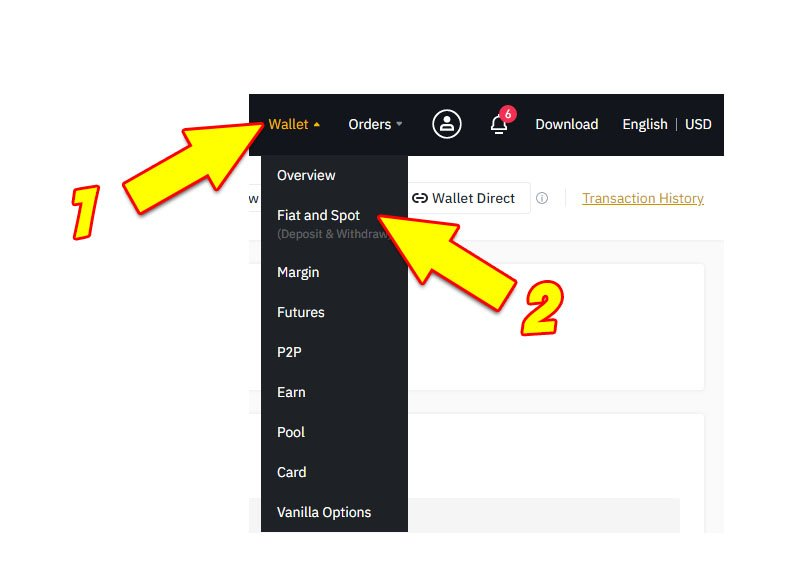
I chose the second option. In my **Coinbase** portfolio I have a few cryptocurrencies including **XLM** (Stellar Lumens). I decided to use **$11** of **XML** to buy **BNB** tokens. Below I will show you the steps you need to follow to buy BNB tokens from Binance (using the Trade section): **1.** After logging into Binance, click on **Wallet** and then click on **Fiat and Spot** as indicated by the arrows in the image below.
**2.** Enter in the **Search Coin** field the name of the cryptocurrency you decided to send on Binance and then click on **Deposit**. As you can see from the image below I chose to use XLM tokens so I entered "XLM".

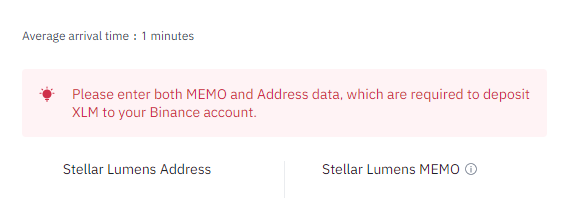
**3.** On the next screen you need to write down or copy your "**Stellar Lumens Address**" and your "**Stellar Lumens MEMO**" (you will need them later).
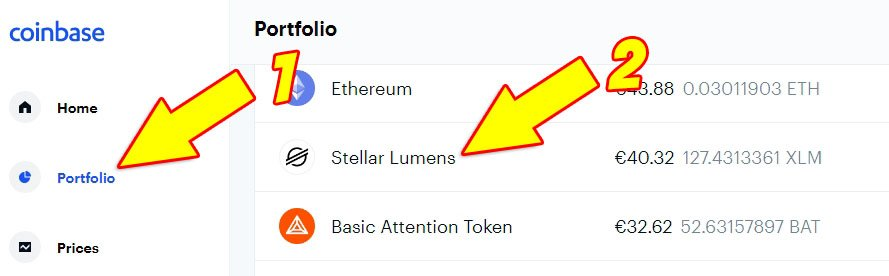
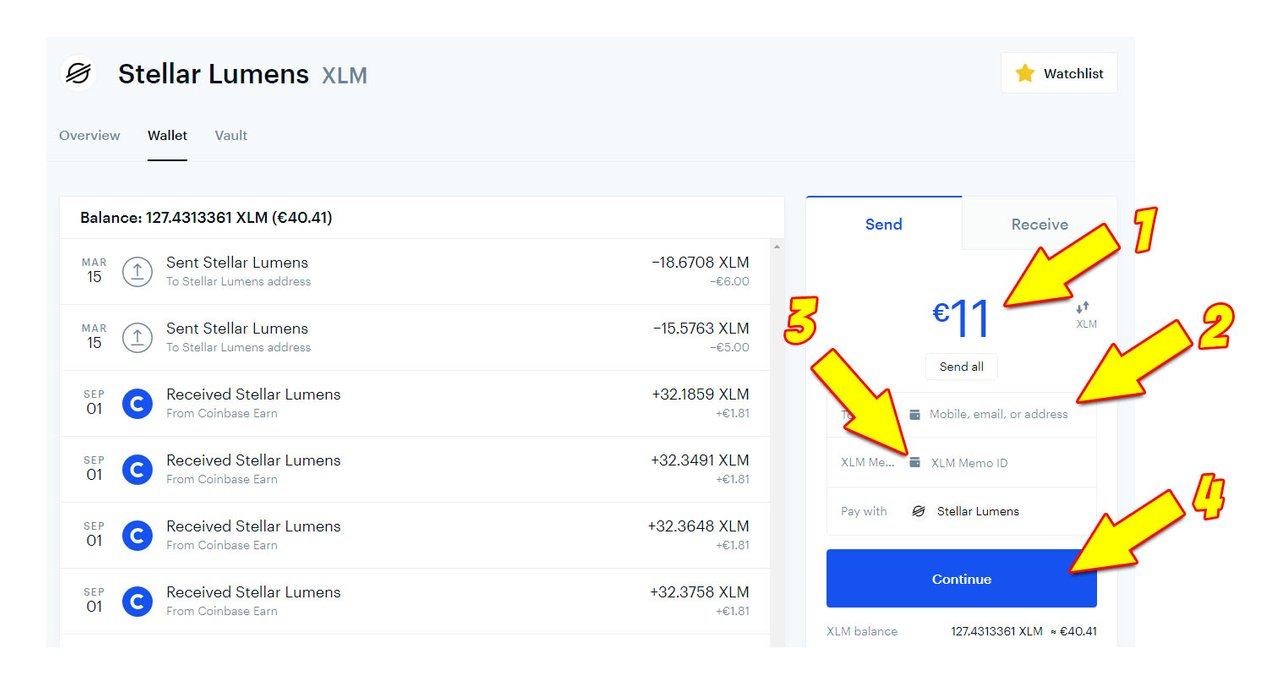
**4.** Go to your wallet or other exchange that contains the cryptocurrencies you want to send to Binance. Please remember to enter before sending the **address** and the **memo** that you have noted or copied in the previous point (3). **Note:** If it is the first time you do an operation of this type always do a test send with very small amounts of cryptocurrency to make sure you have entered all the correct data. I went to **Coinbase**, clicked on **Portfolio** and then clicked on **Stellar Lumens** as indicated by the two arrows in the image below.
**5.** On the next screen I entered the amount of XLM tokens to be sent to Binance (arrow 1), then entered the Stellar Lumens address of Binance (previously copied), then entered the MEMO (previously copied) and finally clicked the blue "Continue" button.
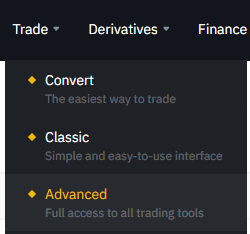
**6.** When you have received the cryptocurrencies on your Binance wallet you need to go to the **Trade** section. There are several options to choose from (Convert, Advanced...). I chose to click on **Advanced**.
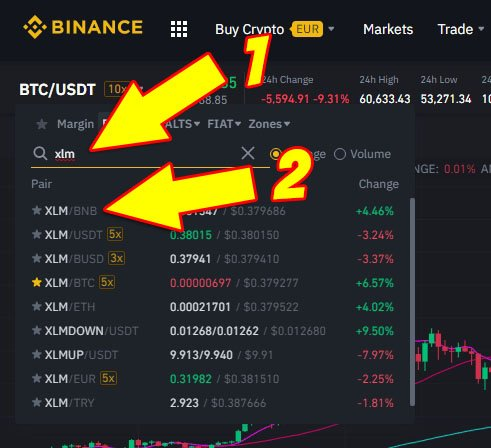
**7.** In the search field enter the **code** of the cryptocurrency you are interested in and select the market "**"your cryptocurrency"/BNB**. I entered **xlm** in the search field (arrow 1) and clicked on the **XML/BNB** market (arrow 2)
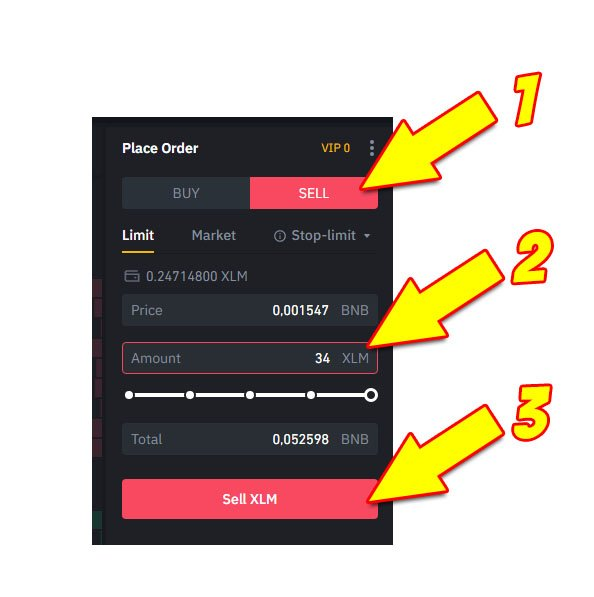
**8.** On the next screen click on **SELL**, enter the amount of cryptocurrency to sell (XML in my case) and finally click on **Sell** (bottom) as indicated by the arrows in the image below.
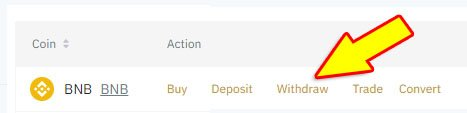
**9.** Once you have received the BNB tokens you can go back to the **Wallet** section and click on **Fiat and Spot**. In correspondence with the **BNB** tokens perform the **Withdraw** action.
**10.** on the next screen you must enter: - **1.** the **address of your Metamask wallet** (or other wallet compatible with Binance Smart Chain network) - **2.** the **type of BNB token** to send on your wallet (remember to select the **BNB BEP20 - BSC** version) - **3.** enter the **quantity of BNB to send** (in my case 0.05) - **4.** click on **Send** In the following image you can see the data I entered.
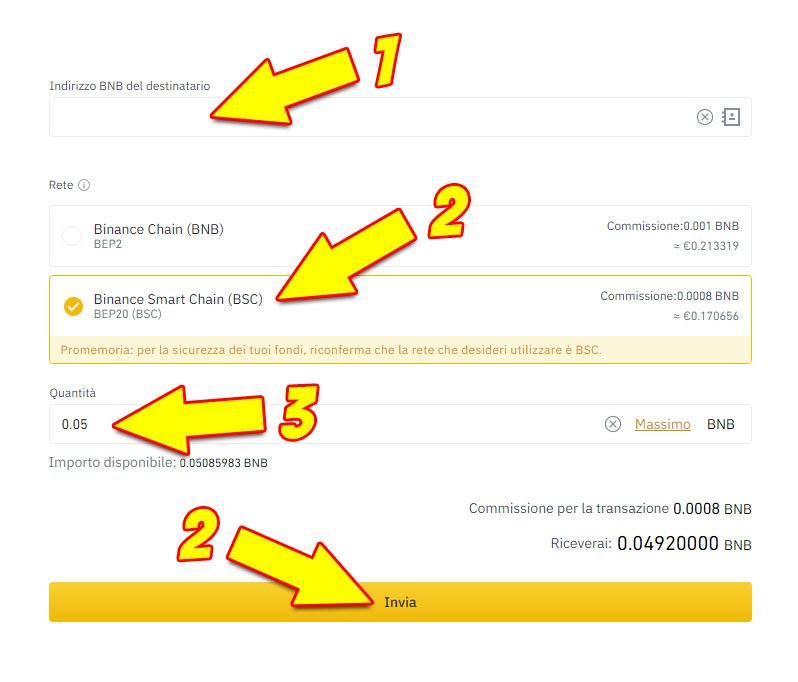
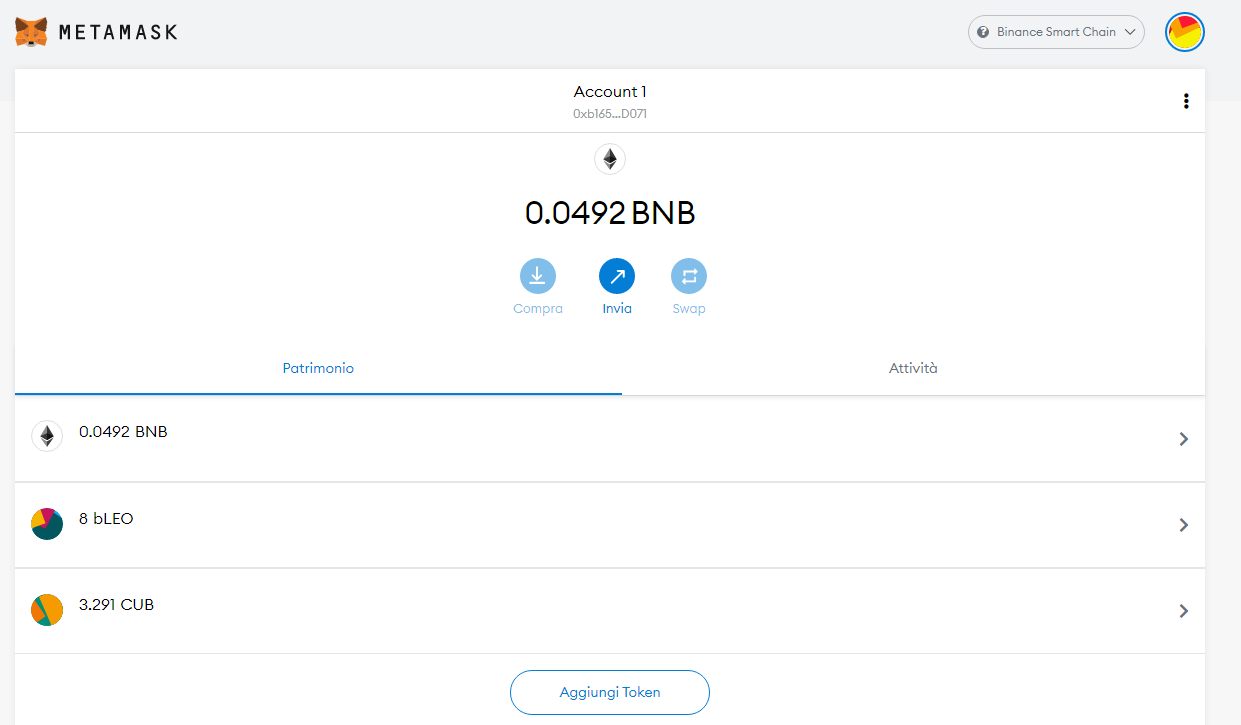
I paid a transaction fee of **0.0008 BNB**. **11.** After a few seconds on your MetaMask wallet you will receive the BNB tokens again. As you can see from the next image I received **0.0492 BNB**.
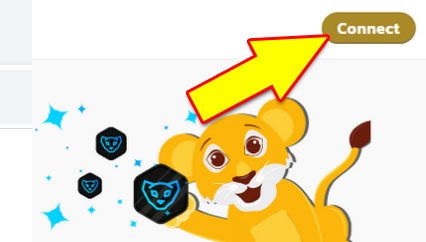
**12.** Now you can go to https://cubdefi.com/ and click on **Connect** in the top right corner.
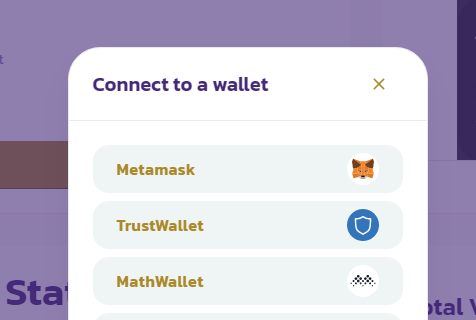
**13.** On the next screen select your wallet. I selected **Metamask**.
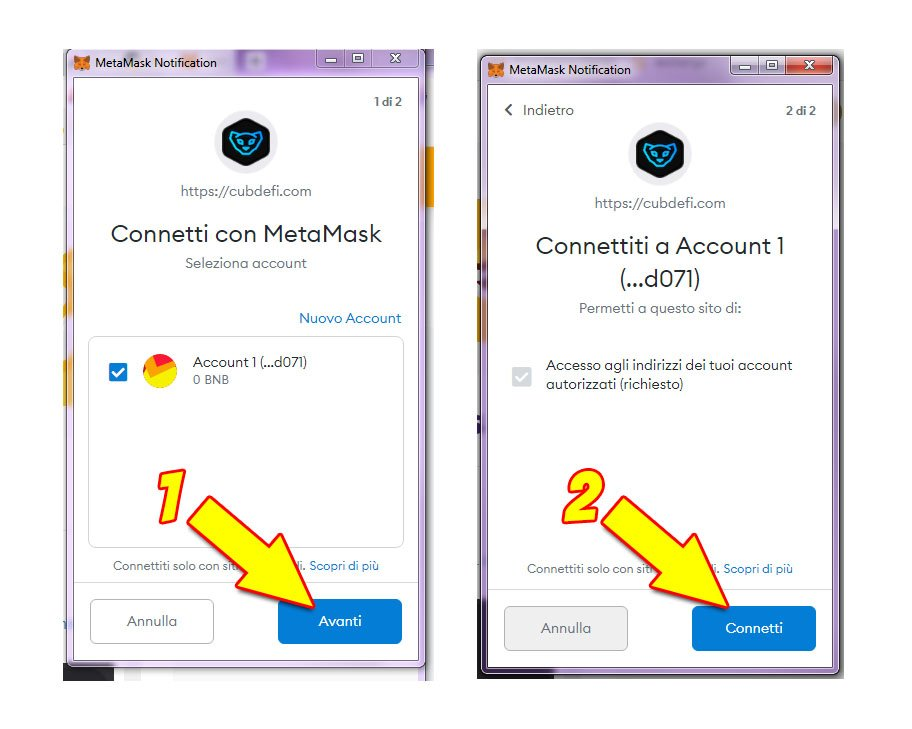
**Note:** If this is your first time connecting Metamask to Cub Finance you need to click on **Next** and then **Connect** (as indicated by the arrows in the next image)
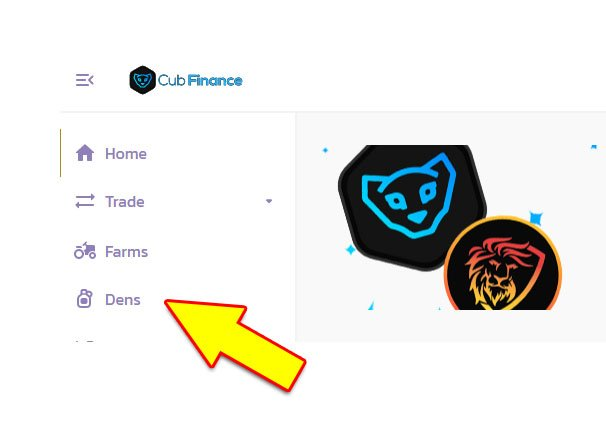
**14.** Click on **Dens** in the top left menu
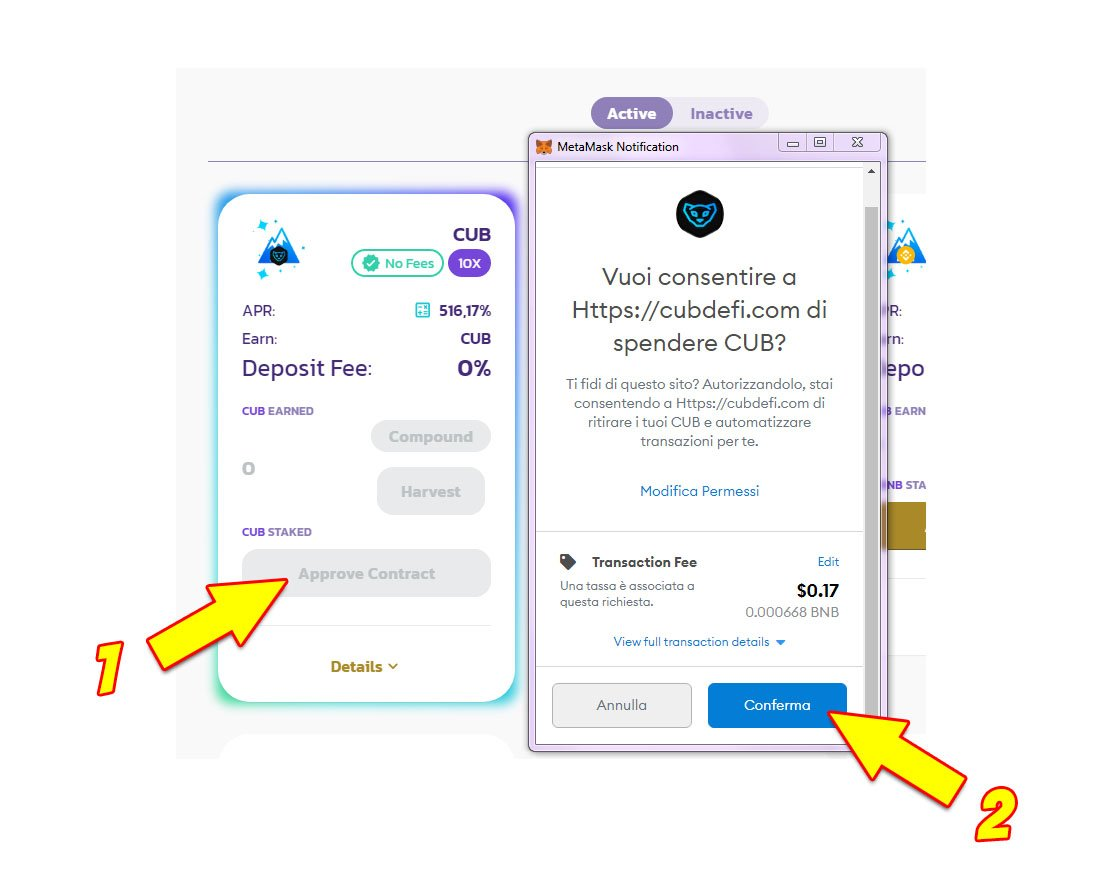
**15** Click on **Approve Contract** and then click on **Confirm** as indicated by the arrows in the image below.
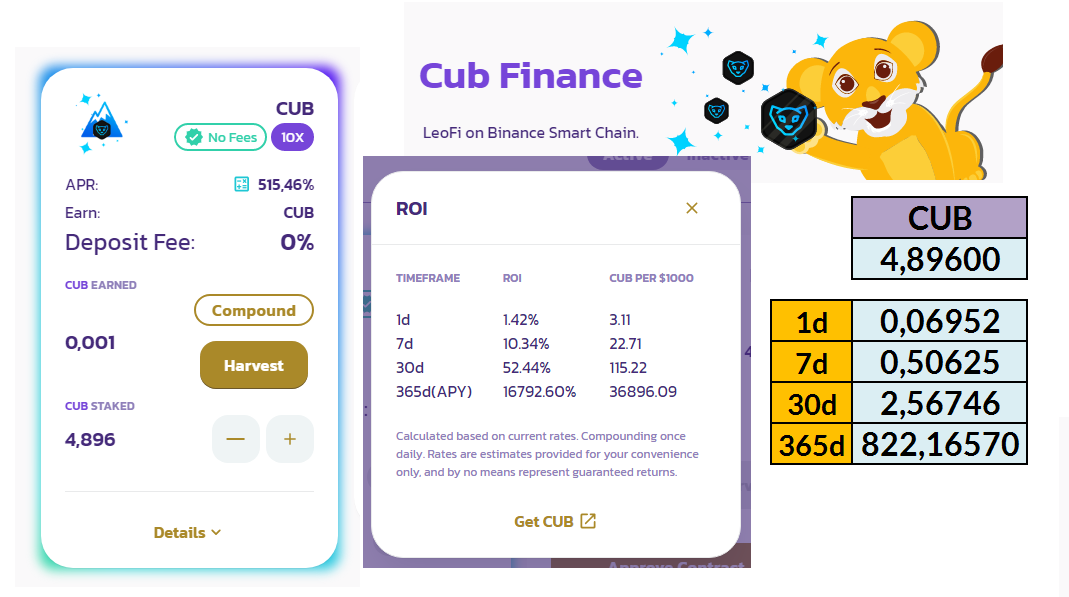
**16** As a last step you have to choose the amount of CUB tokens you want to stake to produce a passive income. That's it, simple right? I hope you liked this little guide of mine and most of all I hope it helps you. If you encounter difficulties in any of the above steps you can write me your difficulties in a comment to this post and I will try to help you. My goals on Cub Finance I have staked **4,896** **CUB** (Dens section)
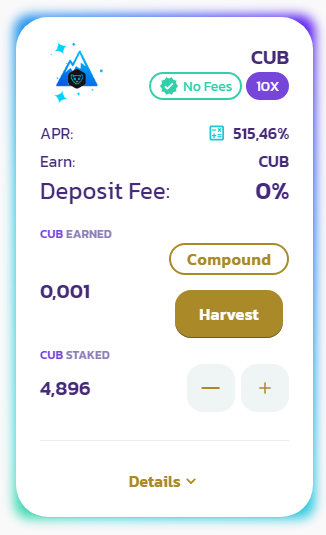
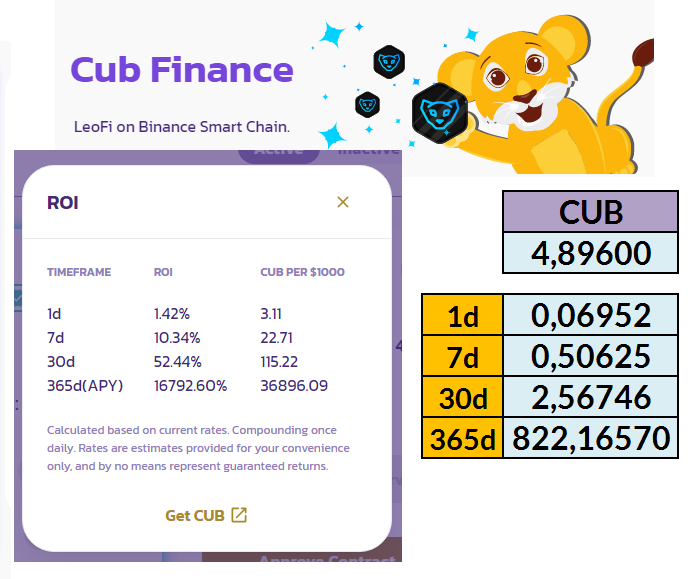
Based on the current **APR** value my **4,896 CUB (staked)** will allow me to get **0.06952 CUB** per day and about **822 CUB** per year. My goal is to put in at least **50 CUBs (Staked)** by the end of this month.
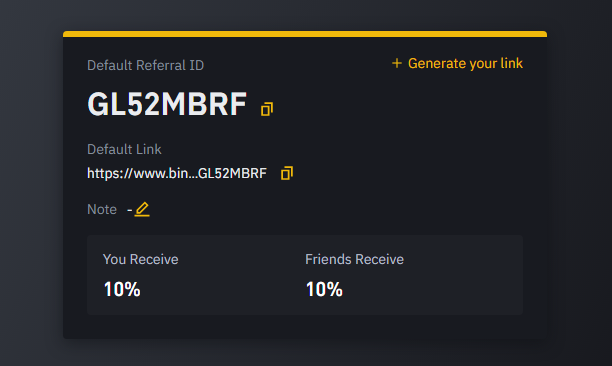
I see a lot of potential in the LeoFinance community and in the projects made by its development team, so I decided to start my adventure in the world of DEFI with CUB Finance. Obviously this is just my personal opinion, every investment has a risk factor to be considered and evaluated, **I am not a financial advisor and if you decide to invest on Cub Finance or on any other DEFI platform you do it for your own choice and at your own risk**. My advice to you is to always invest only what you are willing to lose lightly. If you are not registered on Binance and decide to sign up you can register from this link: https://www.binance.com/en/register?ref=GL52MBRF obviously only if you like to use my refferal link. I have set up my referral link in such a way that I share the reward I receive from the affiliate program equally with those who sign up through my referral link.
Unless otherwise indicated, the images in this post are screenshots taken from the sites: https://cubdefi.com/ Binance (Ref.) https://www.binance.com/en/register?ref=GL52MBRF https://www.coinbase.com/ https://metamask.io/ The Font I used in my images and in the images I edited is Open Source ****Follow me also on:**** https://read.cash/@libertycrypto27/water-elemental-market-battle-strategy-and-considerations-442c775d#follow-me-also-on **NoiseCash**: **https://noise.cash/u/libertycrypto27** **Hive**: **https://peakd.com/@libertycrypto27/posts** **Leofinance:** https://leofinance.io/@libertycrypto27 **Twitter**: **https://twitter.com/libertycrypto27** **Publish0x**: **https://www.publish0x.com/libertycrypto27?a=MYervALeOB** **Blurt**: **https://blurtter.com/@libertycrypto27**

No comments yet