 @leejhen
edited
more from that month
@leejhen
edited
more from that month
How to withdraw using coins.ph
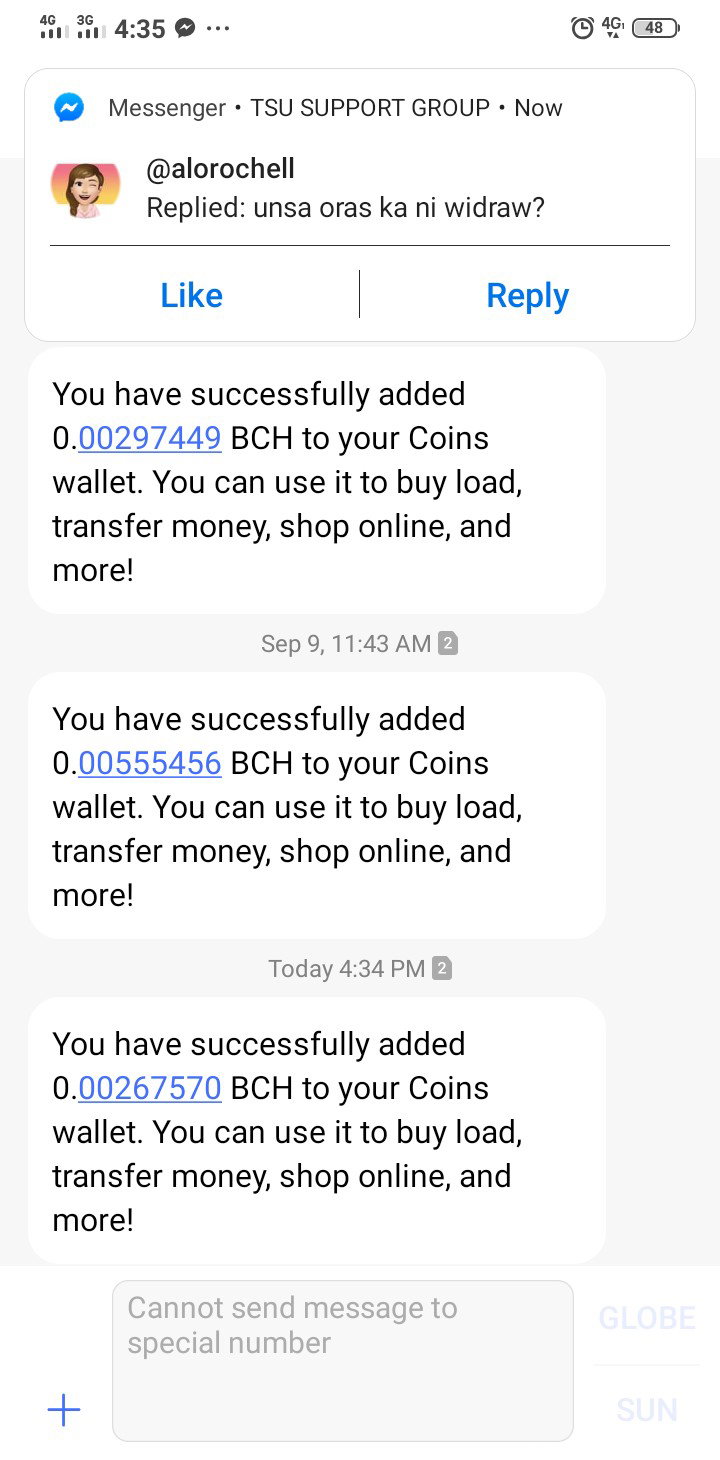
I decided to share it here regarding on how to withdraw in Read.Cash as based on my experience as a newbie it's really struggling without someone's help. I posted but no one noticed so I scroll on the home page and found and article on how to withdraw but through coinbase. It helps me a lot thanks to you who posted about how to withdraw converting into lite coin using coinbase. I'm sorry that I forgot your username. But a very big thanks to you ❤️ But today I'm gonna share using coins.ph wallet especially there are many Filipino members in here too especially if there's a newbie out there this article will really help you a lot. So let's begin....
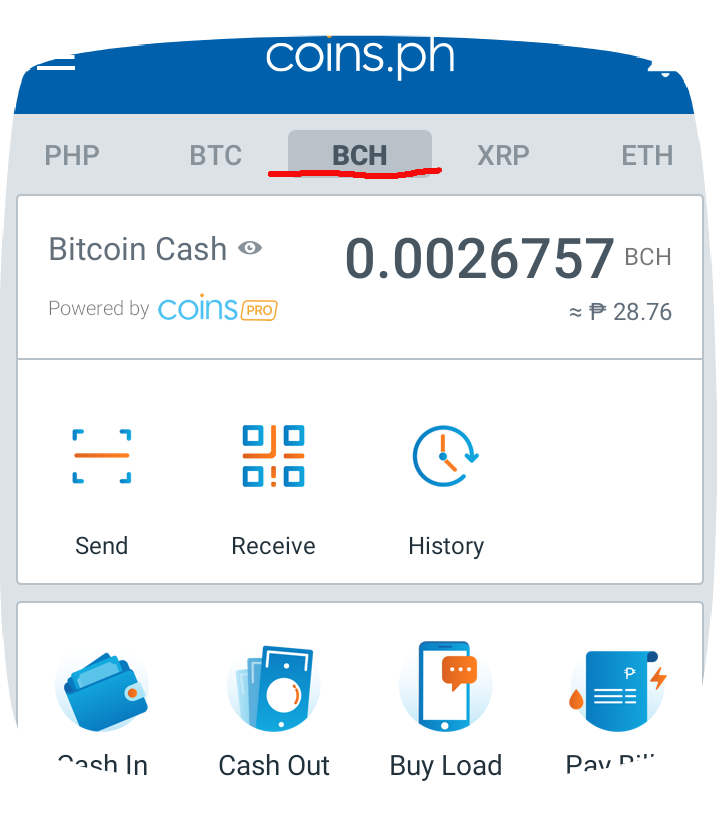
1. Here's the very first thing to do is to open your coins.ph wallet and choose BCH.
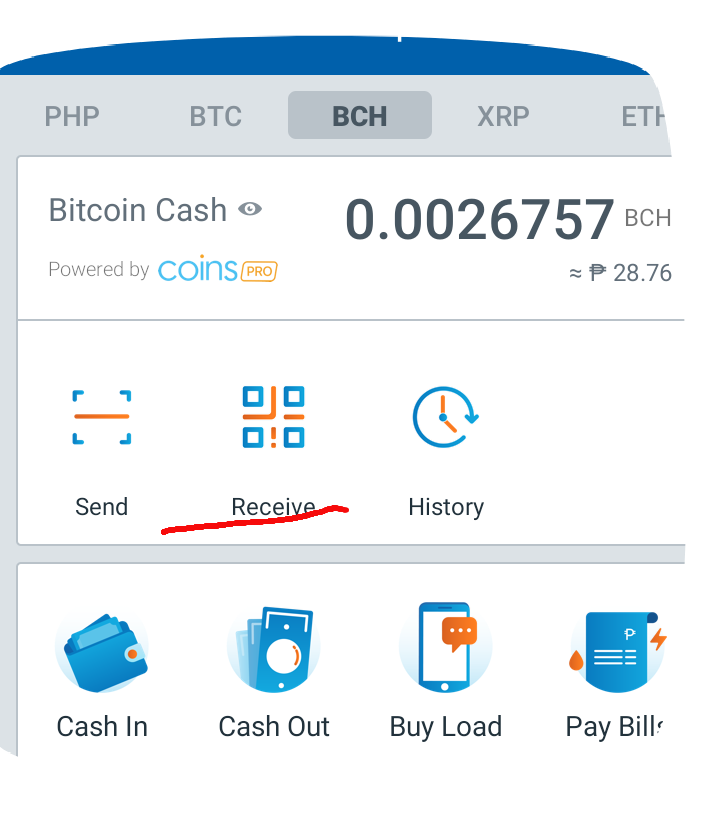
The second thing to do is click the recieve button as shown in the picture.
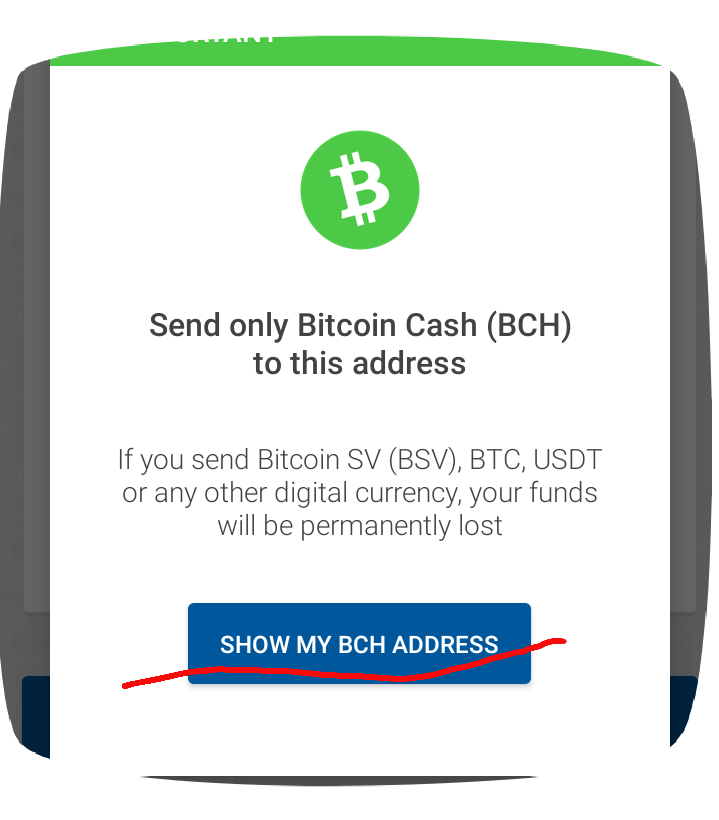
Next click the Show my BCH Address.
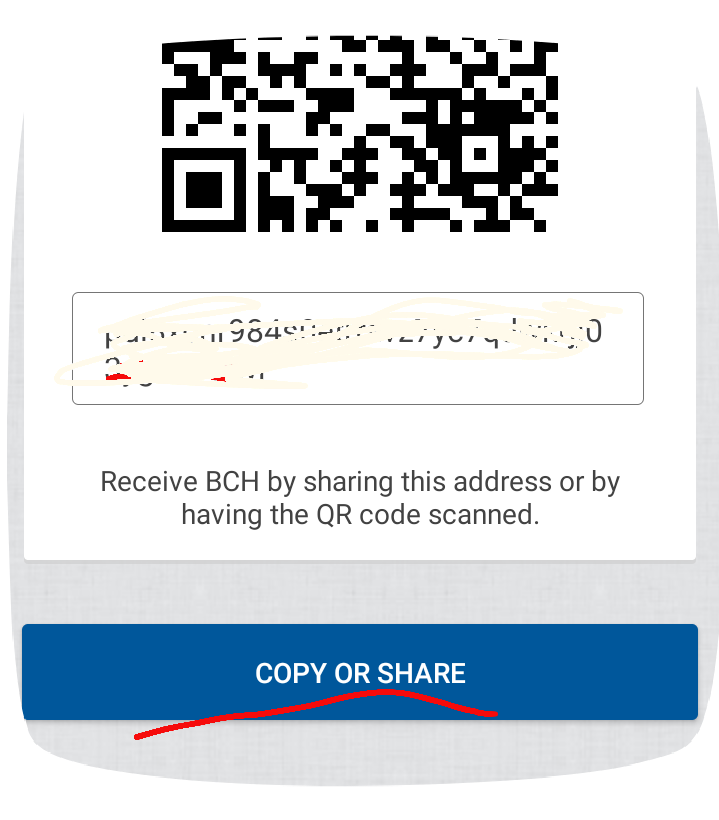
then click copy or share
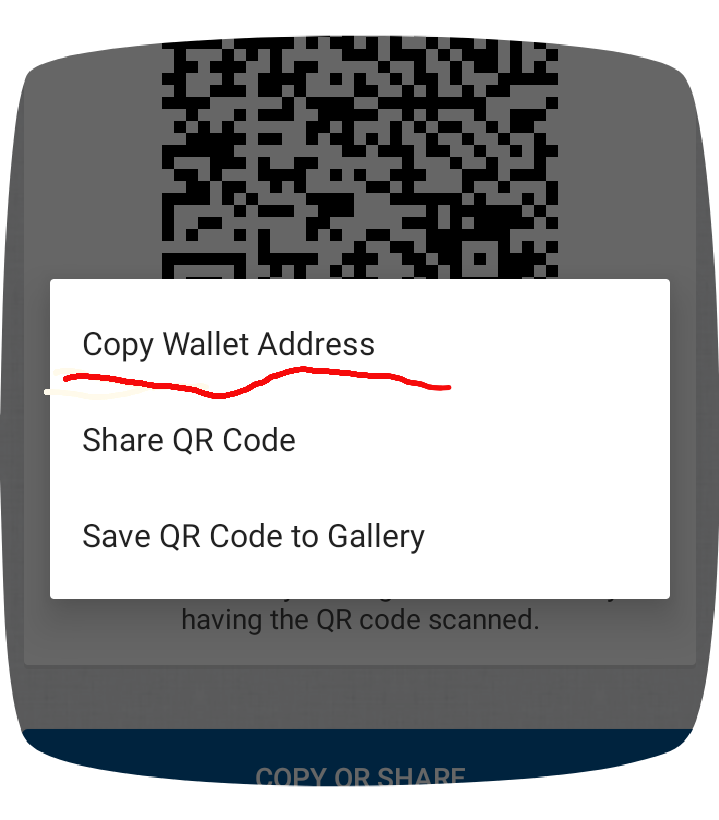
And Last copy your wallet address. Now let's go to Read.Cash site....
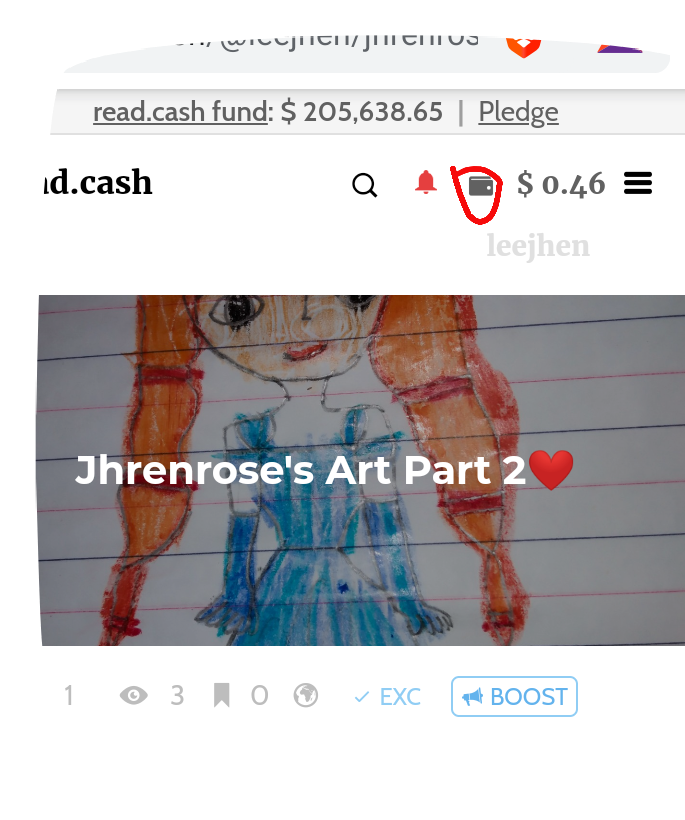
First thing to do is click your wallet.
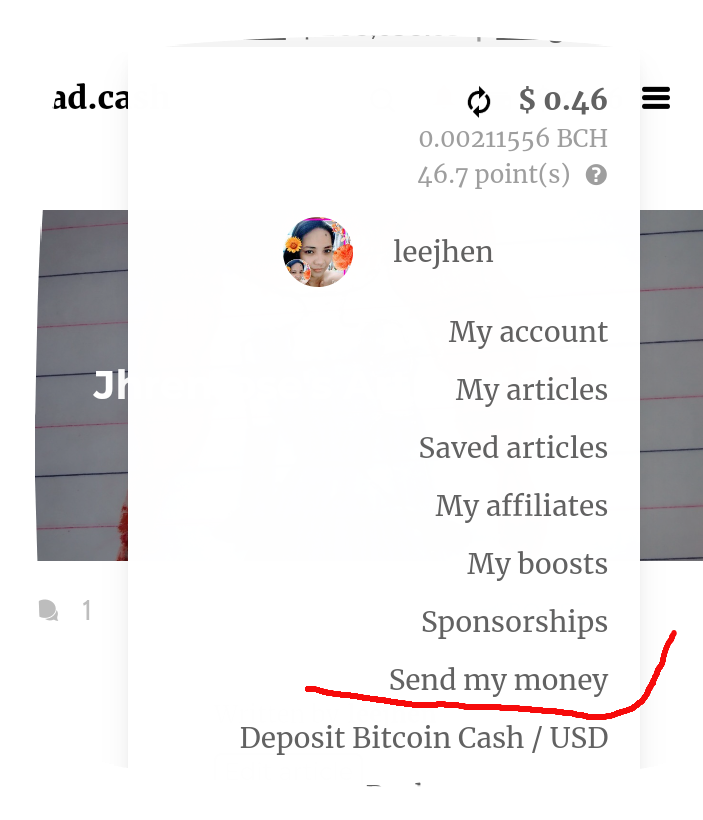
Next click Send my money
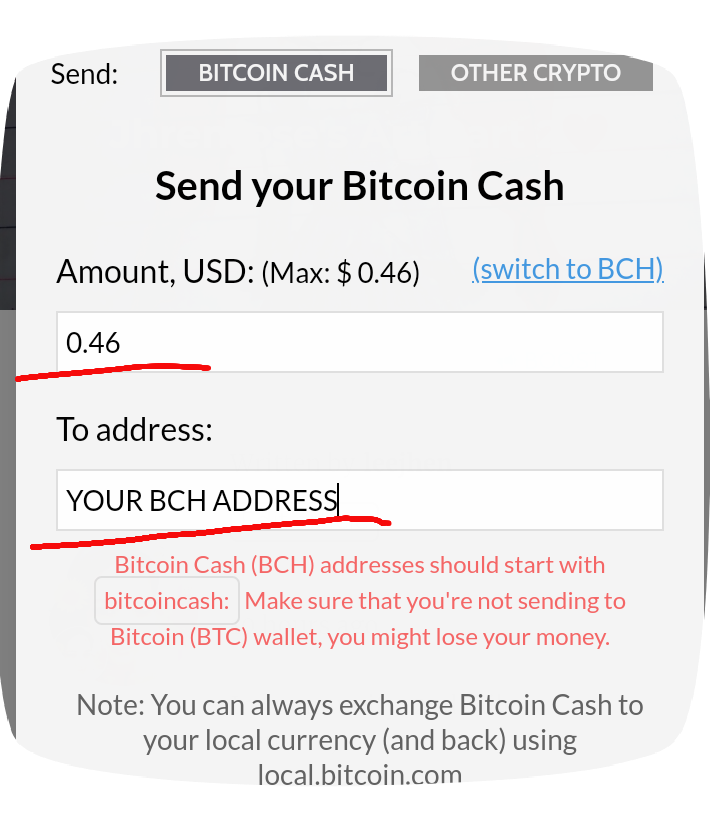
Then type the amount you want to withdraw and paste your BCH address that you copied. Then click send and a notification will pop out about your transaction. It will take hours to reach in your coins.ph wallet but it will surely arrive on that day. https://youtu.be/imTxzsOD-dM to understand much better here's the video on how to withdraw, maybe it will help more. Hope it can help especially all the newbies out there.
6 comments
Thanks a lot friend for detailed sharing information
you're welcome. hope it can help eventhough you used other wallet but the process is still the same.
Thank you so much. This is very helpful
your welcome hoping it can help.
Thank you so much for this one leejhen. Its very informative. Looking forward to make my withdrawal too. 😉 Hopefully the soonest time possible😜
your welcome 😊 you can withdraw too and yes it's. possible don't worry.