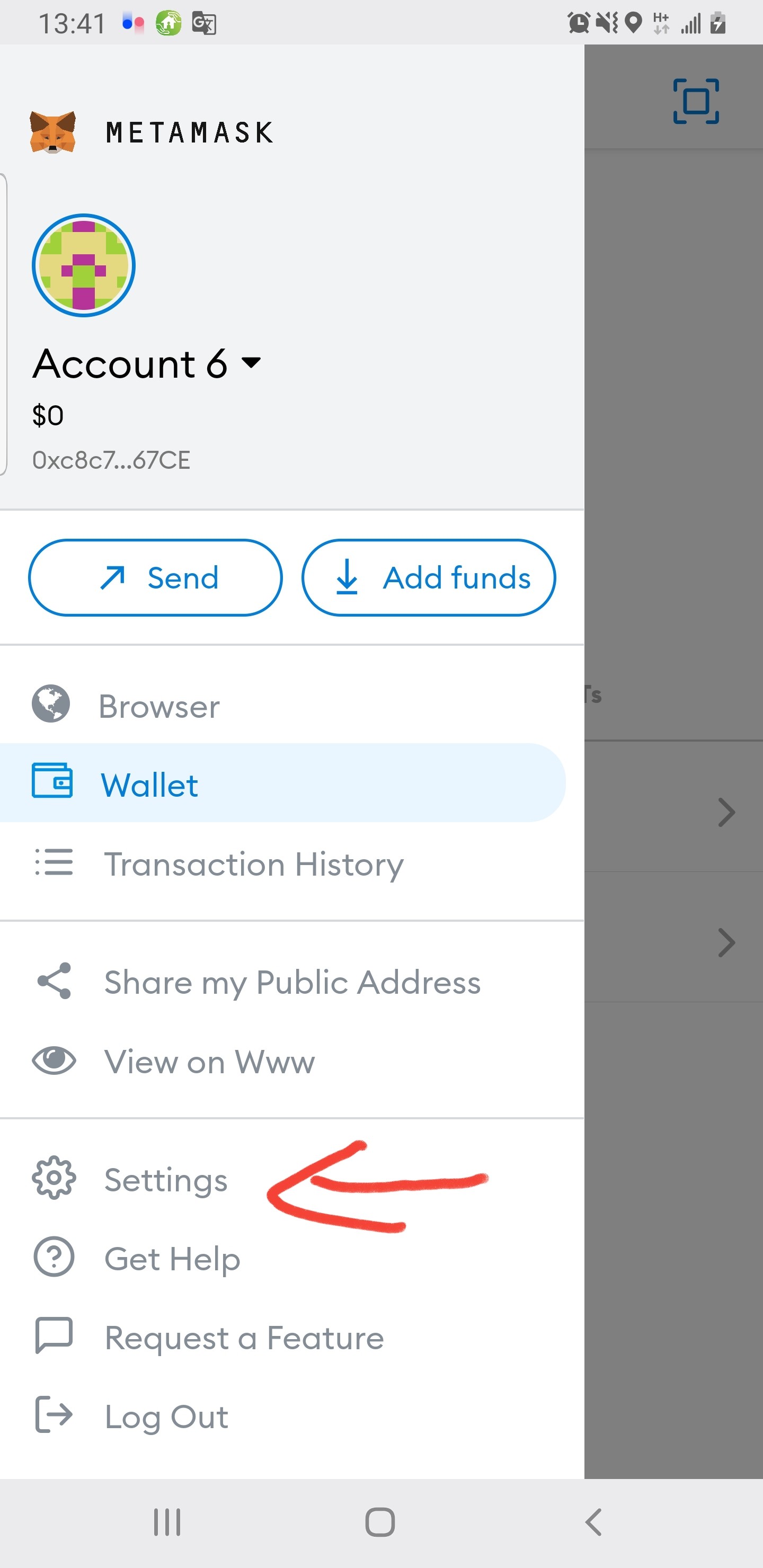
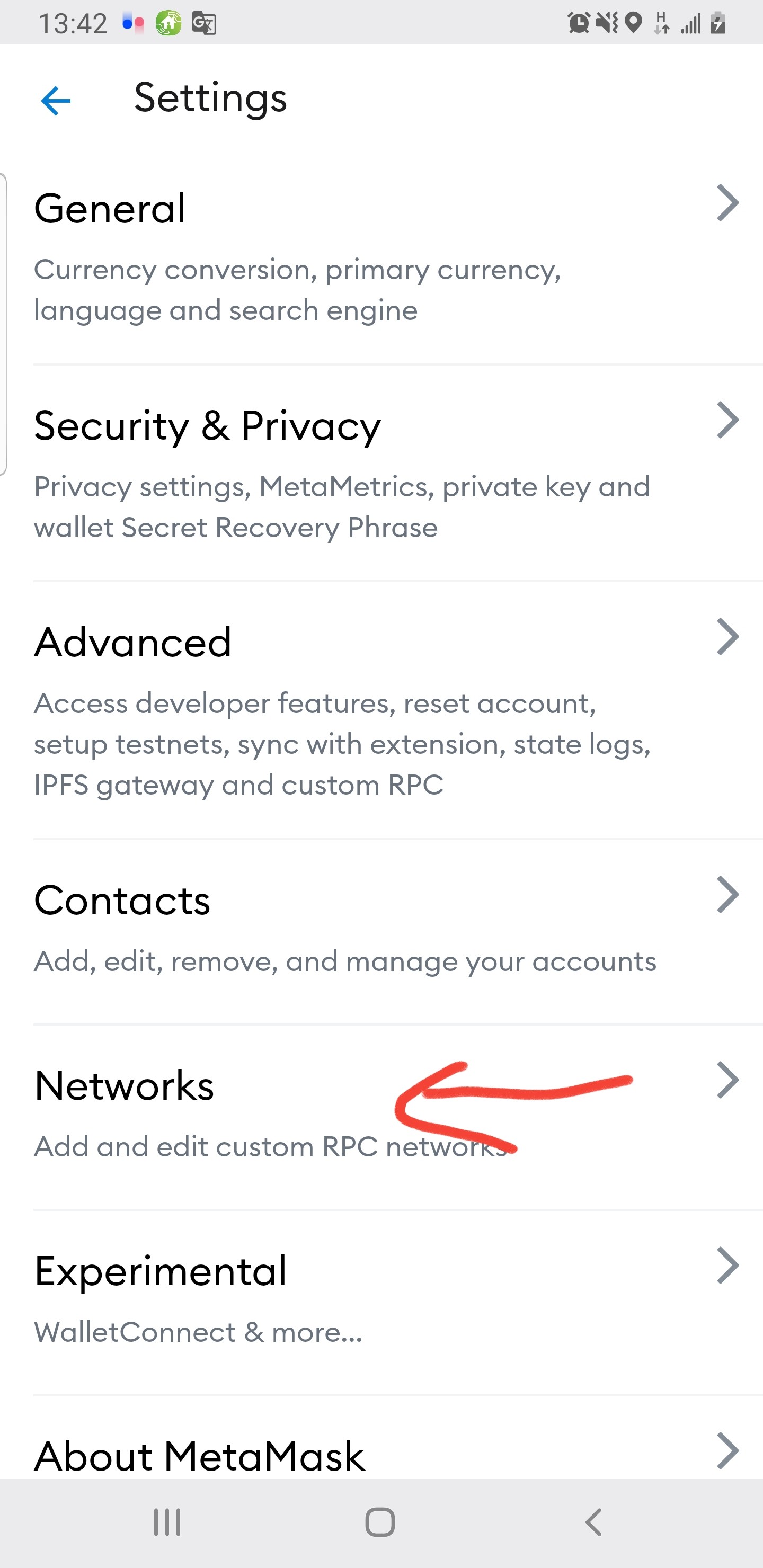
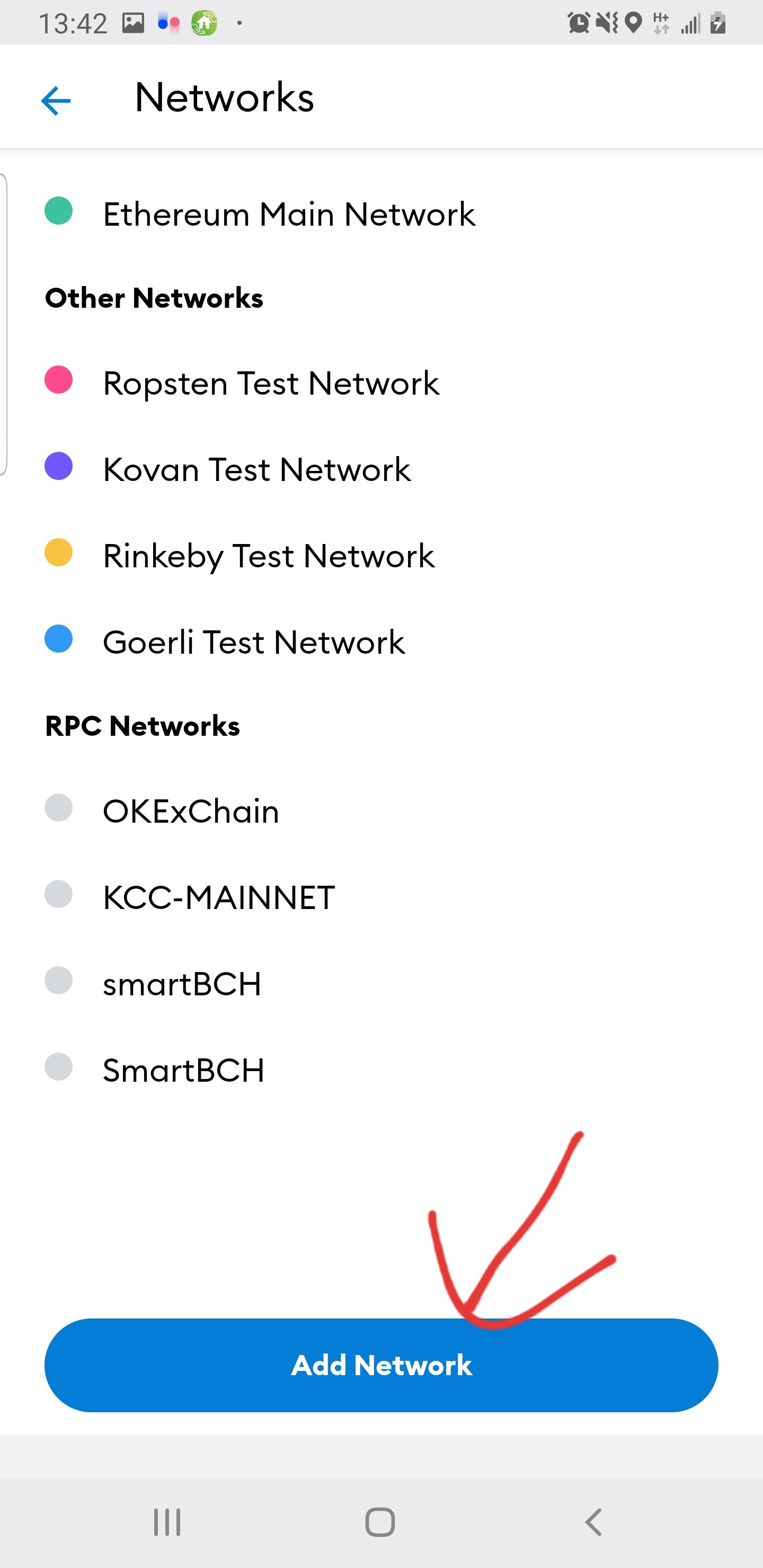
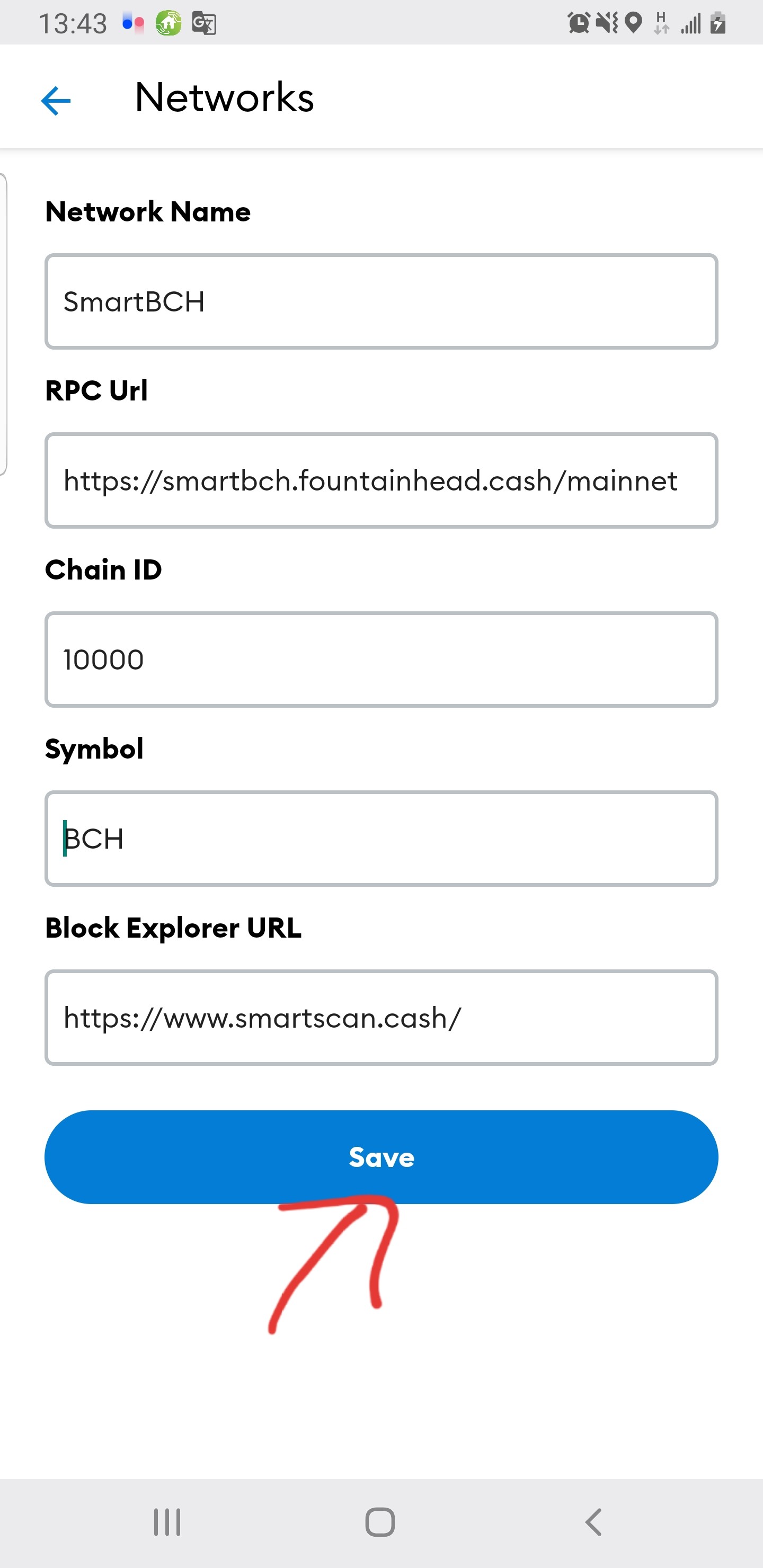
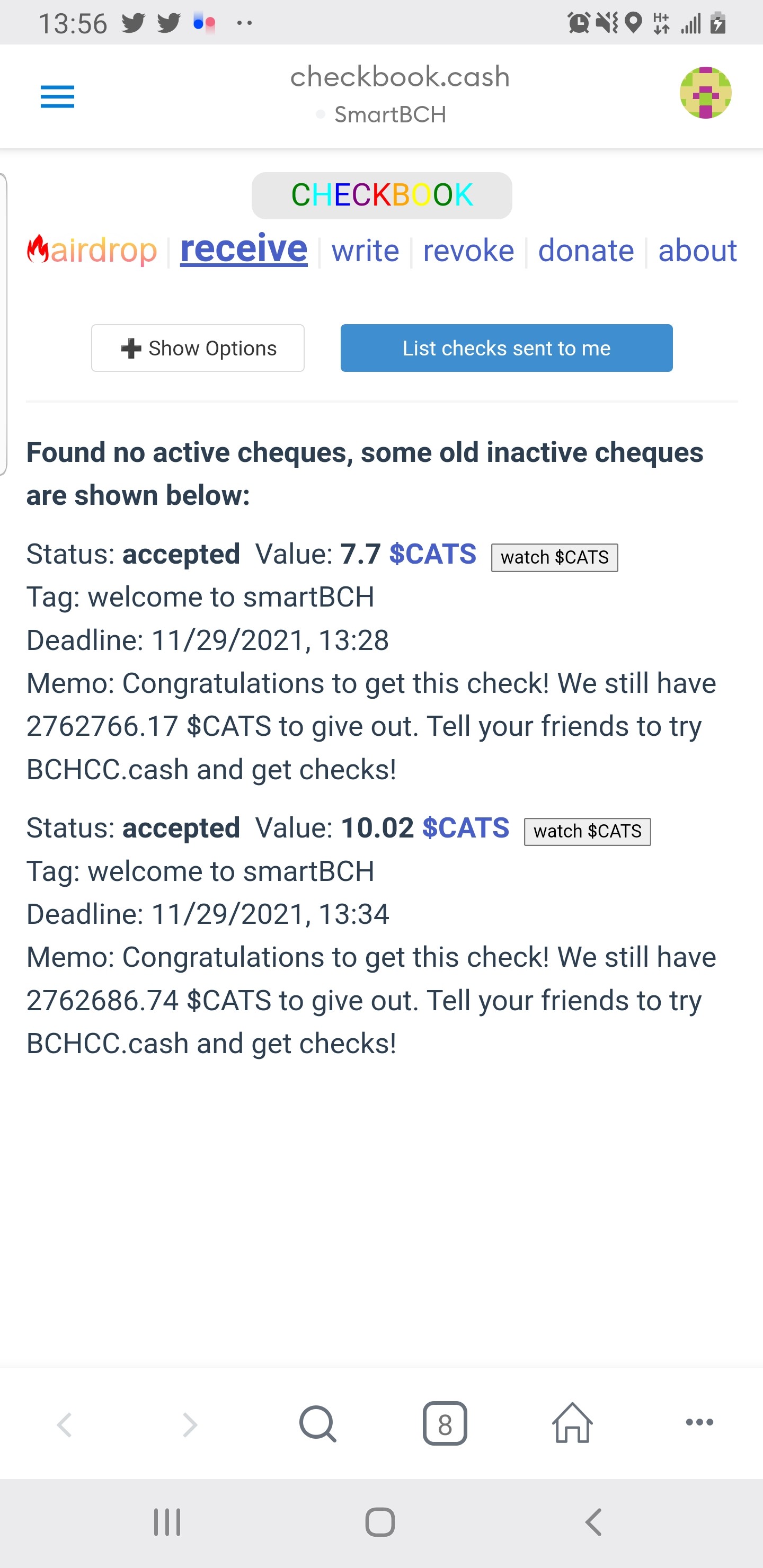
How to set up smartbch wallet on Matemask and get cats token with very low gas fee. I have explained step by step with screenshots below. After the installation is complete, log in to the internet with matemask browser and type https://bchcc.cash in the browser and log in to the site and connect the wallet. On the page that opens, tick bch into smartbch and connect. (Remember, keep this page open in the matemask browser) You can follow the Bch transfer on this page. A wallet address starting with bitcoincash: will appear. (number 2) Copy this address and send 0.0005 bch. It will be reflected in your account as smartbch. Next step for free cats tokens https://checkbook.cash/app/?autolist=1 paste this address into matemask browser and connect. Collect free cats tokens with accept as in 5 images. Then add it directly to your wallet with the watch button. You now have free cats tokens. #smartbch
No comments yet