 @crypto4ever
more from that month
@crypto4ever
more from that month
Use smartBCH network from Metamask wallet

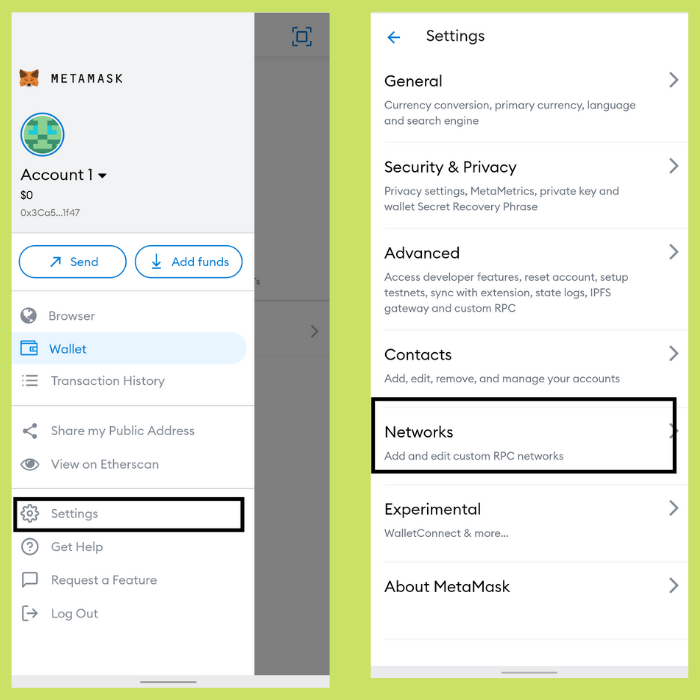
Hello, Bitcoin Cash Community This Article will guide you to setup smartBCH in your Metamask wallet Before we proceed, make sure you download **Metamask** from the official website https://metamask.io/download.html (Android, iOS, Brave, Chrome) **Step: 1** Click on the wallet settings
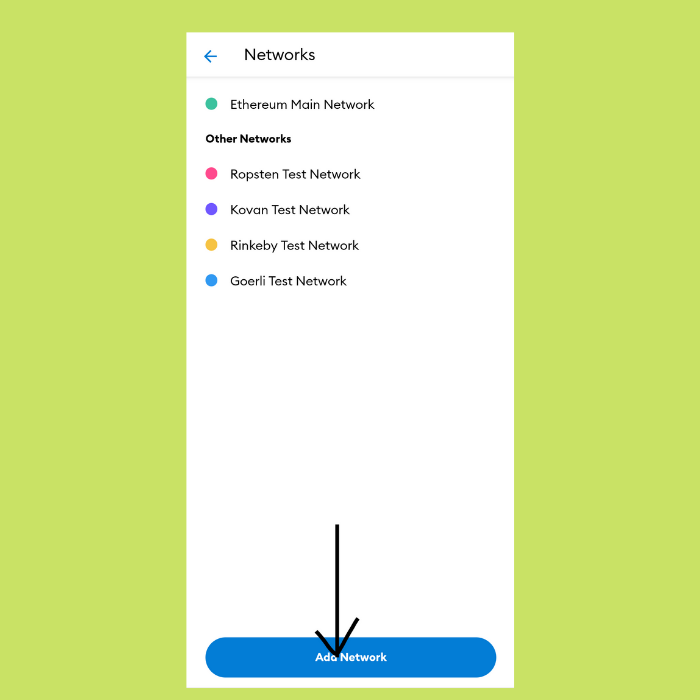
**Step 2:** Click on "Add Network" from the Networks tab
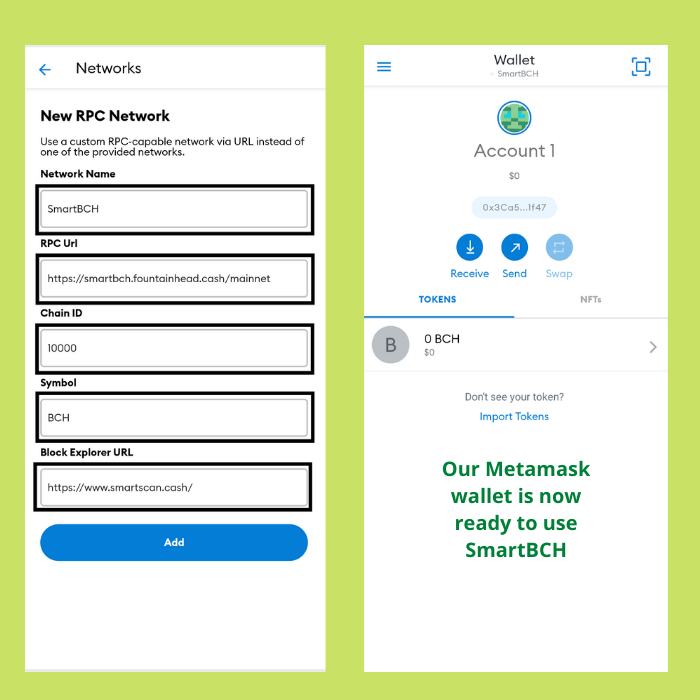
Step 3: Add the below network details and "Add" Network Name: **SmartBCH** RPC URL: **https://smartbch.fountainhead.cash/mainnet** Chain ID: **10000** Symbol: **BCH** Block Explorer URL: **https://www.smartscan.cash/**
You can verify your metamask transactions by visiting https://www.smartscan.cash/
No comments yet