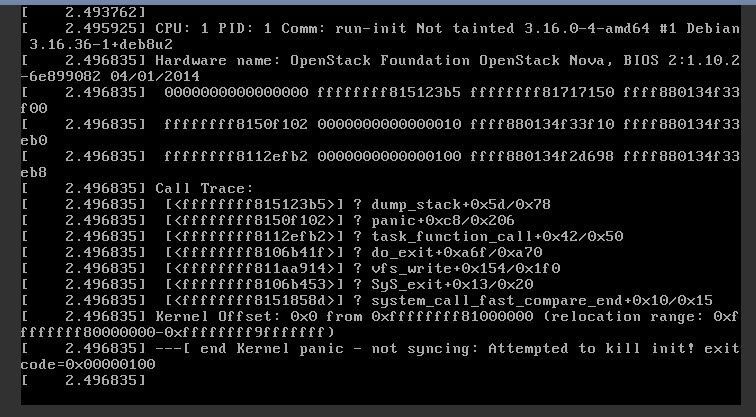
How to resolve the issue if your Ubuntu desktop stop rebooting after new update? I am currently running Ubuntu Desktop 20.4.1 version on my PC. Before that I used to run windows 10. Today evening I experienced a new error on Ubuntu desktop. In the evening, when I started my computer, I got a software update message. This was not unusual. I got this type of message before too and updated my system. Everyone knows that It was necessary to update the system. Like before, I started updating my system. The update process was going perfect and it was about to complete. And then load-shedding happened and my desktop was shut down. The problem arises when I rebooted the system again. It started showing error message "kernel panic". I was confused. I didn't know how to solve it. And the problem was that I didn't have any back up. Finally I searched on my android phone regarding the same problem and got the solution to resolve the issue. In this situation, when you restart the computer it will take you to "Grub" screen from where you will have to select "Advanced option for ubuntu". In the next screen, you will see two or three old versions of Ubuntu including new one. First row is definitely shows the new version of Ubuntu. But you need to choose older version (recovery option) just below the new version. It will recover the older version of Ubuntu successfully. You need to reboot the system again and choose "advanced option for ubuntu" once more. Then you need to choose the same older version without (recovery option). Your system will start functioning again. I forgot to take the snapshot. And so the image was taken from (serverfault.com). #Ubuntu
No comments yet