 @bmjc98
more from that month
@bmjc98
more from that month
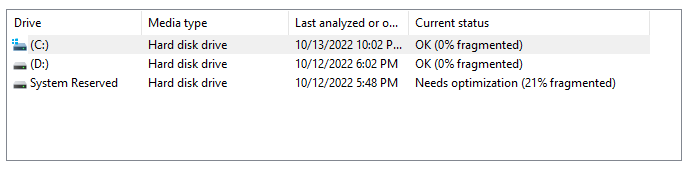
My PC was so slow, so I had to clear my history and optimize it. I'm not sure what it is for, but my IT friend told me to do it regularly, which I mostly failed to do. LOL. Since I have just finished the optimization, it's time to reboot my PC. Let's see if things go smoothly again.
7 comments
Good luck sister.
Try mo din ate ung sa command prompt hihi.
Kung may dalawa kang anti virus na naka install sa pc. Nagpapahina din iyon. 😊
Nah, you shouldn't really have to defrag much these days - it can be especially hard on solid-state drives. I think since at least Windows 7 it has been much better with not blasting your data all over the drive lol. Not sure if it's efficiencies in the OS, in NTFS, or both but yeah. If your computer is slow, I'd definitely suggest clearing out your temp stuff, but also check the task manger and see what all is running high - could be high processor use, or it could be a lack of RAM causing the system to rely on page files.
Hopefully, it goes well. Have a good morning, MJ
PC are also like smartphones, dear, they must be cleaned frequently from history or trash that accumulates from the things we do.😇
Good luck with that my friend