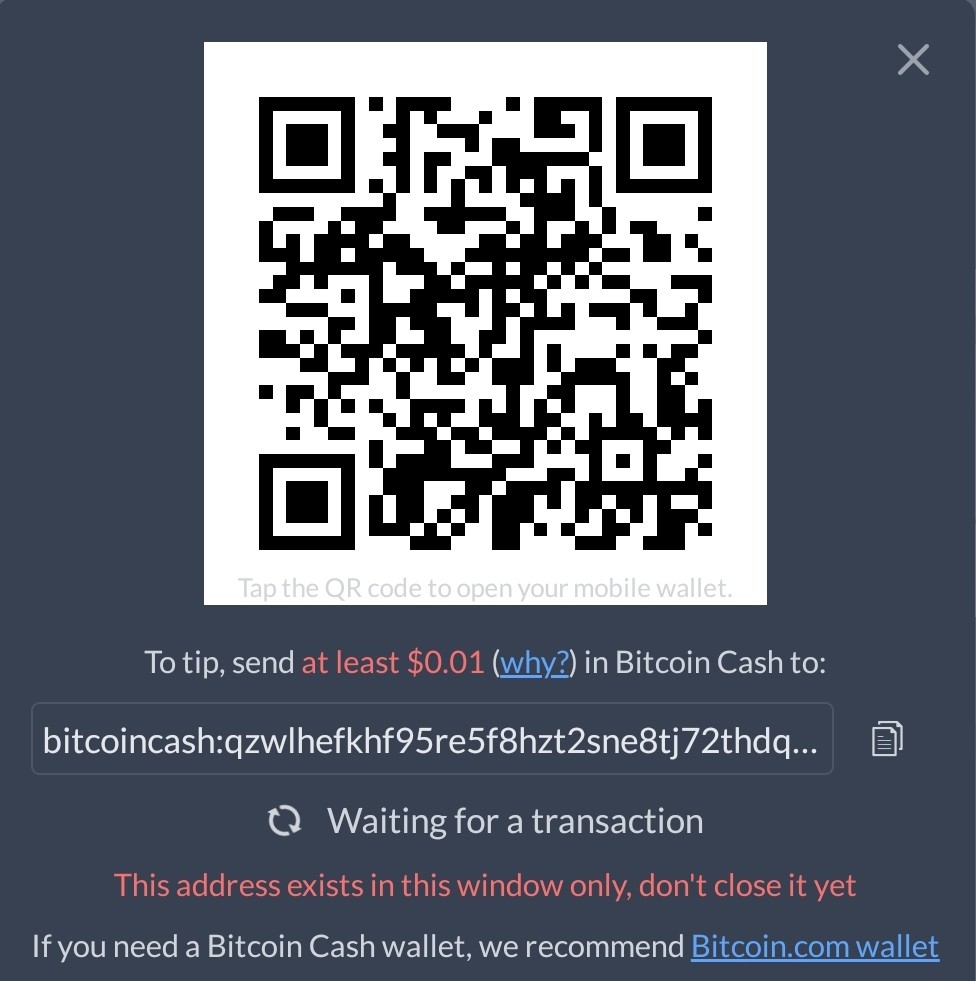
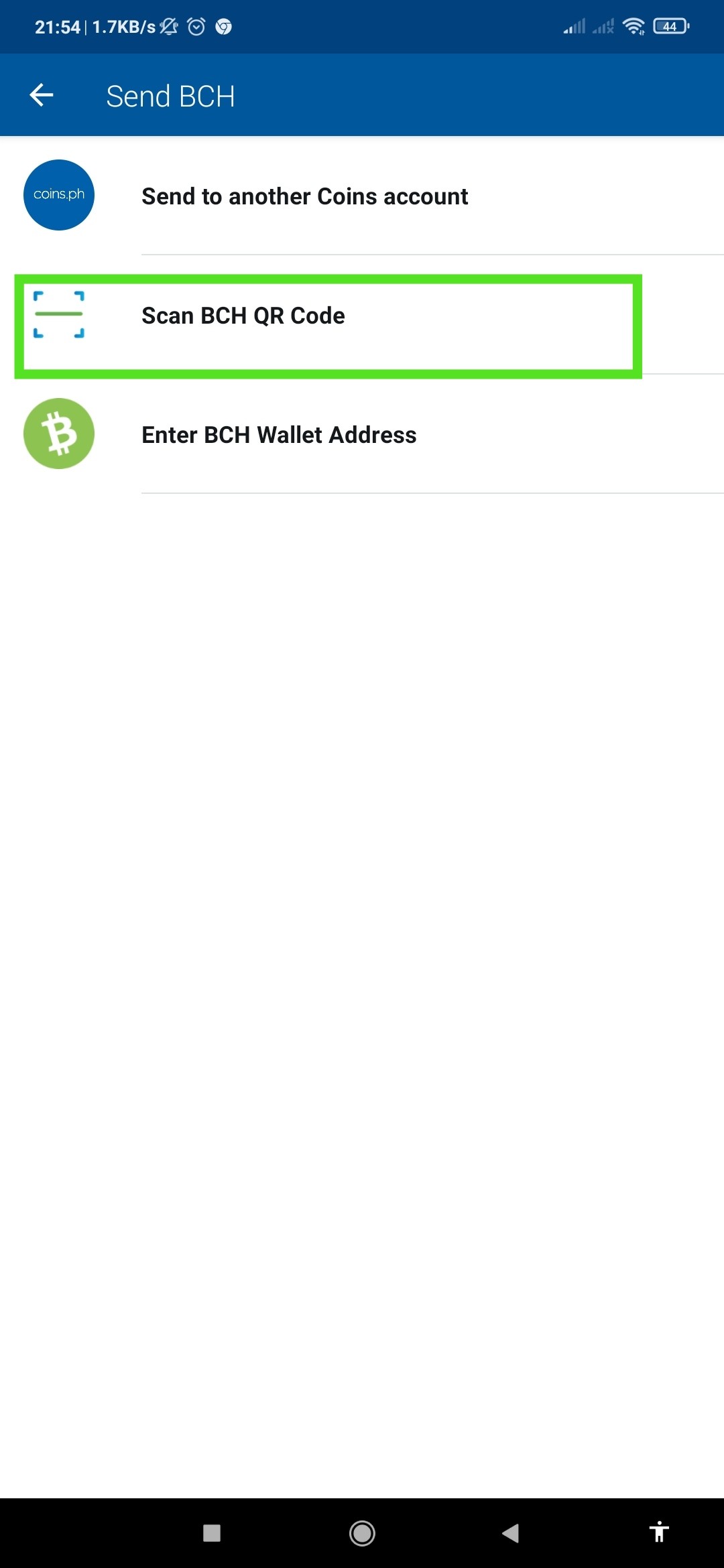
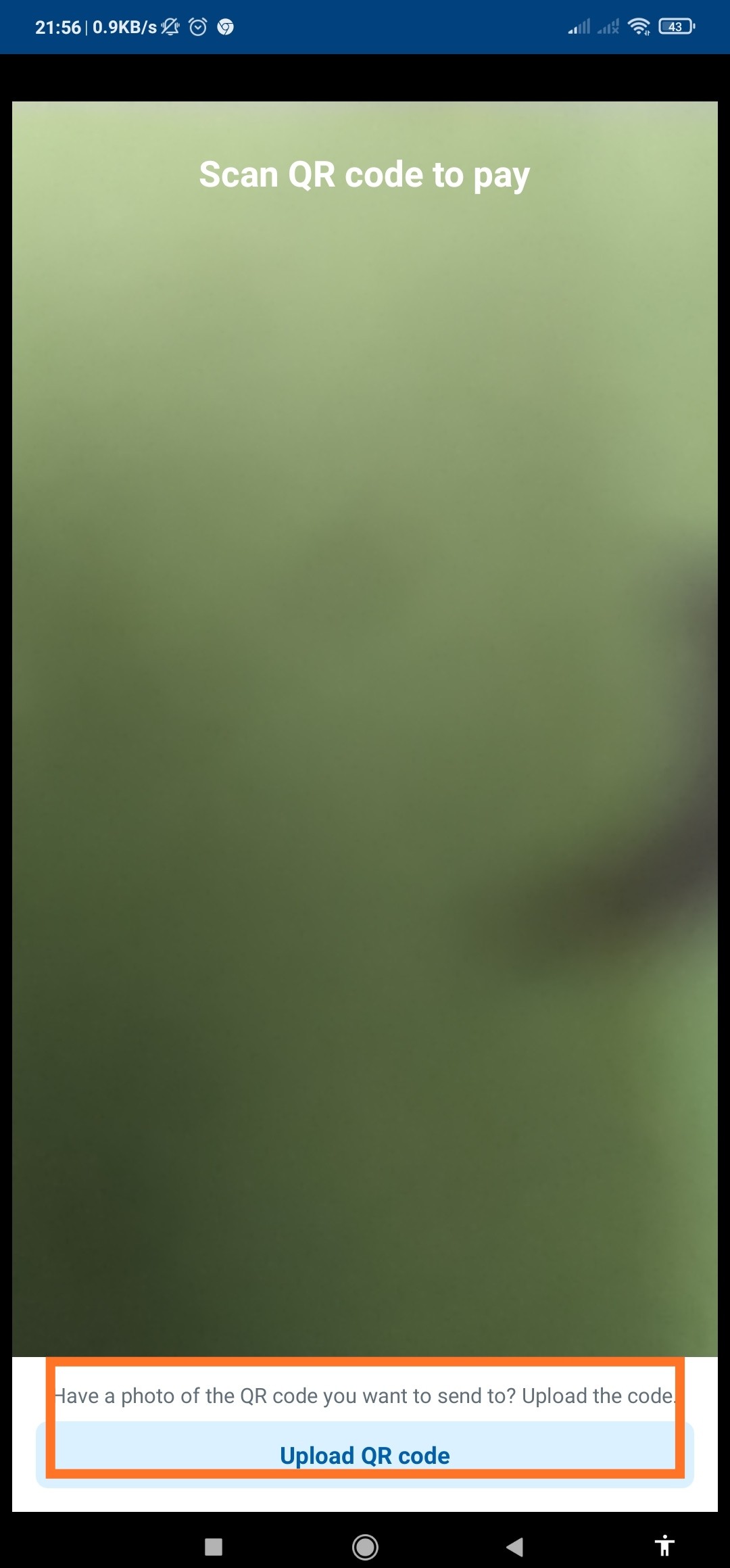
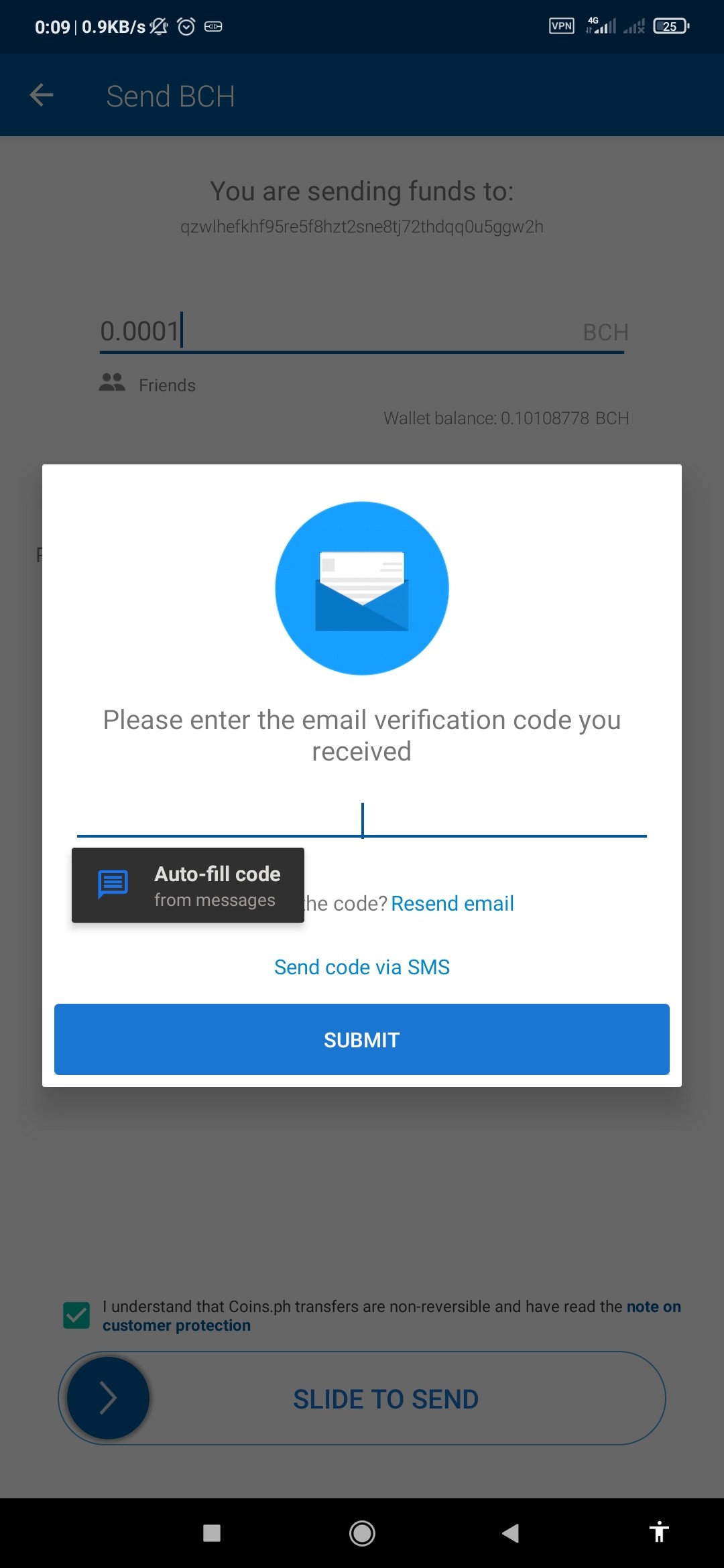
Good morning mga Kaibigan. Nagawa niyo na ba ang inyong QR code Challenge. Hayaan niyo pong bigyan ko kayo ng tutorial kung paano mag tip using QR code using 1 phone and coinsPh. 1. Click niyo po yung 0.00 2. Click QR code 3. Kapag lumasbas na yung QR code Image. Screen Shot niyo lang. Crop mo yung QR code. Note: huwag niyo po i-exit ang browser niyo n may noise.cash. huwag niyo rin i-close yung QR code. Minimize niyo lang. 4. CoinPh Go to to BCH wallet. 5 click Send. Choose Scan QR code 6 click upload QR code. Choose frome Gallery. 7. Kapag nag Pop-up na yung enter amount BCH. Means okay na yung Code na PagSesendan niyo. Input desired amount. 8. Slide to Proceed. Note: once mag error. Ulitin niyo lang. Minimum kay CoinsPH is 0.0001 BCH. Kung ayaw parin exit niyo CoinsPH, at buksan ulit. Ulitin lang ang steps. 9. Enter niyo yung code na ipapadala ni coinsPH. Pwede thru Email. Pwede rin CP number. Kung anu choice niyo. After niyo ma enter yung confirmation code. Lalabas na Successful. 10. Ngayon Balik kana sa Noise.Cash. makikita niyo yung QR code na Nawala at napalitan na rin ng Tipping confirmation. Once Confirmed means Okay na. QR code Challenge is Done . Congratulations! Good Morning
No comments yet