 @Today
more from that month
@Today
more from that month
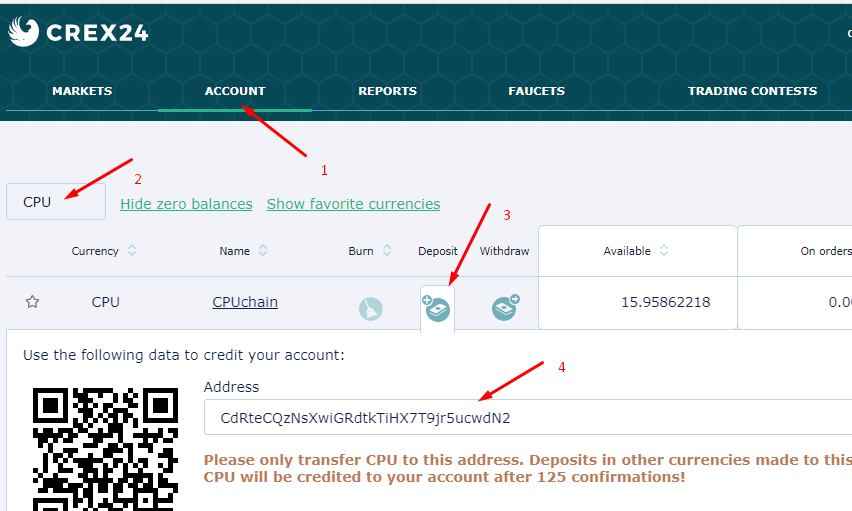
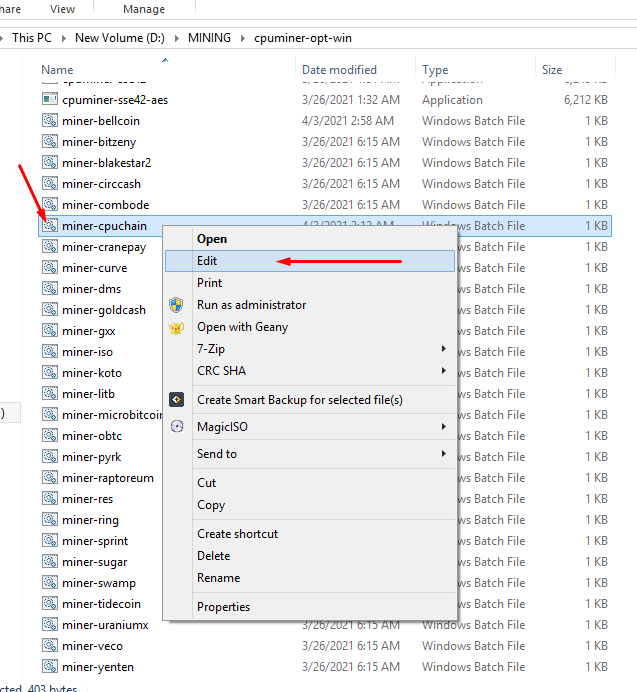
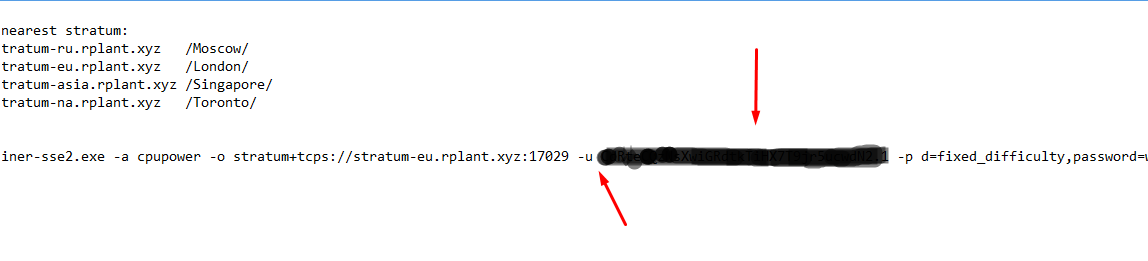
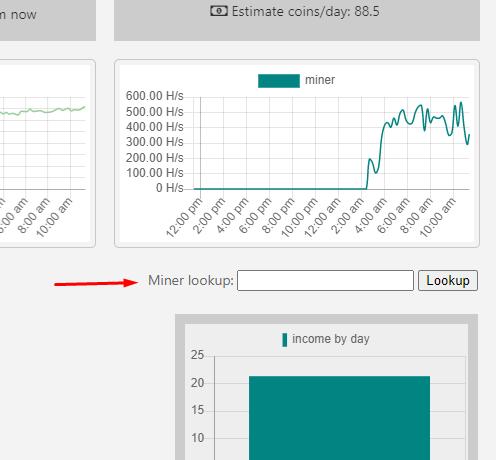
How to mine CPU coin with your own PC or Laptop - Step by step 1. Register in https://crex24.com/?refid=s560xzm26qb7z01ivku7 2.Go to - account, in search field write CPU, after a click on deposit and copy your deposit address! 3.Download cpu miner software here https://github.com/rplant8/cpuminer-opt-rplant/releases/ and extract. 4. After choose cpuchain, and right-click - edit. And after -u paste your deposit address 5. Take attention to the password parameter. Username: Wallet.Worker Password: anything, optional variants: d=fixed_difficulty password=passwd for pool settings, only the first time example: -p d=2,password=mySecretRig https://pool.rplant.xyz/#bitcore 6. Save, close, and start On CPU chain page you will your hash rate! For looking your miner state past your address in field, ,,miner lookup,, Happy mining!
No comments yet