How To Use Khufra in Mobile Legends: Bang Bang
**How To Use Mobile Legends Khufra Passive**
Every 12 seconds **Khufra** passive increase his next basic attack range. This basic attack deals magic damage based on 8% of **Khufra** Max HP. At the same time it also regens 8% of Khufra’s maximum HP. When his passive is available basic attack range will become visible around him.
If you **CC** an enemy with your skills, his passive CD will be reduced by 4 seconds. This effect can stack so if you **CC** 2+ enemies his passive CD will be instantly reset.
How To Use Mobile Legends Khufra Skills 1 (Tyrant’s Revenge)
This is a **dash skill** the longer you charge the more distance he travels, he can’t move while charging. While dashing if he encounters enemy he knocks them up and deals **Physical damage** based on his Max HP. This skill won’t knock up Jungle monsters if they are in-between.
How To Use Mobile Legends Khufra Skills 2 (Bouncing Ball)
This skill will turn him into a **bouncing ball** and dealing magic damage each time he hits ground. This skill will reduce enemy movement speed and slightly increase his movement speed. When he used skill 2, his physical and magical defense will be increased by 100%. If enemies try to dash across **Khufra**, they will be knocked up.
How To Use Mobile Legends Khufra Ultimate (Desert Tyrant)
This skill will pull enemies around him to the direction you aim dealing physical damage and slowing them. If enemies collide with a wall, this skill deals extra 150% damage and stuns them instead of slowing. That’s all for his passive and skill.
Mobile Legends Khufra Best Spell
These are some suitable spells for Khufra. I personally prefer “**Petrify**” spell. It will be very useful while aiming your ultimate. Since Khufra’s ulti has a slight delay to cast petrify will give you time to cast ultimate correctly.
**Aegis** is also a very good spell for him. It will help him to tank more damage or to help teammate.
Use “**Flicker**” if you want that extra mobility. Flicker also works while he is in bouncing ball state.
What Is Mobile Legends Khufra Emblems
**Tank Emblem** works best for Khufra. Spend talent points on HP and cool down Reduction in 1st and 2nd Row. Use **Brave Smite** talent it will regens HP every time you CC enemy heroes.
What Is Best Build for MLBB Khufra
For tanks you can’t use same build every match, you should change build according to enemy composition. Here’s a basic build **I recommend for Khufra Pro Build 2020**.
Giving **Khufra HP** is very important, because it will his damage output and passive regen. “**Oracle**” will increase his passive regen by 25%.
**Thunder Belt** will also be helpful to deal more damage and for slow down. If enemy team has 2+ magic damage dealers buy “**Athena Shield**” for better survivability.
If you want more damage just buy 1 **BOD** his damage will increase greatly. After completing your build sell **Wizard Boot** and buy a **Defense boot**.
Mobile Legends Khufra Strong Against
**Khufra can easily counter Heroes that primarily depend on dash skills with his low CD skill 2.**
**Fanny**
**Harith**
**Lancelot**
Mobile Legends Khufra Weak Against
All of **Khufra** skill can be cancelled by knock up which makes him weak against Heroes like **Chou**, **Vale**.
Mobile Legends Khufra Best Teammates
**Heroes that can create obstacles and Heroes with CC skills will make it easier for Khufra to cast skills.**
**Grock** https://www.gamingfreak.in/2019/09/mobile-legends-grock-ultimate-guid.html
**Badang**
**Moskov**
Secret Tips and Tricks How To Play Khufra 2020
**At** level 1, help your assassin/mage to take buff or head straight to lane to clear wave. Unlock skill 2 at level 1 to deal more damage and to be tanky. Since you have a regen passive, try to be aggressive while laning. Use your passive whenever available on any target to regen HP. After reaching level 4, roam and try to gank.
Always stick with a Mage or Assassin. While tower diving make sure you go in first before your teammates. If enemy tries to tower dive you trap them to the wall or turret. In ganks/ team fights try to protect your team’s main damage dealer. While using ultimate always aim towards an obstacle. If there’s no obstacle nearby, pull them to safe position for your teammates to hit.
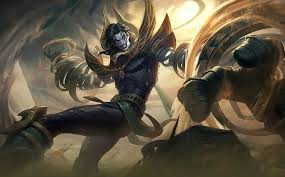
How to use Khaleed in Mobile Legends: Bang Bang
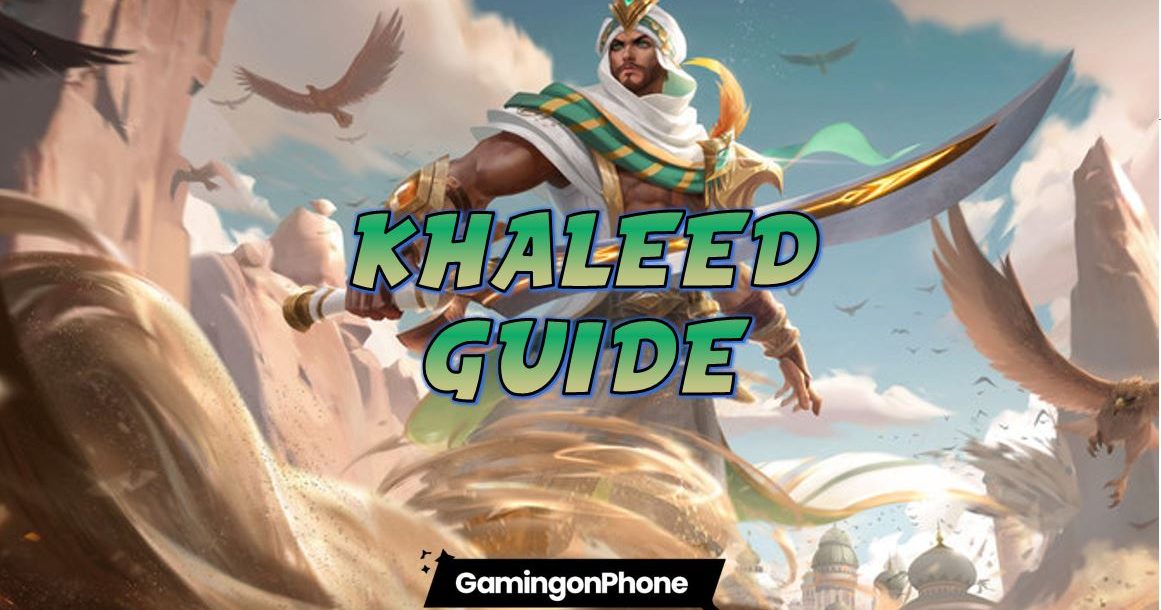
**Khaleed** the Desert Scimitar is the brand new fighter in Mobile legends to boost this Season 17 into a whole new Meta season. He is a fighter with Crowd Control (CC) and Damage type specialty. Its rare combo for the fighters but it is one of the deadliest for sure. In this guide, we’ll talk about Khaleed’s skills, best builds, and emblem sets for Khaleed, as well as some tips on how to play Khaleed in **Mobile Legends**. https://gamingonphone.com/tag/mobile-legends/
Skill analysis
Passive
Khaleed has a unique passive which allows him to get a sand skateboard whenever his rage bar is full. This skateboard allows him to get an increasing 30% movement speed along with an enhanced basic attack whenever he crashes the skateboard to a target. After the crash, he not only gets an enhanced basic attack but also leaves a sand carpet behind leaving the enemies slowed down by 30% in that area.
Skill 1- Desert Tornado
Khaleed strikes with his blade to deal damage to the surrounding enemies. If he hits a target successfully, he can use this skill again up to three times increasing the damage by 20% per hit. To complete the combo he has to successfully hit any target even the minions will do to continue using this skill up to three times. While doing this skill Khaleed jumps towards the movement direction just like WanWan before swinging his sword. So you need to focus on the movements too or else this skill will be stopped right away.
Skill 2 – Quicksand Guard
Khaleed creates a whirlwind quicksand around himself which slows down the enemies in range and also heals him. This skill is a buff type skill and can be interrupted by any movements or any other skills or by any enemy CC. Khaleed also gets damage reduction and a quick passive charge while using this skill. Damage reduction from this skill ranges from 50%-70% depending on the skill level. This skill’s HP regeneration depends upon the amount of HP loss, so the lower is your health the more you will get HP regeneration from this skill. This skill is a great counter against heroes like **Hayabusa**. https://gamingonphone.com/guides/mobile-legends-hayabusa-guide/
Ultimate skill – Raging Sandstorm
Khaleed summons a sand storm and charges in a designated direction pushing the enemies a little backwards. At the end of this skill cast, he deals massive damage inside the circle and also stuns the enemies for 1s. While using this skill you don’t have to worry about the enemy CC as he is immune to any CC while using this skill. This skill is also a great option to get out of squeeshy situations. But this skill cast is a little slow so need to maintain the timing properly.
Best Builds for Khaleed in Mobile Legends
Khaleed is a hero that can deal a lot of damage as well as soak up a huge amount of damage. So for him, you need to build a combination of damage and sustainability, for which we suggest to start with **Warrior boots** as it will give you the initial defences in the early game.
Then go for **Endless Battle** or **Bloodlust Axe**. Both give a good amount of lifesteal and CD reduction. But if you’re low on gold go for Bloodlust Axe without a doubt. As it is cheaper than Endless battle and you’ll get a good amount of damage from it too.
For the third item if you have taken Endless Battle to go for **Blade of despair** to deal more damage along with sustainability and lifesteal. If you’ve to take Bloodlust axe to go for defence items like **Immortality** or **Athena’s Shield** or **Wings of Apocalypse** for more sustainability in the ganks. Go for **Blade of Hepateses** if you need more damage and don’t forget to take Jungle equipment if you’re with **Retribution.**
Best **Emblem sets** for Khaleed
Assassin Emblem
Use this emblem if you want to deal damage and focus on farming. Set it up with:
CD reductiom +3
Physical PEN +3
Bounty Hunter (in the last to gain more gold per kill)
**Fighter Emblem**
Use this emblem if you want to focus on Support and sustainability. Set it up with:
Physical ATK+3
Physical PEN+3
Festival of blood (at the last)
Well, we recommend using Fighter Emblem personally as his skills deal a lot of damage anyway and with fighter emblem, he will get a good amount of spell vamp too.
Battle Spell for Khaleed
**Flicker** is the best battle spell for Khaleed as using it you will be able to chase or get out of a situation quickly. But you can also use retribution as Khaleed’s farming is a little slow. Using retribution you can also go for the enemy buffs and try to steal them. You can also go for spells like Execute, Arrival and Vengence as per your requirements, but never use Sprint or petrify with Khaleed as it will be a waste of spell.
Combos to use with Khaleed in Mobile Legends
Khaleed has basically two kinds of combos. First one is without using Ultimate and the second one is using Ultimate. For Khaleed completing his combos deals huge amount of damage and can finish off low health heroes easily.
**Combo 1**
**Skill1 + Basic Attack + Move + Basic Attack + Move + Basic Attack**
Since Khaleed Spins while using skill1, this will help you to fast kill enemies and also clear minion waves. Use skill1 to spin and after every spin use basic attack to deal damage. Move according with the jumps to restore passive and hit with basic attack whenever its full. This is the basic combo for Khaleed to use in all kinds of situations.
**Combo 2**
**Ultimate + Combo1**
Use this combo whenever you’re entering a gank. But remember to aim well while using ultimate as it moves slow and the targeted enemy can run from it. Make sure it hits in the circle so that you get the advantage of the stun to deal as musch damage as you can. Also remember to retreat whenever your heath is below 50%. Retreat use 2nd skill to heal quickly and again use the combos. This is the best technique to play with Khaleed.
**Positioning and Gameplay Tips** for Khaleed
Positioning your hero properly is a very important aspect of winning any fight in MLBB. In this Khaleed guide, we’ll tell you how to position him and how to play with him in Mobile Legends during different phases of the game
Early game
Start the game by clearing the offlane minions. This will make him level 2 easily. Try to take the Gold Crab as fast as you can and wait for the enemy in the bush. Khaleed is really good in the early game so you can play aggressively from the start, but don’t overdo it or you will just feed. A little **farming** is needed for Khaleed to sustain the damage given. You need to maintain the position in such a sense so that after a gank initiation by the tank you can follow him right up and finish the enemies with your combos. In a gank, you have the role to finish it. So position yourself accordingly. Try to take away some early kills it will increase the damage in the mid-game. https://gamingonphone.com/guides/mobile-legends-farming-guide/
Mid game
In the mid-game try to take out some towers and always enter a gank in the last and finish everyone off. Help your carry and protect him from enemy assassins. Khaleed is really a nightmare for assassins because of his 2nd skill and passive. Try to solo push whenever you get the chance and deal massive damage, as Khaleed deals the best damage in the mid-game.
Late game
In the late game, **Khaleed is very strong but without defence items,** he could be killed easily. So don’t initiate a gank alone and always stay with your tank. Chase and stun your enemies with your ultimate and **use the combos at the right time**. Hide sometimes to mark the enemy carry and kill him. Don’t go solo in the late game.
Hope this guide will help you to win many games after mastering Khaleed in Mobile Legends. Good luck!
Filipino po ba lahat ng nandito?
Ako lang ba yung naka experience ng sa una lang sweet yung kausap mo tapos bigla bigla nalang mawawala na parang bula?
What can i do when my girlfriend is always mad at me everyday?
I want to help my families in daily needs, I am just a student and I think that this site can realy help me :)
There are problems everywhere and dont think that you can't solve it, there are ways that you can solve it because you have your strong self and you have your friends and families, think positive and never give up. Godbless everyone
Anime with best storyline and plot twist?
Is it real that there is a vaccine for COVID-19?
iCloud Bypass/Unlocking
**Site:** **https://myicloud.info/**
**Myicloud – latest news to unlock & bypass icloud**
*FOR INFORMATIONAL PURPOSES ONLY. I AM NOT LIABLE AS TO WHAT YOU CHOOSE TO DO WITH THIS INFORMATION*
**This blog was created to help who needs to find a way to legally unlock devices that are not stolen but accidentally locked. please do not ask for unlocking services or îllégâl methods.**
**info Bypass iCloud Activation Lock iPhone**
**JOIN OUR FORUM AND CONTRIBUTE TO HELP**
myicloudinfo will share relevant information to help developers, apple Fans who need to icloud bypass or fix any iphone ipad or ipod. all information is from the internet free to use.
IMPORTANT: This blog, webpage is for educational purpose only. By reading this info, you agree that I’m not responsible for what might happen with the use of information provided. we do not support any îllégâl activity.
**Bypass iCloud Activation Lock Compatible Devices**
http://idevice.me.uk/
Bypass iCloud Activation Lock iPhone 5S
Bypass iCloud Activation Lock iPhone 5C
Bypass iCloud Activation Lock iPhone 5
Bypass iCloud Activation Lock iPhone 4S
Bypass iCloud Activation Lock iPhone 4
Bypass iCloud Activation Lock iPad Air
Bypass iCloud Activation Lock iPad Mini
Bypass iCloud Activation Lock iPad 4/3
Bypass iCloud Activation Lock iPad 2
**Bypass iCloud Activation Lock – Compatible iOS Firmwares**
Bypass iOS 8 iCloud Activation Lock
Bypass iOS 11 iCloud Activation Lock
Bypass iOS 7.1 iCloud Activation Lock
Bypass iOS 7.0.6 iCloud Activation Lock
Bypass iOS 7.0.5 iCloud Activation Lock
Bypass iOS 7.0.4 iCloud Activation Lock
Bypass iOS 7.0.3 iCloud Activation Lock
Bypass iOS 7.0.2/1 iCloud Activation Lock
Bypass iOS 7.0 iCloud Activation Lock
Bypass iOS 10 iCloud Activation Lock
**Bypass iOS 7 – iOS11, ios 10.3.3 – iOS11 Activation Lock iPhone icloud bypass free software**
All solutions presented here to **bypass and remove iOS 7, 8 , 9 and 10 icloud Activation lock** are free methods to bypass icloud error screen. This works with the iPhone7, 7 plus, 6s plus 5S, 5C, 5, 4S & 4 and iPad Air, iPad Mini, iPad 4 & iPad pro. removing icloud is an easy task. The first option is the fastest way to **bypass iCloud** and the Apple Activation Lock is by deleting the iCloud using the jailbreak tools. the other method we teach is removing icloud on activated devices using one iOS bug injecting old backup without icloud and find my iphone off.
**info Bypass iCloud Activation Lock iPhone**
Note MYicloud.info will not help or support “stolen devices” our work is free to help people who have lost icloud apple ID password or email. Please do not make questions related to îllégâl activity. All this information is from research, searching on the internet, be careful from scammers and îllégâl content special from not untrustable web pages.
What anime is the best in terms of plot twist and storyline?
Did you miss the normal days without COVID-19?
How to Hard Reset Your Android Phone
*Source: Harish Jonnalagadda / Android Central*
There are a number of reasons why you might need to factory reset your Android phone. Maybe your phone is overloaded with apps and running slow, or you've downloaded a recent update and it's causing problems with your phone's functionality. Maybe you just want to reset it because you're selling your phone (you should always do this when selling an old device, by the way). Here's how to factory reset your Android phone through the phone settings or via the recovery mode.
How to factory reset your phone from the settings menu
Before we get started, know that a factory reset will erase all the data on your phone. If you haven't backed up your contacts, pictures, videos, documents, and anything else (preferably in the cloud), you should do so now. Not sure where to back up your data before a factory reset? Read our guide on how to do that first. https://www.androidcentral.com/what-do-you-factory-reset-your-phone
Given the variety of phones available on Android, I'll be using the Pixel 3a and Samsung's Galaxy A51 as the examples for this guide. The Pixel is a good baseline as the process is nearly identical on Android One devices from the likes of Nokia, Xiaomi, Motorola, and other companies like OnePlus that retain a "stock" user interface. https://www.androidcentral.com/google-pixel-3a https://www.androidcentral.com/samsung-galaxy-a51-review https://www.androidcentral.com/android-one
As for the Galaxy A51, the phone is running Samsung's One UI, and with the company being the largest manufacturer in the world of Android by some considerable margin, it makes sense to see how things differ. With that out of the way, let's get started.
The easiest way to factory reset your phone is through the settings menu. The location of the factory reset option might vary slightly based on the phone you're using, but once you've found the **Backup and reset** menu, you should be in the clear.
How to factory reset your Pixel/Android One phone
Tap the **Settings icon** from your home screen or app drawer.
Swipe up to **scroll down** to the bottom of the settings menu.
Tap **System**.
*Source: Harish Jonnalagadda / Android Central*
Hit **Reset options**.
Select **Erase all data (factory reset)**.
Swipe up to **scroll down** to the bottom of the page.
*Source: Harish Jonnalagadda / Android Central*
Hit the **Reset phone** button.
Enter your **device PIN** and select **Continue**.
Select **Erase everything**.
*Source: Harish Jonnalagadda / Android Central*
Your device will reboot and you can go through the initial setup as if it were a new phone.
How to factory reset your Samsung phone
Tap the **Settings icon** from your home screen or app drawer.
Swipe up to scroll down to the bottom of the page.
Tap the **General management** tab.
*Source: Harish Jonnalagadda / Android Central*
Hit **Reset**.
Hit **Factory data reset**.
Scroll down to the bottom of the page.
*Source: Harish Jonnalagadda / Android Central*
Hit the blue **Reset** button.
Enter your **device PIN** and tap **Next**.
Tap **Delete all**.
*Source: Harish Jonnalagadda / Android Central*
Your phone will reboot and you'll have to go through the setup process again before you're able to restore your data. https://www.androidcentral.com/how-restore-your-apps-and-settings-new-android-phone
How to factory reset your phone via recovery mode
*Source: Harish Jonnalagadda / Android Central*
If your phone is running into issues with an update or if there's a malfunction that's preventing the device from booting up, you'll be able to factory reset by heading into recovery mode. At a high level, you'll be able to enter recovery mode by pressing down on the volume up and power buttons simultaneously.
The process varies slightly based on the device you're using, as we'll see later on. Before we proceed to reset via recovery, you'll need to know about a security mode called Factory Reset Protection.
Google rolled out Factory Reset Protection (FRP) a few years ago, and the feature is now standard on all phones running Lollipop and above. Essentially, FRP ensures that someone can't just factory reset your lost or stolen phone and set it up as new by booting into recovery mode. The mode requires you to sign into to a Google account associated with the device after a factory reset. If you fail, you won't be able to proceed with the setup.
Based on what I've encountered, FRP kicks in when you reset a device via the recovery mode and isn't an issue when you're resetting via the settings. If you're interested in knowing more about the feature and how it works, you should take a look at this excellent article on the subject: https://www.androidcentral.com/factory-reset-protection-what-you-need-know
So if you're looking to sell your device and are considering a factory reset, a better option would be to go through the aforementioned settings page. If you're unable to boot into your device and need a way of resetting data, then you can turn to recovery mode. Now that you understand the risks, here's how to reset your phone via recovery mode.
How to factory reset via recovery mode on a Pixel/Android One phone
If your phone is on, **power it off**.
Hold down the **Power and Volume down buttons**. Instead of booting up normally, you'll see "Start" in an arrow pointed at the power button. Here you use the Volume buttons to scroll and the Power button to select an option.
Press the Volume down button until you've highlighted **Recovery mode**.
Press the **Power Button** to start recovery mode.
When your phone reloads, you should see a screen that says "No command" with an Android robot in distress. Press and hold the **power and volume up buttons** together to load the recovery mode.
Using the Volume buttons to scroll through the menu, highlight **Wipe data/factory reset**.
Press the **Power button** to select.
Highlight and select **Yes** to confirm the reset.
Once the reset is complete, you will be bounced back to the same recovery mode menu. Press the **Power button** to select **Reboot system now**.
Your phone will power on and be reset to its factory settings. Your phone will reboot and you'll have to go through the setup process again before you're able to restore your data. https://www.androidcentral.com/how-restore-your-apps-and-settings-new-android-phone
How to factory reset via recovery mode on a Samsung phone
If your phone is on, **power it off**.
Hold down the **Power and Volume up buttons** simultaneously. You should see the Samsung logo followed by an "Installing system update" screen.
After a few seconds, you should see a "No command" message flashing on the screen. Wait 10 to 15 seconds at this screen and the device will enter recovery mode.
Use the **Volume buttons** to scroll through the menu and the power button to make a selection.
Highlight **Wipe data/factory reset**.
Press the **Power button** to select.
Highlight and select **Yes** to confirm the reset.
Once the reset is complete, you will be bounced back to the same recovery mode menu. Press the **Power button** to select **Reboot system now**.
Your phone will power on and be reset to its factory settings. The next time you turn the phone on, you will go through the initial setup process as if it were a brand new phone. Once set up, you can go about restoring your data from wherever you had it backed up.
As mentioned earlier, if you're resetting your phone via recovery mode, Factory Reset Protection kicks in if you haven't already removed your Google accounts from the device. So if you're selling your device, make sure you remove your Google accounts and lock screen security before you do a hard reset through the recovery mode.
How to Play and Win on PUBG mobile
Players Uknown Battleground— or PUBG as it’s known by fans — is finally available on mobile. The PC, Xbox One, and now Android and iOS smash hit may have lost some ground to Epic Games’ Fortnite in the ‘great battle royale war’, but the sandbox kill-fest reigns supreme on Android sitting in the Play Store top games with millions of downloads. https://www.androidauthority.com/fortnite-tips-tricks-893704/
For those new to the game, the first thing you should know is that PUBG is all about surviving until the bitter end in a 100-person free-for-all or as a team by any means necessary. Yet whether you’re the kind of player that likes to grab the best weapons you can find and go all guns blazing, or you opt for a more stealthy approach, there are some gameplay basics that apply to everyone that enters the battlefield.
In this guide, you’ll find some essential PUBG Mobile tips and tricks that will put you ahead of the pack and help you bag those sweet, sweet chicken dinners.
Don’t land in the water, obviously.
Choose where to land very carefully
A game of PUBG can last as long as half an hour or, if things go horribly wrong, it can all be over in a few seconds. One surefire way of exiting early is by misjudging your initial landing spot, which is why it’s first on our list of PUBG Mobile tips and tricks.
As a general rule of thumb, you want to aim for the best loot spots in the game map you’re playing on, while also avoiding as many other players as possible. There are some particular areas that regularly spawn the best weapons and armor such as the military base, power plant, or the various major towns in the original map Erangel, but bare in mind that other seasoned players will be heading there too.
Once you’ve jumped out of the cargo plane, keep an eye out for swarms of other players heading to a single location and avoid those areas like the plague.
Likewise, don’t just aimlessly drift once you’re in freefall—pinpoint a safe enough area, preferably with buildings so you can grab some loot, and push forward to speed your way there. Buildings will show up as white blocks on the mini map, so make sure you’re heading in the right direction.
If you can’t see one you can always open your parachute early and coast over to a decent landing zone. Just be aware that every second you spend in the sky is a second your opponents will be using to scoop up loot.
Loot first, shoot later
Let me re-emphasize this one last time—if you die in PUBG you are dead. In solo play, there are no second chances, and in squads you’ll be putting your team’s chances of victory at risk if you keep getting downed early.
Once you hit the floor, your first priority is gearing up so you don’t get clipped in any initial skirmishes. You’ll find crucial loot scattered around in buildings and supply crate drops. The latter contain the most sought-after weapons like the insanely powerful AWM sniper rifle but remember you won’t be the only one hoping to grab the spoils.
Make sure to share the spoils in a supply drop if you’re in a squad.
The most important loot in the early stages is a half-decent weapons, ammo, and some reasonable armor, as well as a backpack upgrade (up to level 3) so you have room for better gear as you start exploring. Any gun is better than your fists or even the legendary PUBG frying pan, so grab any nearby firearms before engaging a foe.
Armor is also crucial so you can take more hits in a firefight. Like the backpack, head and body armor is graded from level 1 to 3, but level 3 armor is fairly rare. Aim for level 2 armor before picking a scrap, or level 1 at a bare minimum.
Health items are also a priority. First aid kits are preferable, but bandages, painkillers, and the like will all help in a pinch. Thrown items like grenades will become more important later on as an offensive or distraction tool once the player count has diminished, but don’t be afraid to throw an explosive surprise if you come across an unsuspecting group early on.
See that tiny outline of a person? No? Then don’t pull the trigger.
Only shoot when you’re in range
This is the ultimate rookie error and it’ll get you killed more than anything else in PUBG Mobile. Deciding when to hide and when to attack is a tricky balancing act, but you should never ever open fire unless you know your weapon has a chance of hitting the target.
While knowing when you’re in range will take some practice for complete newcomers, if you have any experience with PvP shooters you’ll already have a fair understanding of the basics. Shotguns (especially the awesome S12K) and SMGs are useful for up-close burst damage, assault rifles and pistols are good for mid-range fights, and sniper rifles are perfect for long distance pot shots.
Shotguns and SMGs are useful for up-close burst damage, assault rifles and pistols are good for mid-range fights, and sniper rifles are perfect for long distance pot shots.
https://7b6be324d78d3bf071556ef72ad37904.safeframe.googlesyndication.com/safeframe/1-0-37/html/container.html
If you’re shooting at a distant enemy with, say, the otherwise fairly strong Tommy Gun, all you’re doing is giving away your position which is a fatal mistake.
Attachments can extend the range of some weapons—assault rifles with scopes can sometimes be better than sniper rifles—but some guns are only useful in specific circumstances. Shotguns, for example, are a great tool for clearing out a building but are practically useless out in the open fields.
Where possible, try to keep complementary weapons on hand and don’t carry two weapons that fulfill the same purpose.
Keep an eye on the map
It’ll take a fair few games to learn the layout of certain areas of the PUBG map, let alone the whole thing. While you’re getting used to the landscape, make sure you’re paying attention to the mini map and keeping an eye on the diminishing play area.
In PUBG, the only safe area lies within “The Circle”. This circle will begin to shrink at select times during the match and if you find yourself outside of it for too long, you’ll eventually die.
The damage you take in this electrified blue field will increase as the circle shrinks. Early on you’ll be fine for a few minutes, while in the very final stage you won’t last more than ten seconds.
Time to move.
Each new circle will show on your map as a white outline, so if you watch your map you’ll always know where to go next. There’s no need to rush in the early phases, but towards the end you’ll need to get moving to avoid death while also trying to steer clear of other players who will be doing the same thing. You should always be trying to remain in cover where possible, but if you do need to move, move quickly and with purpose.
The mini map also has one final trick up its sleeve that you absolutely need to look out for—a fire indicator. If you hear gunfire in your vicinity, have a quick glance at the map and it’ll show exactly where it’s coming from.
You can lean out of vehicles from the passenger seat for some spicy drive-bys.
Wheels are better than legs
https://7b6be324d78d3bf071556ef72ad37904.safeframe.googlesyndication.com/safeframe/1-0-37/html/container.html
Need to get somewhere fast? Then you need a vehicle, my friend.
Vehicles are littered all around each of the game’s maps but you’ll find them most commonly near the larger cities and on the main roads.
Unfortunately, while there are plenty of vehicles to go around, there’s also up to 99 other players potentially looking to get behind the wheel too, so be sure it’s safe before approaching.
**More PUBG Mobile resources:**
PUBG Mobile updates: All updates in one place! https://www.androidauthority.com/pubg-mobile-update-889517/
What’s the difference between PUBG and PUBG Mobile? https://www.androidauthority.com/pubg-vs-pubg-mobile-858416/
PUBG Mobile review https://www.androidauthority.com/pubg-mobile-review-853582/
The motorcycle and buggy are both great for zipping to the next play area but will leave you relatively exposed. Larger vehicles like the jeep will be slower but are great for carrying around four players with a nice amount of protection.
PUBG Mobile’s touchscreen controls can be a bit fiddly at the best of times, so you can imagine how difficult it is to deliver a lethal blow to an opponent when they’re driving straight at you. The downside, however, is the amount of attention you’ll draw thanks to those loud engines.
You can’t see me.
Hide and peek
PUBG games almost always end with a tiny group of fighters lying around on the floor hoping someone else pops their head up first. That person usually gets domed immediately, by the way, so make sure it isn’t you.
Going fully prone in PUBG is an important maneuver, so much so that it has its own dedicated button. It’s also a double-edged sword, however, as while you’ll get a nice recoil and accuracy boost and generally be a little more hidden, mobility is almost non-existent.
If someone approaches you from behind while you’re on your chest, you’re almost definitely going to end up dead—especially if you’re looking through a scope at the same time. Keep an eye on your mini map and the surroundings before hitting the floor, and don’t be afraid to flank your opponents when they’re lying down.
When out in the open, taking advantage of rocks and the sides of buildings for cover can be a much safer alternative. What PUBG doesn’t tell you is that you can actually peek around the side of cover without exposing your squishy limbs, but to do that you’ll have to take a quick trip to the Settings > Basic menu.
Enable peek for an advantage over less studious players.
https://7b6be324d78d3bf071556ef72ad37904.safeframe.googlesyndication.com/safeframe/1-0-37/html/container.html
Simply toggle Peek & Fire to “Enable” and you’ll be able to peer around corners. Just be aware that you’re far from invulnerable when doing this, as your head will lean with you, but you’ll be a much smaller target.
One final point on controls: remap the buttons if you need to. There are three presets for both general and vehicle controls to choose from, but if you can tweak these even further by hitting the Customize option. You can move around every single aspect of the HUD to your liking, increase button sizes, and alter icon transparency, and you can also reset everything to default if you mess up.
Be a good wingman and talk your way to victory.
Communicate with your squadmates
PUBG can be very lonely when you’re squatting in a field somewhere all alone, just waiting for a chance to strike. That all changes in duo or group play where strategic play and constant communication are key to victory.
Attacking in numbers is far safer than splitting up.
Almost every aspect of PUBG changes in co-op, be it choosing a place to land, deciding who takes what loot, picking a target, or even calling who gets to ride shotgun in a vehicle. Attacking in numbers is far safer than splitting up, but equally, you’ll need to maintain a little distance from your allies from time to time to flank opponents and hold vantage points.
Thankfully, PUBG Mobile supports native voice chat using your device’s speakers and microphone, although you will have to enable the latter in Settings > Audio. You can even choose your language to ensure you can communicate effectively with your squad.
Alternatively, if you have a few buddies, you can always use voice and chat apps like Discord. If you absolutely must remain quiet, make sure to at least use the game’s built-in quick chat feature. It lets you send messages like “I’ll cover you” or “Enemies ahead” at the tap of a button. https://www.androidauthority.com/best-messenger-apps-for-android-665859/
Know your maps
https://www.youtube.com/embed/mCQe6c4IfDo?autoplay=0&autohide=2border=0&wmode=opaque&enablejsapi=1rel=0&controls=1&showinfo=1
While most of PUBG Mobile’s maps are more than familiar to fans of PUBG, it’s important to learn weapon and item spawns in each map in order to maximize your chances of winning. This will not only influence your landing spot, but also where you should move as the match progresses.
Knowing your maps is even more important now that Miramar, Sanhok, and the newly added snow map Vikendi have all been added to the game. In the case of Vikendi, the map features a few extras like snow mobiles. https://www.androidauthority.com/pubg-mobile-vikendi-map-935269/
You’ll learn the best hiding spots as you play, but you can learn faster by limiting the maps in the pool by unselecting them before starting a match. Do this and you’ll be an expert in no time at all.
Gain additional rewards with the Royale Pass
https://7b6be324d78d3bf071556ef72ad37904.safeframe.googlesyndication.com/safeframe/1-0-37/html/container.html
Unlike the previous PUBG Mobile tips, this one won’t help you win any games. With the release of PUBG Mobile update 0.6.0, the game features a Fortnite-like Royale Pass with loads of rewards to unlock as you move up the ranks. https://www.androidauthority.com/pubg-mobile-royale-pass-fortnite-060-877641/
Much like Fortnite’s Battle Pass, the basic version of the Royale Pass is free, while the Elite Royale Pass costs the game’s premium currency, UC. There is also a more expensive version (Elite Pass Plus) that instantly grants 25 ranks and a few other goodies.
***Read more:*** *Fortnite vs PUBG: Which one is right for you?* https://www.androidauthority.com/fortnite-vs-pubg-939045/
The rewards won’t give you an in-game boost, but they will definitely get you some style points with new outfits and other cosmetic items. You can even earn experience and BP cards to gain rewards faster, as well as flat bonuses of UC or BP to pick up new cosmetics in the store.
Play on an emulator
It might sound like cheating, but there is an official PUBG Mobile PC emulator that was released in 2018. Tencent Gaming Buddy is the name, and it provides exactly the same experience as the mobile version, except with a mouse and keyboard. https://www.androidauthority.com/pubg-mobile-pc-emulator-863734/ https://www.androidauthority.com/tencent-gaming-buddy-play-pubg-mobile-pc-888373/
Sure, you can just play the original PC version of PUBG at that point, but the emulator has several advantages.
First of all, it’s free. Despite the success of Fortnite’s free-to-play model, PUBG is still a paid game. The emulator runs PUBG Mobile, which has always been free.
Since it’s the same game, cross-platform play is enabled by default. You can play with your smartphone-wielding buddies, but be aware that the entire party will be matched against other emulator players. This puts mobile users at a significant disadvantage.
The last thing that Tencent Gaming Buddy has over PUBG is accessibility. The PUBG Mobile emulator runs on much less powerful machines than Bluehole’s notoriously poorly optimized game. Give it a try if you want to get a new perspective on your favorite battle royale titan.
Do you have any other PUBG Mobile tips and tricks to share with your fellow comrades? Fire away in the comments.

How to use Thamuz in Mobile Legends: Bang Bang
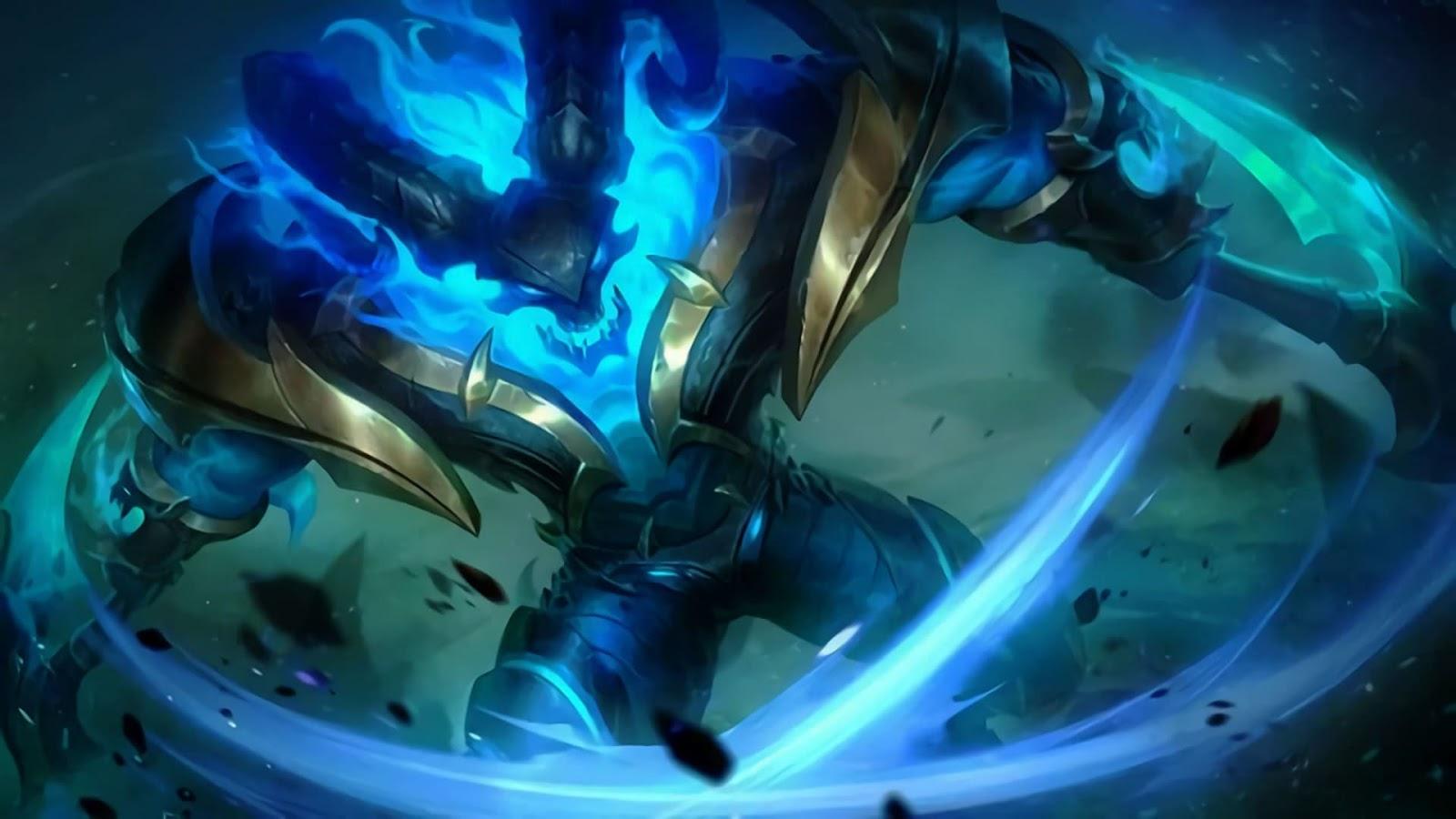
Thamuz is a fighter, reap/burst, hero that does not consume mana when using skills. He is the Lord Lava that rises from the Abyss. By utilizing his scythes to divide the battle field, Thamuz will burn his enemies with the cauterant lava.
**Skills**
**Passive: Grand Lord Lava**
Thamuz inflicts the Scorch Effect to enemies when dealing damage, which continuously deals 12 (+5% Total Physical Attack) points of Physical Damage that can be stacked up to 3 times.
Thamuz gains 25% Movement Speed when his scythe are not with him.
Retrieving his scythe will strengthen his next basic attack, dealing 100% of his Physical Attack points of Physical Damage, slowing the target by 40%, and generating a gush of lava beneath the target that explodes in 2 seconds, dealing 50 (+110% Total Physical Attack)points of True Damage.
**Skill 1: Molten Scythes**
**[AoE]**
**CD: 0s**
Thamuz tosses his scythes in a designated direction, after traveling for a certain distance or hitting the first enemy hero, they deal 150 / 180 / 210 / 240 / 270 / 300(+100% Total Physical Attack) points of Physical Damage to nearby enemies, slowing enemies nearby by 30%, and continuously dealing 45 / 52 / 59 / 66 / 73 / 80 (+20% Extra Physical Attack) points of Physical Damage for every 0.5 second.
After a period of time or Thamuz goes too far away from his scythes, the scythes return to Thamuz, pulling enemies on it's path. Thamuz can approach the scythes to retrieve them.
**Skill 2: Chasm Trample**
**[Blink]**
**CD: 11s to 8.5s**
Thamuz jumps to a designated area, dealing 230 / 255 / 280 / 305 / 330 / 355 (+80% Extra Physical Attack) points of Physical Damage and slowing enemies by 25% for 2 seconds when landing.
If the scythe are not with him, it will immediately return to him and resetting the cooldown of skill 1.
**Ultimate Skill: Cauterant Inferno**
**[Burst] [Buff]**
**CD: 45s to 37s**
Thamuz spouts the lava restored in his body to deal 300 / 390 / 480 (+100% Total Physical Attack) points of Physical Damageto nearby enemies and creates a cauterant atmosphere around him for 9 seconds and continuously dealing 20 / 28 / 36 (+5% Total Physical Attack) points of Physical Damage every 0.5 second.
Thamuz recovers 2-3% of his HP when dealing damage with his basic attack or his scythe and gaining 22% Extra Attack Speed during this skill's duration.
**Preparation:**
**Spell:** Vengeance/Aegis
**Emblem:**
Fighter Festival of Blood Talent
3 pts for Physical Attack and HP
**Recommended Build:**
Warrior Boots/Tough Boots
Bloodlust Axe
Endless Battle
Queen's Wings
Blade of Despair
Immortality
The boots depends on the situation. Analyze if you need physical defense or magical defense.
Bloodlust Axe is to further amplify his Spell Vamp along with Festival of Blood Talent. It also increases his physical attack and CDR (for his ult to be more spammed).
Endless Battle has a passive that intensifies the damage of his skill plus basic attack combo.
Queen's Wings is for defensive purposes.
Blade of Despair is for more damage. This can be substituted for other items like Sea Halberd.
Also, depending on what defense you need, you may build Oracle for more magic defense and Immortality for physical defense and its passive effects.
**Gameplay Tips**
**Laning Phase** - Solo top is a most known effective tactic for Thamuz.
**Micromanagement** - Zone out opponents using first skill. Try to stop your opponents in last hitting your minions.
**After recall or respawn or rotation** - a technique that you may use is that throw down the scythe diagonally to the direction you want to go. By such placing, you can maximize the movement speed bonus.
**Skill combo would be the following:**
Minion wave clear
Throw scythe to hit the backmost minion then use basic attack on the frontmost minion.
Second skill combo
1st skill + Basic attackSss + 2nd skill + Basic attack
Full skill combo
Ultimate skill + Basic attackSss then when the enemy tries to escape, use 1st skill to slow it down then use basic attack or the second skill combo.
Teamfight combo
Initiate using your first skill. When the tank already absorbs the first wave of damage and CC's, retrieve your scythe then use basic attack then jump to the backline then use basic attack. Then use ultimate skill and use the full skill combo.
**Miscellaneous Tips:**
You may buy Hunter's Knife to level up and get golds faster.
When you already cleared the minion wave (if you are at the top lane) and your opponents haven't yet, you may kill the crab quickly by using your second skill combo.
Don't forget to spam your skills. You don't consume mana, remember? (But still use it wisely). Make sure to use your ultimate skill when needed. Don't conserve it too much.
When using your ultimate skill, try to land as many basic attacks as you can because you will heal 2-3% HP at each hit.
To recounter Necklace of Durance or Sea Halberd, build Oracle.
Don't rely on skills alone because your basic attacks deal much greater damage than your skills.
Use your second skill to jump through walls.
*Hope this guide helps to make you a better Thamuz player. If you find this useful, share this to your friends and playmates. Tune in for more guides.*
Call of Duty Mobile tips and tricks: How to play and win
Multiplayer tips and tricks
There is a wealth of weaponry in Call of Duty: Mobile and you can collect and upgrade these weapons, apply skins and choose your loadouts for playing multiplayer games.
**Increase your XP to unlock more loadouts:** As you play you'll earn XP to rank up - and unlock extra loadout slots. You can have five different loadouts, each with primary and secondary weapons, grenades, an operator skill and three perks, meaning you can choose a different loadout for different maps.
**Choose your weapons wisely:** The loadout you carry determines what you enter the game with - and this will change based on the map and game type you're playing. Maps like Killhouse, Hijacked and Nuketown are great for SMGs because it's close quarters combat; a map like Crossfire is great for longer range weapons. Having five loadouts means you can change during a match to suit the situation.
**Upgrade your weapons:** Rewards can get you weapons cards for upgrades and this can be anything from adding a scope to extending the barrel. The weapon characteristics chart will show the impact of those changes you make - and this can make a big difference to how that weapon performs in the game.
**You can't really hide in multiplayer:** While you can stay out of sight, or find a corner or building to lurk in, when playing multiplayer the two sides are separated by the enemy wearing red flashes on their uniform. Camouflage doesn't really matter in that sense, as you can spot the red marks even when hiding. You can be spotted by a UAV and placed on the map - so remember, you're not invisible.
**Keep on moving:** Because you can't hide, staying still is your enemy. Keep moving so the enemy can't target you. A skill to master is strafing sideways while keeping the enemy in your sights. Duck into cover when you run out of ammo, pop out again to engage. It's simple use of cover, but it works really well.
**Use the slide:** You can tap the down button when running to slide. This is unpredictable and gives you a much better chance of making it to cover and avoiding getting shot.
**Get familiar with crouch:** Lying down in Call of Duty: Mobile multiplayer modes will often mean you get shot (unlike PUBG where it's really useful). But the crouch is really useful, decreasing your visible area while still letting you move around. There's even a Perk for this - Skulker - which makes you faster when moving crouched. https://www.pocket-lint.com/games/news/144077-best-pubg-mobile-tips-and-tricks
**Use sprint:** Sprinting means you can move faster. You can slide up the forward controller or tap the sprint button to do this. There's a menu option for "always sprint" too - but use this with caution - it sometimes means you can't stop as accurately as you want and you might end up running into your enemy by mistake. There's also a Perk to make you faster. Use it.
**Go to your pistol:** The MW11 - or M1911 - is a great sidearm and it will take people down just as readily as a rifle when you're up close. Often it's faster to switch to the pistol than it is to reload your primary weapon. It's great for maps like Nuketown when things get crazy in the middle. Avoid the silencer though - it lowers the range.
**Use your grenades:** When the fighting gets tough, often there isn't time to grab a grenade, but it's a great opening move: on maps like Killhouse and Nuketown, lobbing the grenade from one end to the other is fairly easy and can quickly wake up your enemy. Just make sure you don't run into your own grenade and make sure the opening immunity has expired.
**Master the sticky grenade:** The sticky grenade is great because it doesn't bounce or roll. Throw it through a window, throw it against a wall and it stays there. It's great for clearing snipers out of rooms, or clearing out people hiding behind crates.
**Master the scorestreaks:** The scorestreaks are really powerful. You have three slots to fill and these can be anything from a hunter killer drone to a VTOL gunship which is basically a game finisher. Some are AI guided, others offer manual control. The predator missile, for example, needs to be guided to where you want it to hit. The sentry gun can be placed and left, cutting down the enemy when they come around a corner - but can also be damaged by enemy fire. To activate scorestreaks, you need to get mixed in with the enemy and take some scalps.
**Take out enemy aircraft scorestreaks:** The stealth chopper and VTOL can really damage your team, but you can shoot them down. Choose an LMG and unload into it and you'll shoot it down. Alternative, if you have the Sparrow skill - with explosive arrows - a couple of hits from these will bring down aircraft.
**Take the fight to the enemy:** In games like Frontline and Team Deathmatch, take the fight to the enemy. Hanging back might mean you're out of the game not doing anything while your teammates are locked in fighting. Find those strategic points on the maps and dominate them, pinning your enemy in.
**Get fancy with smoke:** Smoke grenades are actually very useful. If the enemy has you pinned down - obviously - but if there's sniper in a building you can't get past, smoke out the room by lobbing that grenade through the window. Or drop smoke to give you cover while you retreat from invincible respawned enemy. It's also really useful in domination when you're capturing a location - so the enemy can't see you.
**Pick the loadout for the map and the team:** The multiplayer maps encourage a range of different gameplay styles. Crossfire, for example, has a lot of places for snipers, whereas Nuketown does not. Vary your loadout to suit the map and the team: it you have five players with sniper rifles on Nuketown, you might struggle. Be prepared to switch to maximise team performance.
**Complete your Battle Pass tasks**: With the refreshed rewards system you can earn new weapons and characters across the season by completing tasks. It's worth doing, because all you have to do is play to get rewards. Make sure you check your progress and that you're doing the right things to get those rewards.
**Top tip for Hijacked:** If you're playing on the Hijacked map (the boat), there's a secret passage through the boat that will take you from one end to the other. This can bring you up behind the enemy so you can even up the score. Just head into the cabin and look for the hole in the floor.
Battle royale tips and tricks
Battle royale feels like a totally different game in Call of Duty: Mobile. You don't get to start with your preferred loadout, you can't just respawn at will and you have a much larger play area - and it's a much more tactical game than the combat of multiplayer. Even the user interface is slightly different.
**Switch to FPV:** If you play a lot of multiplayer and are used to the first-person view, you can switch to that view with a tap, rather than the third-person view.
**Choose where you drop carefully:** The Isolated map is fairly well loaded with both vehicles and weapons, but if you drop into a built-up area you're more likely to run straight into contact, where the first person to get a weapon will hunt you all down. Go a little more remote and you're more likely to survive through the first 10 minutes.
**Work as a team - or not:** Team work makes the dream work. Drop with your team, move with your team, fight with your team and you'll easily win. But if your teammates are determined to drop into contact and die straight away, you might want to go solo to survive. Battle royale is about survival - if you just want to kill, play multiplayer instead.
**Revive your teammates:** While most of multi-player CoD:M lets you respawn, in battle royale that's not automatic - your teammate has to do it. Collect dog tags from fallen comrades, scan them and they can parachute back into the game on a revival flight. They live to fight another day. If you're shot, don't exit the game - give your team time to bring you back in.
**Wait for dog tag collectors, and finish off the team:** As above, once you've dropped someone, teammates will come to get the dog tags to revive them. Wait around a little and you could get finish off the rest of the team too. Of course, stay alert when collecting tags.
**Don't worry, you've got a wingsuit:** As you're wearing a wingsuit, it doesn't matter if you jump out of a helicopter or off the top of a tower, as you'll survive. Use that to your benefit. You can wingsuit right on top of someone and pop 'em with your shotgun if you don't have the range to engage from the top of a mountain. It's great fun.
**Keep your eye on the map and look for footprints:** Knowing where the enemy is is half the fight in battle royale. Watch the map for footprints if you're a scout, keep your ears open and you'll know where they are before they know you're there. It's the route to victory.
**Hit the deck:** Unlike multiplayer where hitting the deck means dying in the dirt, in battle royale you can hide and wait until your enemy is in range before engaging them. It really works.
**Watch your ammo:** There are loads of different weapons, but you can rinse through your ammo really quickly. Keep an eye on how much you have, make sure you're not picking up stuff you don't need and make sure your second weapon is useful.