 @Nuls
more from that month
@Nuls
more from that month
Nabox Chrome Plugin Wallet
Attention NULS, Nerve, Ethereum, BSC & Heco Users The Beta version of the Chrome **Nabox Plugin** is online and ready for beta-testing only. (**http://nabox.io**) What’s Nabox Plugin?
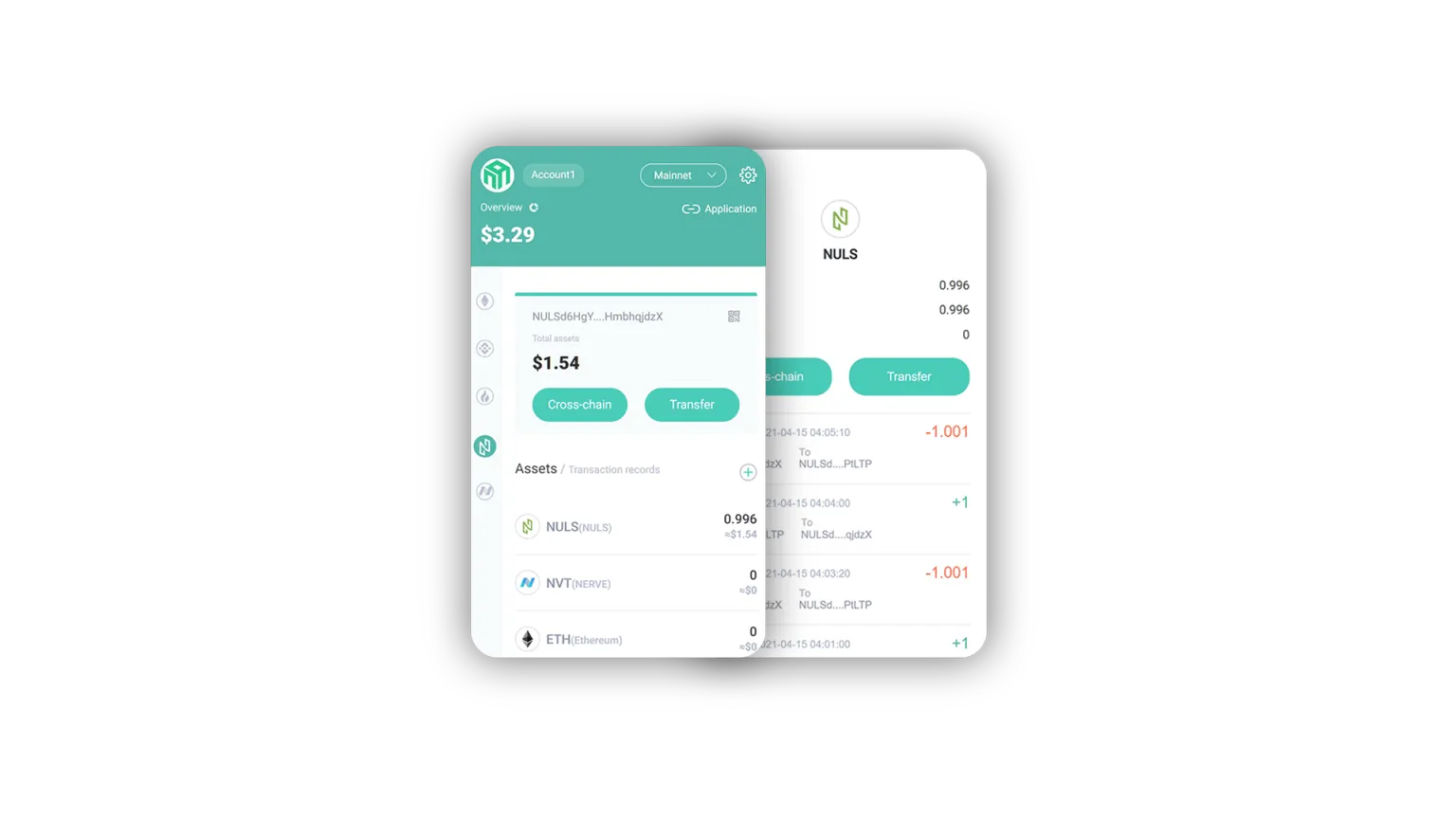
Nabox — A Chrome browser plugin crypto wallet for cross-chain assets — makes transfers between Binance Smart Chain (BSC), Ethereum, Huobi Eco Chain (Heco), NerveNetwork and NULS. Nabox The Nabox Chrome plugin is used to direct-transfer multi-chain assets to different networks and different blockchain network addresses. Only cross-chain aware assets are transferable. Current state of chains With so many crypto assets coming into their own, most users use a few or more wallets. We move assets between accounts and defi apps for many reasons. The current leader in this space, Ethereum, is slowing down from the weight of the data of millions of users, and its fees have skyrocketed along with its token price. Newer, high-performance public chains on the scene including BSC, Heco and NerveNetwork deliver fast, reliable performance with much lighter fees. **Nabox Plugin** has integrated the cross-chain functions of NerveNetwork with the other blockchain networks. The chains are all available at once and require no special skills or obtuse addresses to use. Other wallets like MetaMask and Math Wallet require the user to input the correct destination network and token contract addresses for assets being sent cross-chain. It’s very easy to make a mistake during this step and send assets off to nowhere — many times rendering them irretrievable.
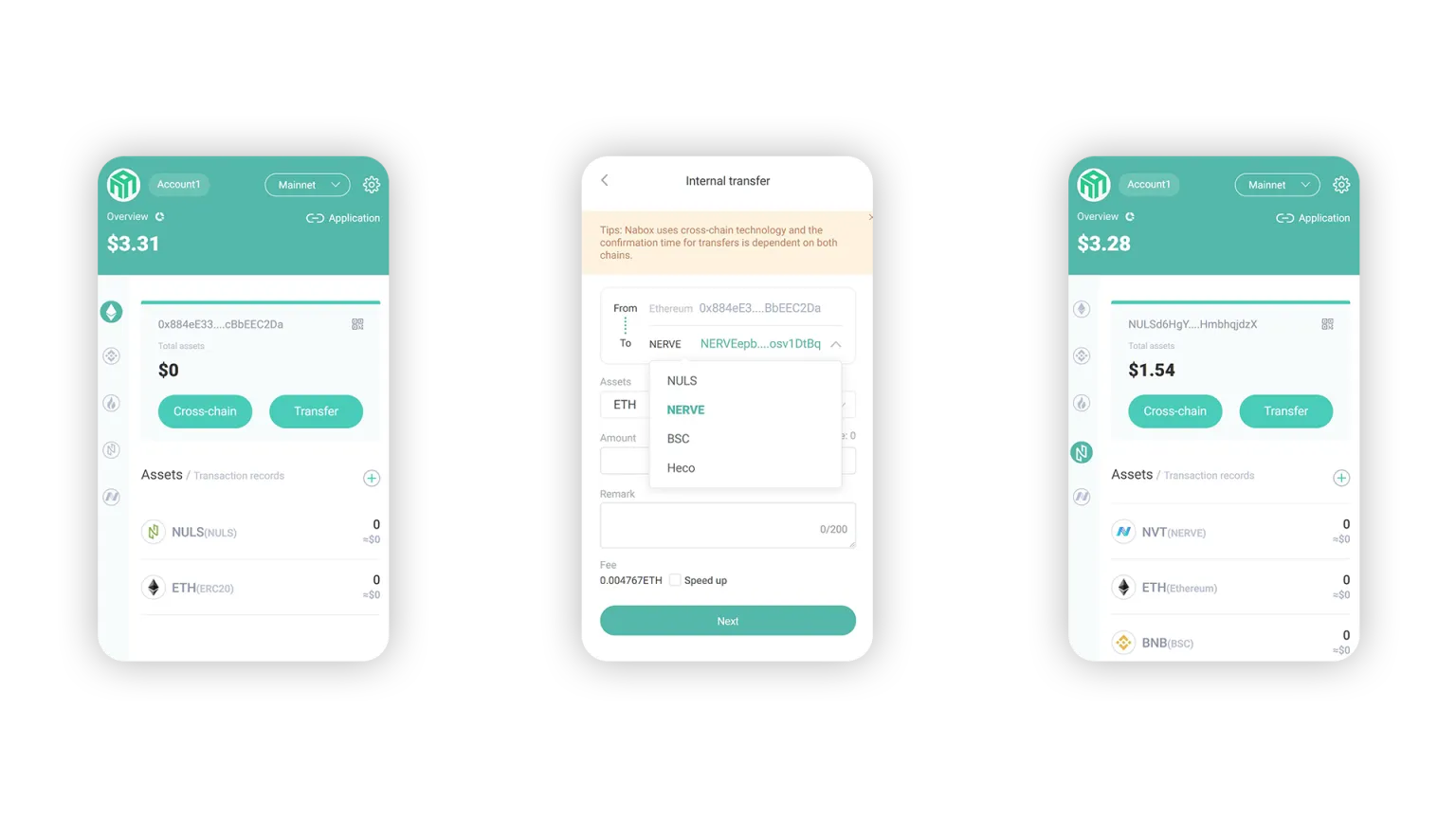
Features Chrome plugin only One password and one private key for all accounts imported Send and receive assets between accounts represented on the 5 chains and pay less fees than with Ethereum. Provides multi-chain addresses under the digital identity on the same chain for one-click spanning. All five chains (to this date) Ethereum, BSC, Heco, NULS, NerveNetwork are ready to use with no special configuration. Tech details Uses underlying cross-chain function of NerveNetwork. The Nabox plugin supports Web3 and WalletConnect protocols for application connectivity. It uses Digital identity middleware for Web3 applications. Identity: Nabox uses one digital identity on each chain to manage and sign the assets of multiple networks. Sign in once for all chains represented, and all assets loaded into the wallet. Tutorial **Nabox Chrome browser plugin installation and usage** In Chrome: Go to Settings/Extensions (chrome://extensions/). Look for Nabox. To access the plugin, pin it to your toolbar and click on it. Create a new address and password for your Nabox account. This account will hold your cross-chain enabled assets. When accessing a compatible dapp in Chrome with Nabox enabled, your assets will integrate with that dapp once you give the software the approval to connect. Bug submittals: **https://bbs.nuls.io/t/nabox-chrome-plugin-issues/4711** Happy cross-chaining! *Please Note: Nabox plugin currently is a Beta version and may have bugs. It is recommended that you don’t deposit or transfer large amounts of assets when using the mainnet. Nabox is a completely decentralized wallet and the Nabox team is not responsible for any loss of assets.* Do not use this product unless you **know what you are doing**. Always check the **contract addresses** involved to make certain you aren’t being scammed. Verify token addresses before purchase. Please double-check your destination address. Securely store your private keys/passwords. **Read more about** ****Defi Safety******,** ****Defi Security******, and** ****Risk******.** https://medium.com/monolith/understanding-defi-navigating-the-risks-of-open-finance-60983d62023e https://github.com/ConsenSys/defi-score/blob/master/whitepaper.md https://consensys.net/blog/codefi/security-risks-in-ethereum-defi/ The best way to get involved with NULS is to join in! *For more information about NULS, visit* *****nuls.io***** *and* *join the conversation on* *****Telegram***** *or* *****Reddit********.*** *Make sure to follow NULS on* *****Twitter***** *for the latest news and updates. You can also follow us on other socials such as* *****Facebook********,*** *****Steemit***** *and* *****GitHub********.*** https://www.nuls.io/ https://t.me/Nulsio https://www.reddit.com/r/nulsservice/ https://twitter.com/Nuls https://www.facebook.com/nulscommunity/ https://steemit.com/@nuls https://github.com/nuls-io **NULS** — *Nothing Makes Blockchain Easier*
No comments yet