 @MyHero
more from that month
@MyHero
more from that month
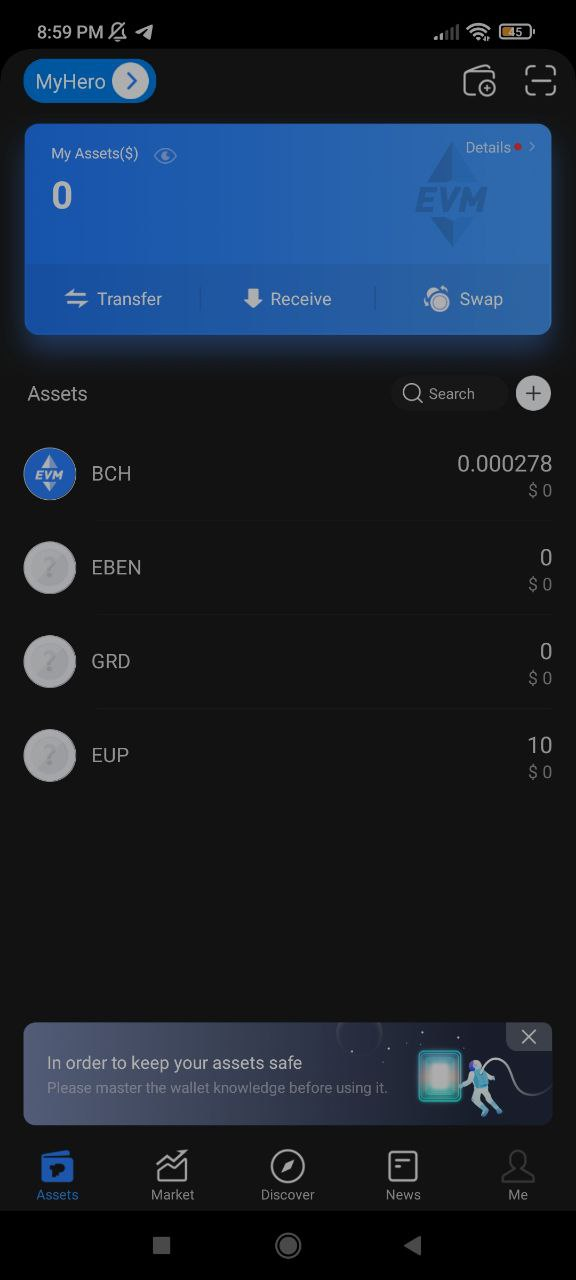
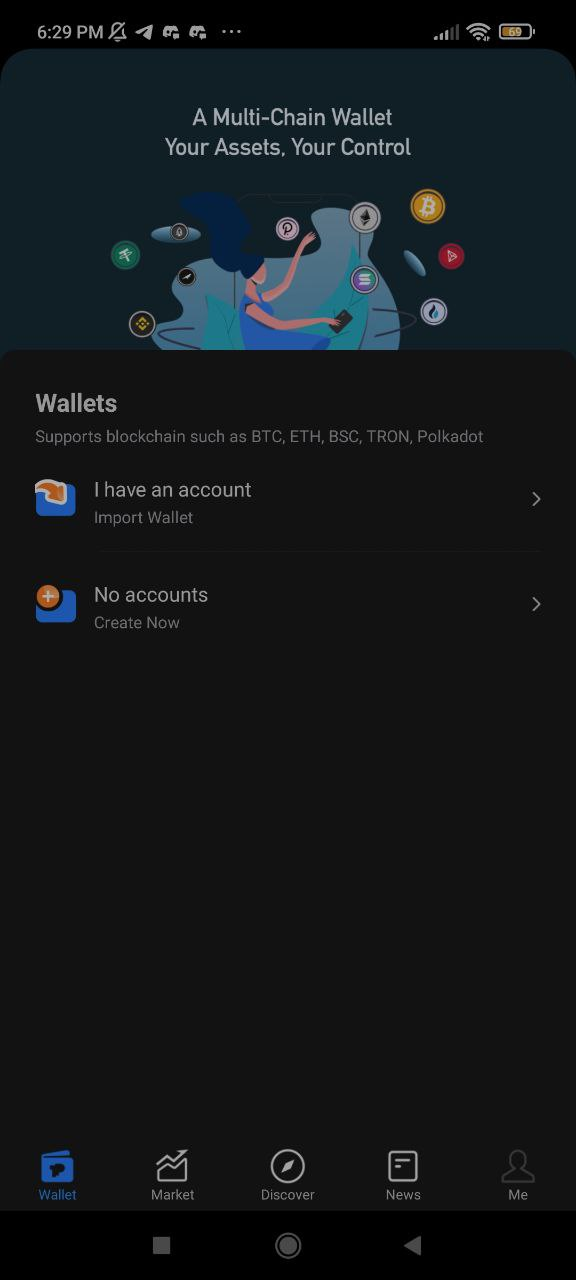
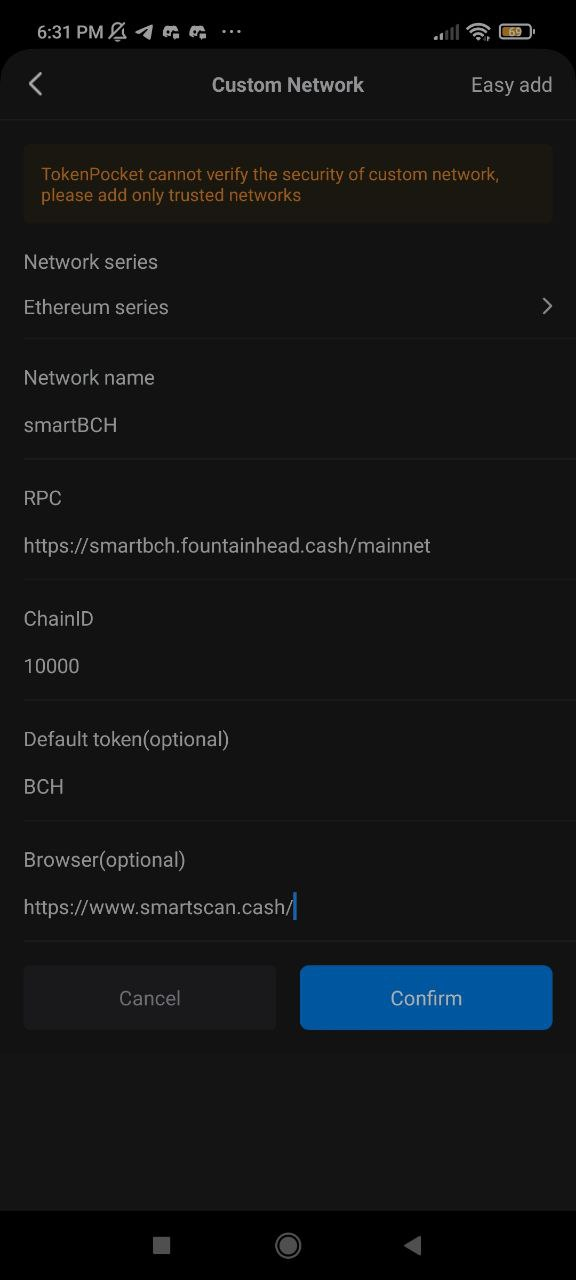
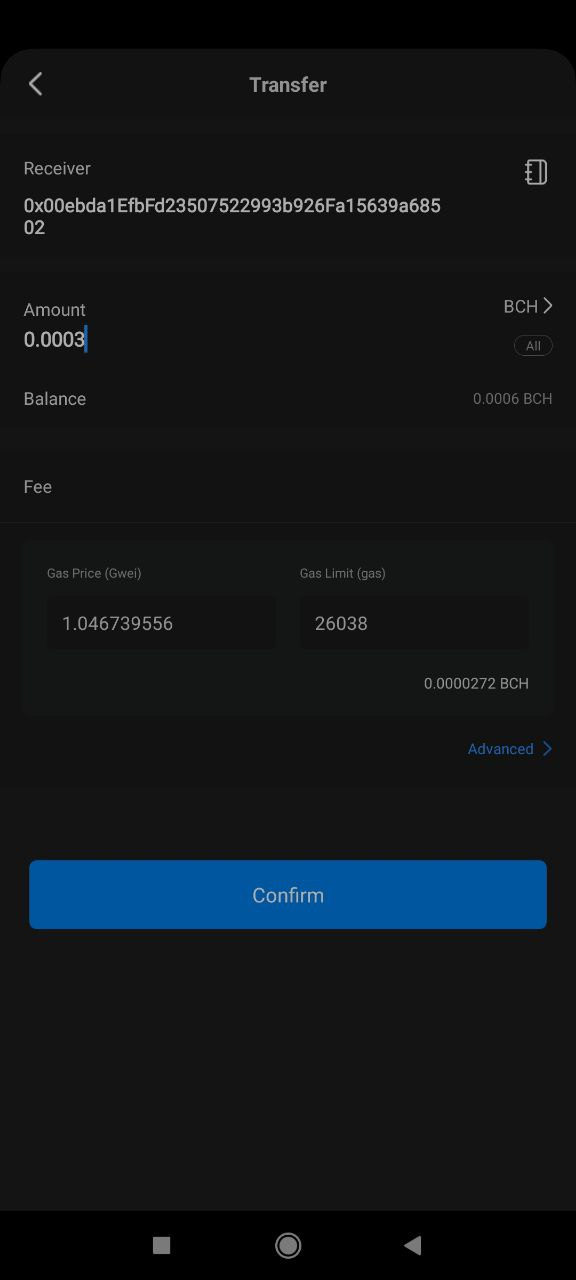
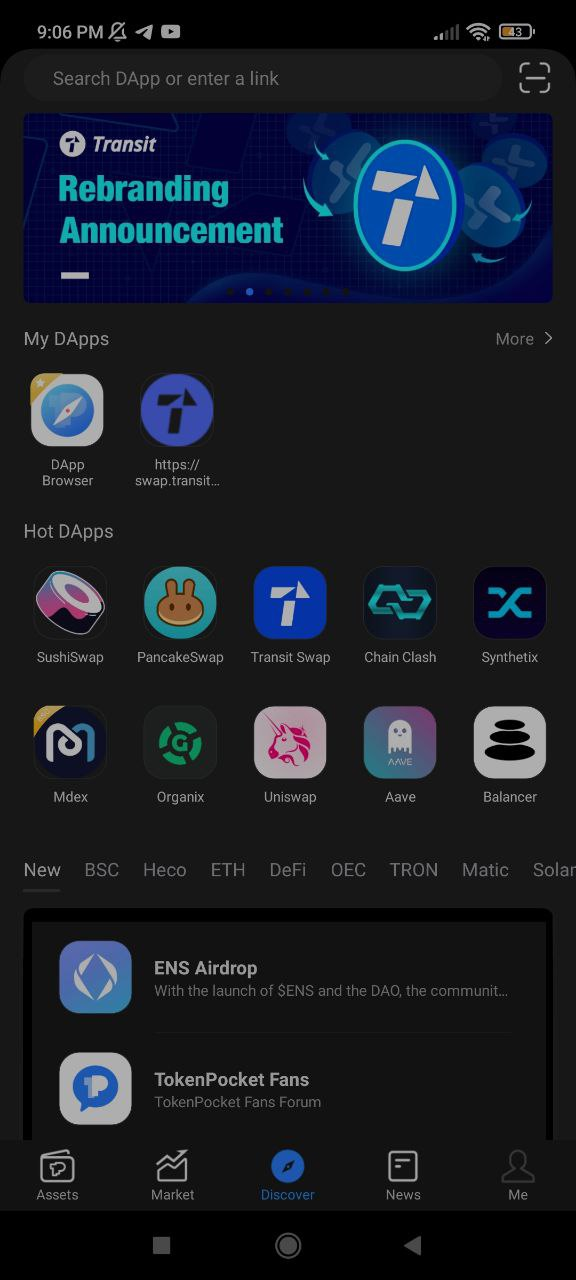
smartBCH Wallet TokenPocket is a multi-chain wallet that supports multi coins, public blockchains - It's a non-custodial which means you hold your keys and seed phrase - EVM supported networks like smartBCH How to download and use TokenPocket Wallet (Android) with smartBCH Set Up wallet 1. Install and download TokenPocket Wallet. You can choose by Desktop or Mobile (IOS and Android) Version. I select Android Mobile Version - https://www.tokenpocket.pro/ 2. Open the App and choose whether Import wallet or Create wallet. I select to create a new wallet (Image 2) 3. To add smartBCH chain, go to the below of the wallet and click Add Custom Network 4. Fill up the Network Form and Click Confirm. The fields are the same as the Metamask wallet (Image 3) Network Series: Etherium Series a. Network Name: smartBCH b. RPC: https://smartbch.fountainhead.cash/mainnet or https://smartbch.greyh.at/ c. ChainID: 10000 d. Default Token: BCH e. Browser: https://www.smartscan.cash/ 5. If successfully added the smartBCH Network, click smartBCH in the list of the network (bottom) 6. click Create Wallet. fill-up the form (set the wallet name, password, and service agreement) and click Create wallet button 7. Back up your seed phrase (write down and click the Completed backup, verify now button 8. Verify your wallet using the seed phrase, after that click the "confirm" button. Add Token 1. Go to your smartBCH wallet and clicck the + sign button beside the search field 2. Click Custom Token and Click Add token 3. It will show the Add token form. Enter the contract address of the token in the input token contract field and then click the token symbol field. It will fill up the remaining blank fields (Token symbol and token Accuracy). Click the confirm button. 4. Return to the homepage and check to see if the token has been added. Added Info a. if you want to know your smartBCH address, go to the main page (asset) and click "Receive" b. If you transfer BCH or token, the gas fees are already fixed (1.0467 or 1.05) - Image 4 c. You can use the browser to find the Dapp or site. Just click the Discover on the main page - Image 5 d. Click Me in the Homepage, if you want to check your account and manage the wallets
2 comments
Nice I think this is better than Metamask🤣 is it okay if I will import my Trust wallet seed phrase? I am using it in my smartBCH (in Metamask) though. Just a confirmation 👀
Finally, i can let go of Metamask. It's been giving me problems...