 @MyHero
more from that month
@MyHero
more from that month
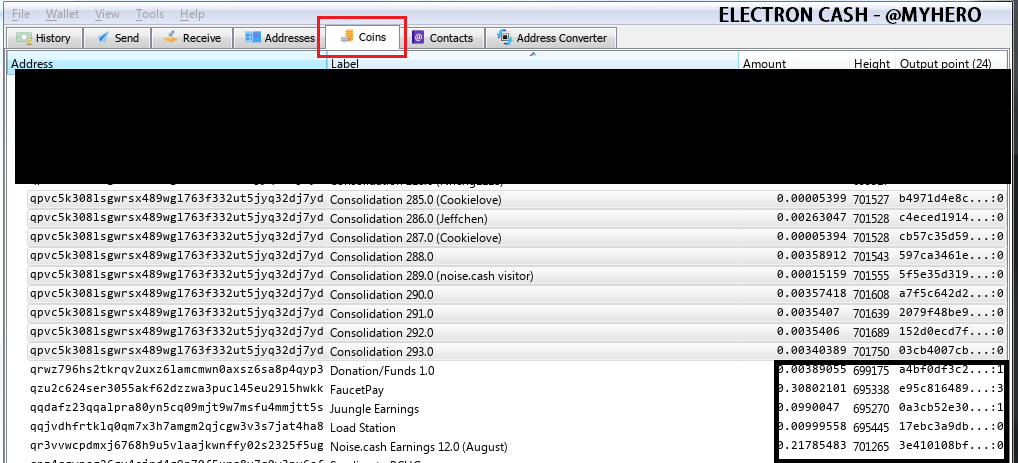
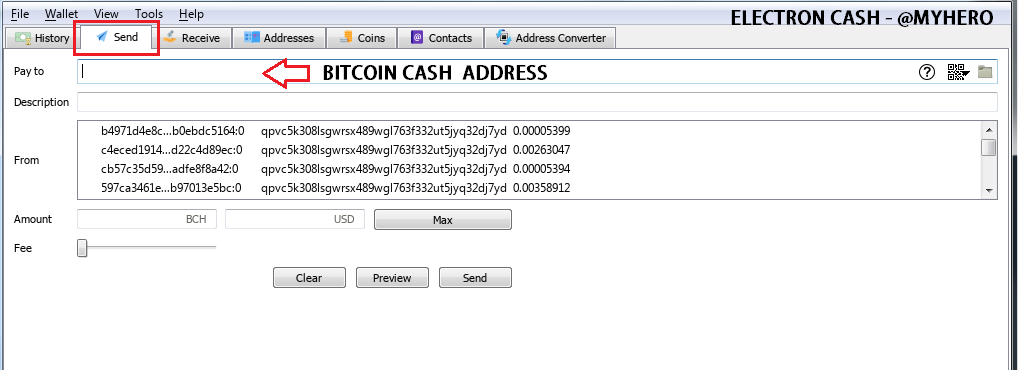
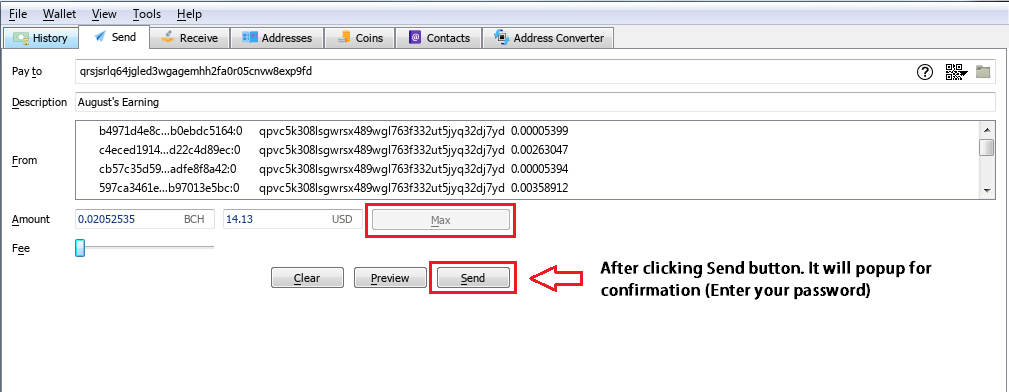
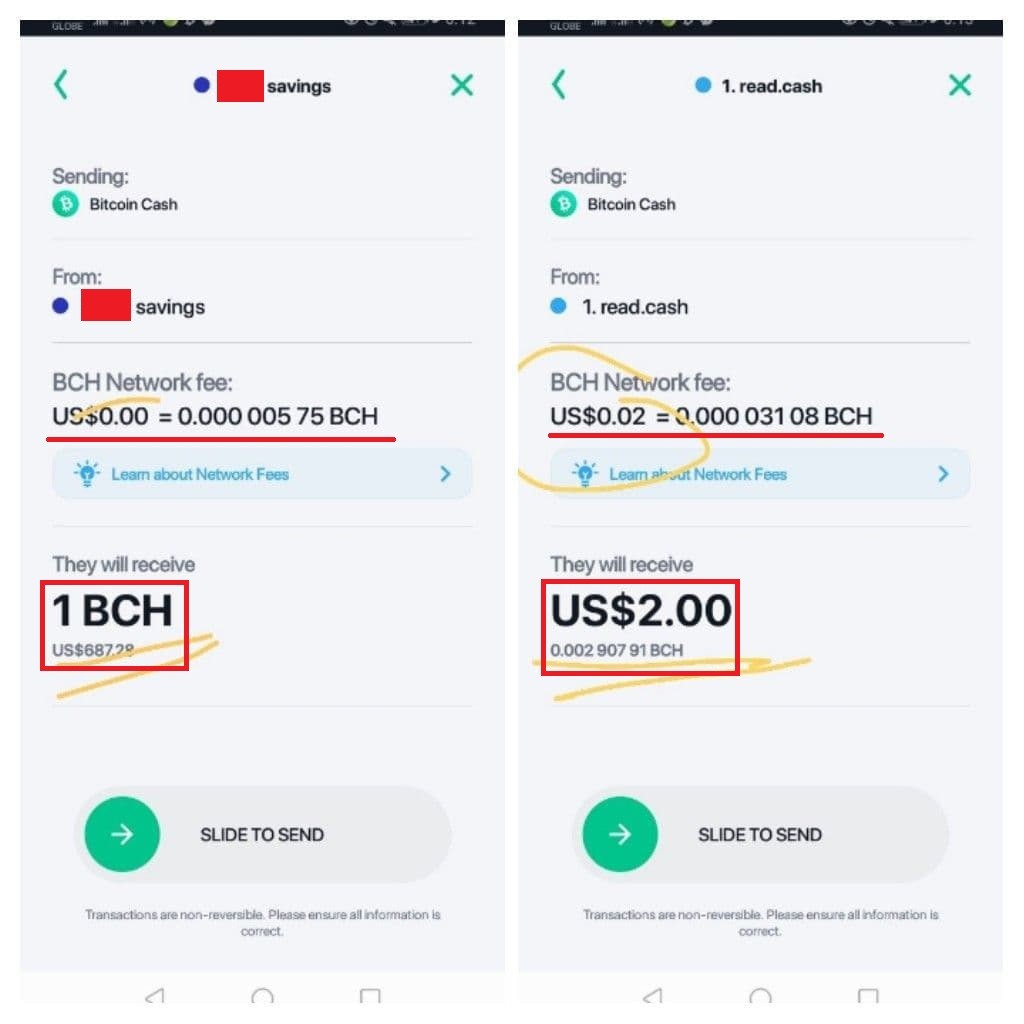
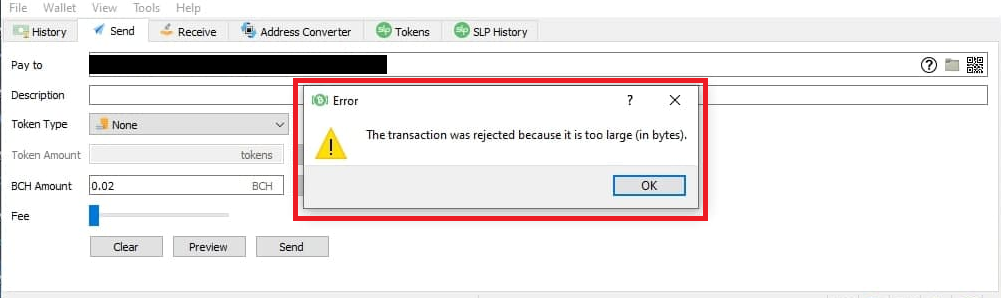
Consolidating Your Wallet My friend asked me to help him because of the high transaction fees in BCH on his wallet (Atomic Wallet). I said to download the Electron Cash Wallet Desktop version (latest) and try to import his keys. But the problem is when he tried to send his BCH. there's a pop-up warning - "The transaction was rejected because it is too large" error which is a rejected transaction error because of too many micro-transaction (UTXO). I teach him how to consolidate and advise him to consolidate his wallet if he has a lot of transactions. How to Consolidate Electron Cash 1. Open your wallet - Electron Cash 2. Go to Coins Tab and select your desire inputs transaction. 3. Right-click the selected inputs and click "Spend". It will redirect to Send Tab (Image 1) 4. Insert your BCH address in the "Pay To" box and add Description (Image 2) *You can get BCH address in the Receive Tab or select one in Addresses Tab *Some users send BCH to the same address 5. Press Max Button and Click Send (Image 3) Bitcoin.com Wallet 1. Open your Bitcoin.com Wallet 2. Click your wallet and send it to your another wallet Image 4 - shows the fees when you consolidate. Thanks to Lost sis. How to fix "The transaction was rejected because it is too large" error in Electron Cash or Electron Cash SLP Wallet. (Image 5) 1. First download Electron Cash Wallet Desktop version 2. Open your wallet (If you're using another wallet and want to import in electron cash - simply click the "Import BCH and private keys" option and paste your private keys". *Don't forget different wallets have different derivation paths - https://noise.cash/post/1m7850g3 3. Go to Coins Tab and select your desire inputs transaction. If you have a large number of transactions, you can select 100-500+ inputs. 4. Right-click the selected inputs and click "Spend". It will redirect to Send Tab 5. In the Send tab, insert your BCH address in the "Pay To" box and add Description *You can get BCH address in the Receive Tab or select one in Addresses Tab 6. Click Preview to check the size *The transaction must be a size of 100KB or below 7. Press Max Button and Click Send *Do it again until you consolidate all It's better to consolidate your funds to prevent high fees because of micro-transaction (large size)
2 comments
This is an awesome post. I ran into this issue when I just started using Noise 2 years ago. But then Noise allowed the option to consolidate before sending. But Noise.App doesn't, so I will have the same problem again one day. Can I import any wallet to the one you mention the one that allows consolidation?
I want to send money from my bitcoin.com wallet to the trust wallet, but I couldn't 😌😌, knowing that if I send a small amount (0.05$ , 0.5$) it sends normal, but if I send more than 20$ I can't?? Please any help 🙏🙏