 @MyHero
more from that month
@MyHero
more from that month
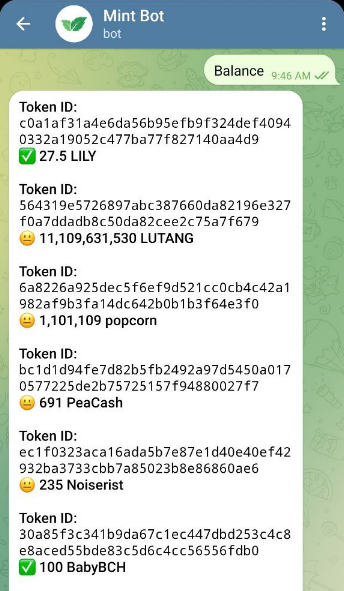
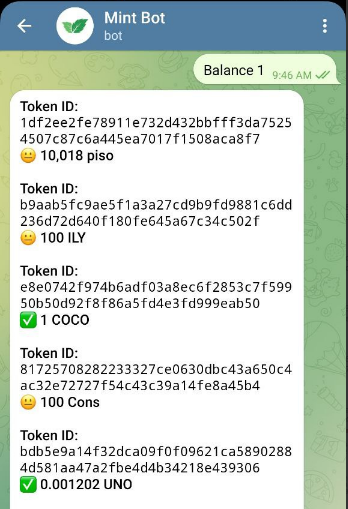
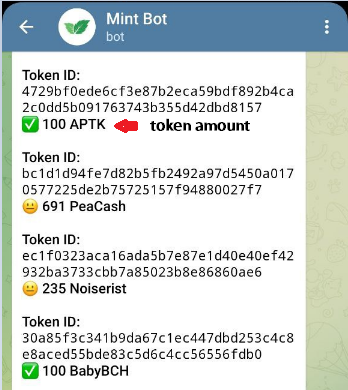
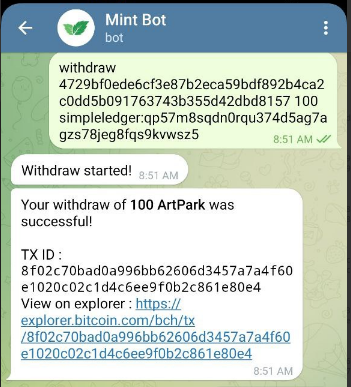
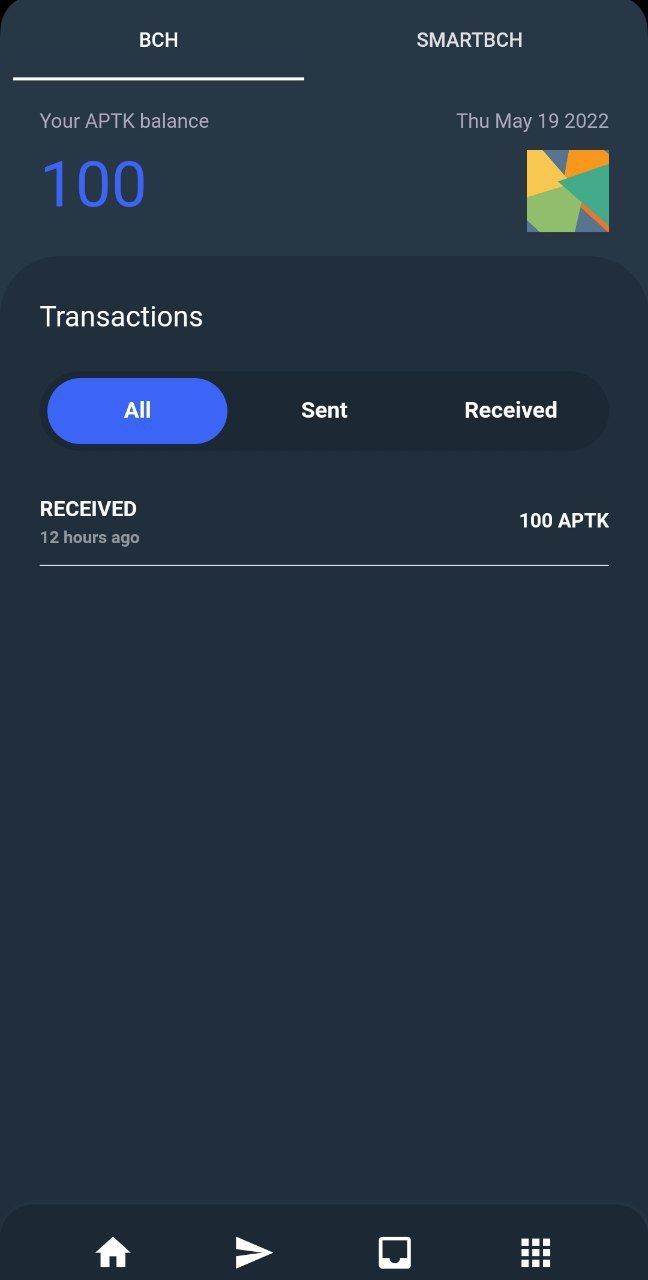
MintBot: How to Send SLP Tokens MaxHastrings, the creator of celery and mintbot, has announced that Mintbot will be shutting down on June 5, 2022, and that you should withdraw all of your SLP Tokens. Details: https://noise.cash/post/l66kp6kq Here's a beginners' guide to withdrawing SLP tokens in Mintbot 1. Go to MintBot on Telegram - https://t.me/MintSLPbot or search for @MintSLPBot 2. To check your balance token, type balance. It will list all of your tokens along with their token IDs and balance tokens. (Image 1) - If you have more than 10 tokens in MintBot, type balance <page number> - Example: balance 1 - ( Image 2) 3. Choose the token you want to withdraw and then type the withdraw command: withdraw <token id> <amount> <slp address> - (Image 4) - Example: withdraw 4729bf0ede6cf3e87b2eca59bdf892b4ca2c0dd5b091763743b355d42dbd8157 100 simpleledger:qp57m8sqdn0rqu374d5ag7agzs78jeg8fqs9kvwsz5 - The token ID and amount can be found in the balance command. - SLP Address is the receiver wallet that supports SLP tokens such as Paytaca, Zapit, and Electron Cash SLP (desktop version) 4. If the withdrawn transaction was successful. The transaction ID and the explorer link will be displayed. - (Image 4) 5. If you received the tokens, check your SLP wallet. (Image 5) - You can only withdraw two tokens every 24 hours.
2 comments
Kala ko ung SLP ang magcclose na
Db may minimum din ng pag wiwithdraw lods? Sayang naman yung mga matitira kng di umabot sa min.