 @MyHero
more from that month
@MyHero
more from that month
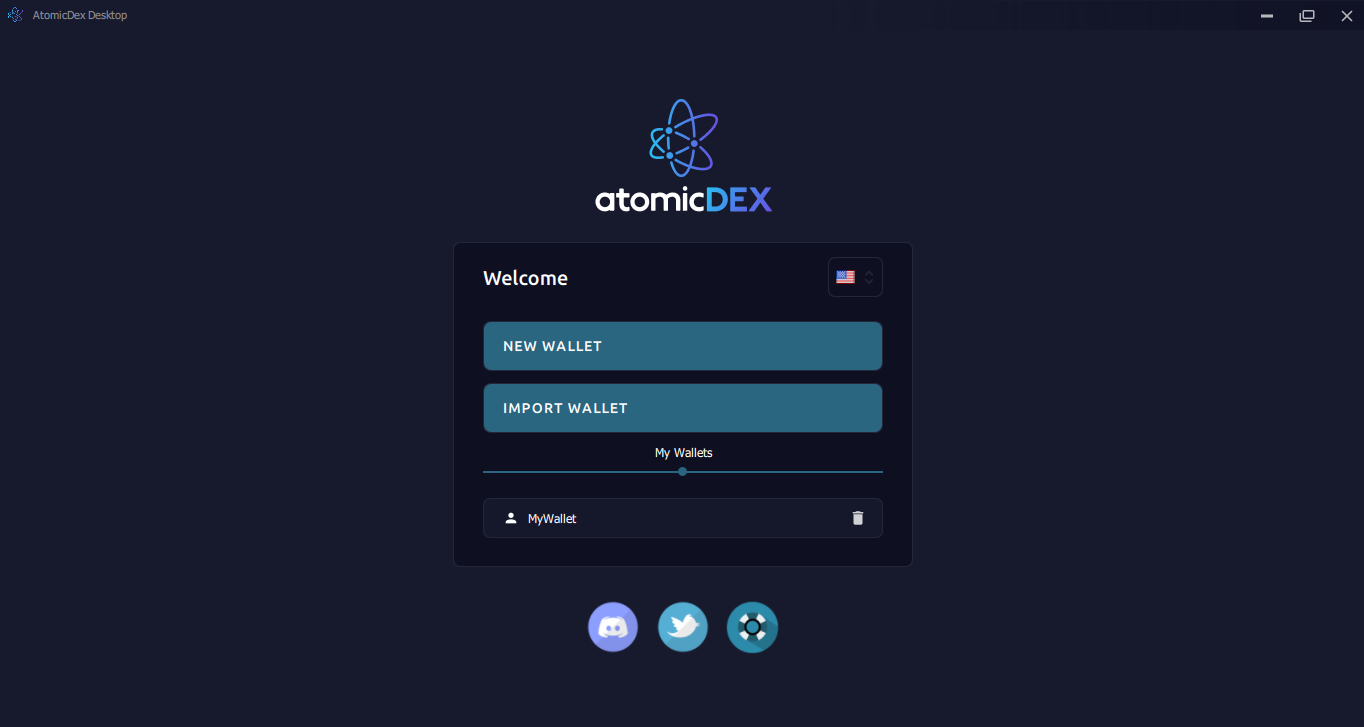
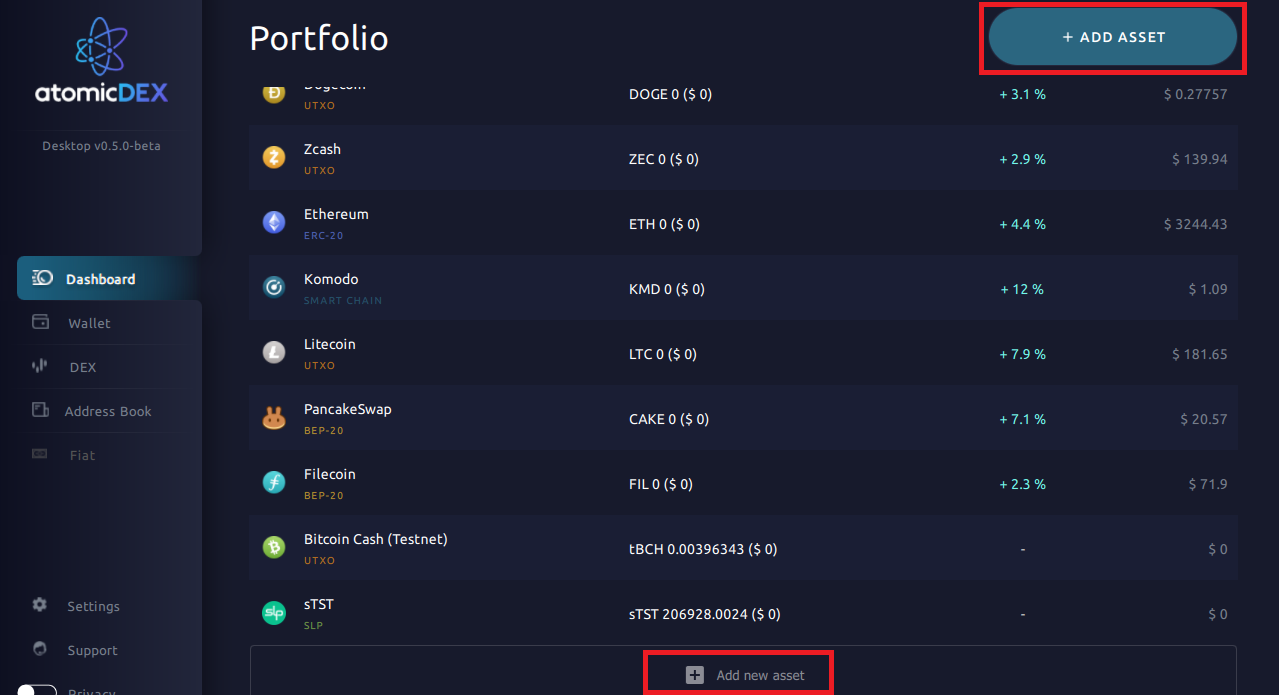
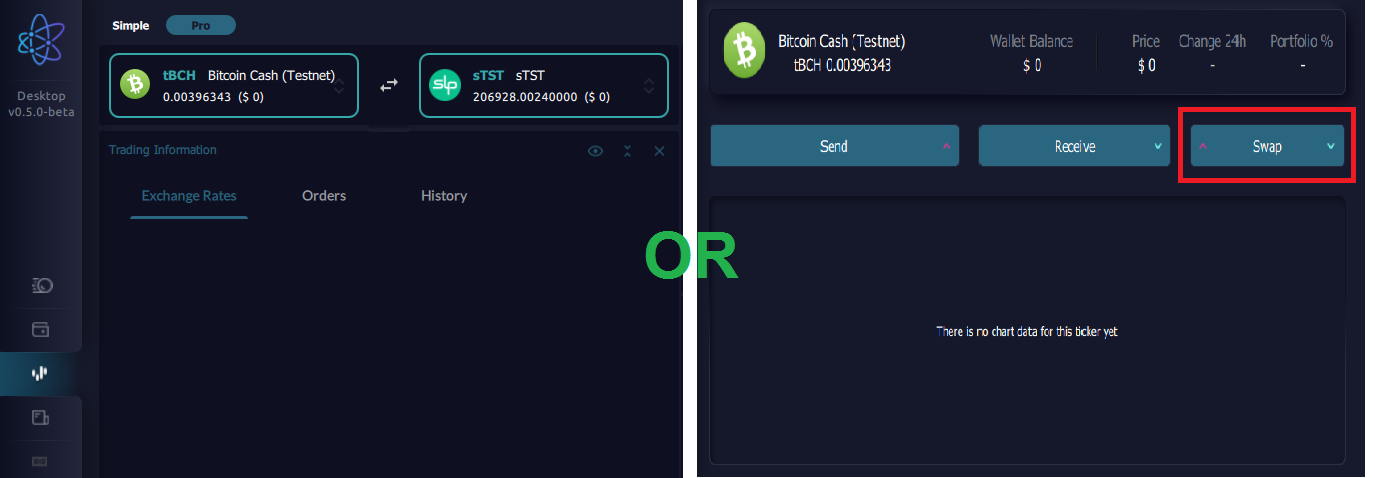
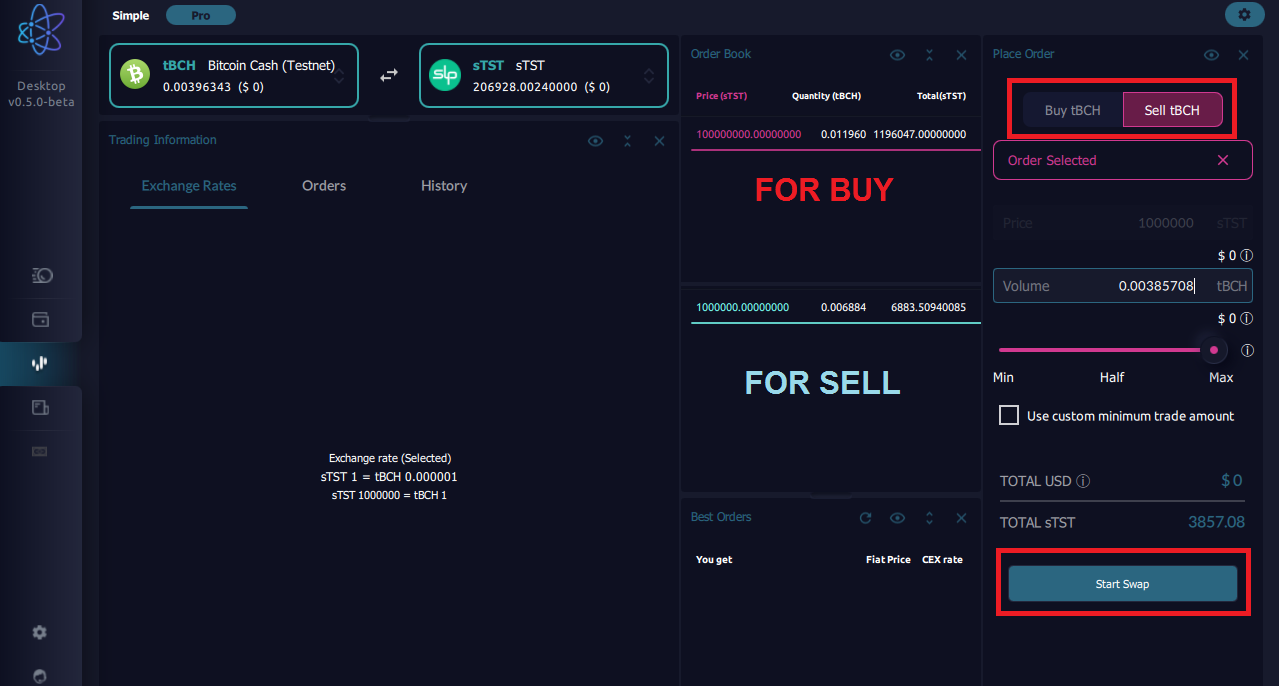
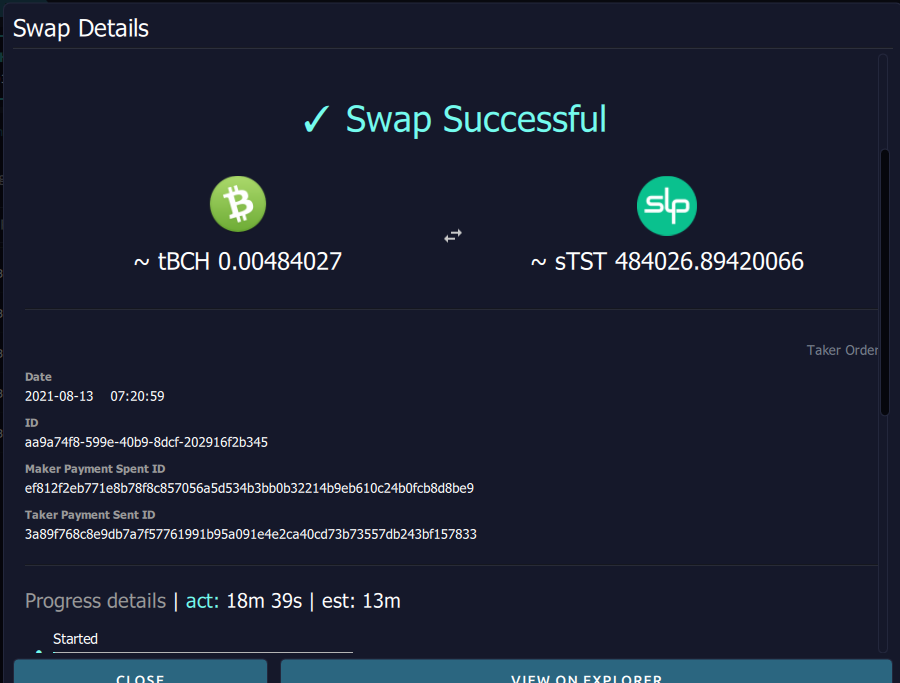
Testing 101: AtomicDex SLP Swap (Desktop Version) Remember AtomicDex's SLP integration Flipstarter, which was funded 5 months ago? - https://slp.flipstarter.atomicdex.cash/. AtomicDex added in their GitHub (Komodo Platform) the Alpha version of AtomicDex wallet with SLP supports - https://github.com/KomodoPlatform/atomicDEX-Desktop/actions/runs/1123507872 I already test it. Thanks to Akad for sending free Testnet tokens tBCH (Bitcoin Cash Testnet) and sTST (SLP Testnet). If you want to test it, download the desktop wallet and contact them on their social media if you find any bugs/errors. Discord - https://komodoplatform.com/discord and Telegram - https://t.me/KomodoPlatform_Official How does it work? 1. First download the AtomicDex Desktop Version 2. Create your wallet, and don't forget to save your seeds phrase. Just log in if you already have an account or import your wallet. (Image 1) 3. In the Dashboard - click the "Add Asset" button. Search for tBCH and sTST and click Enable Button. (Image 2) * If you want to get Free Testnet Tokens - message Akad in the BCH Telegram group or comment below your testnet address and I will give you few tokens. 4. Click the Dex in the Left Tab for Swapping or the Testnet token (tBCH/sTST) in Dashboard or Wallet and Click Swap Button. Click the Pro tab in the left top corner. *Note - Simple Swapping is not working at this time (Image 3) 5. Pick an order or token you want to swap (tBCH/tSTS). In the Place Order on the right side, click Buy/Sell tBCH/tSTS and pick the read (buy) or light blue (sell) in the Order book. Put or slide the amount you want to sell and click Start Swap. (Image 4) 6. Wait until the swap is successful. You will receive notifications for each transaction about the swapping. (Image 5) *It takes a while to complete the swapping. Mine is 18 minutes *There is also a Rick and Morty Tokens for Testing Swapping too. Just add in your asset and if you want to claim their free Tokens, go to the tokens and click Faucet. Reminders 1. When you click the View Explorer button in the transaction, it will take you to Blockhair. (We know that Bitcoin. com Explorer redirects to Blockhair now) 2. No transactions History for SLP token Testnet 3. Need to add simple swapping. Pro Swapping is hard to understand, especially for new users. 4. I received many errors in notifications. Not sure if my laptop is the problem * This is only an alpha test. Do not swap your coins in the Testnet tokens.
1 comment
Thanks for the info! I'll go and look for it! :)