 @MyHero
more from that month
@MyHero
more from that month
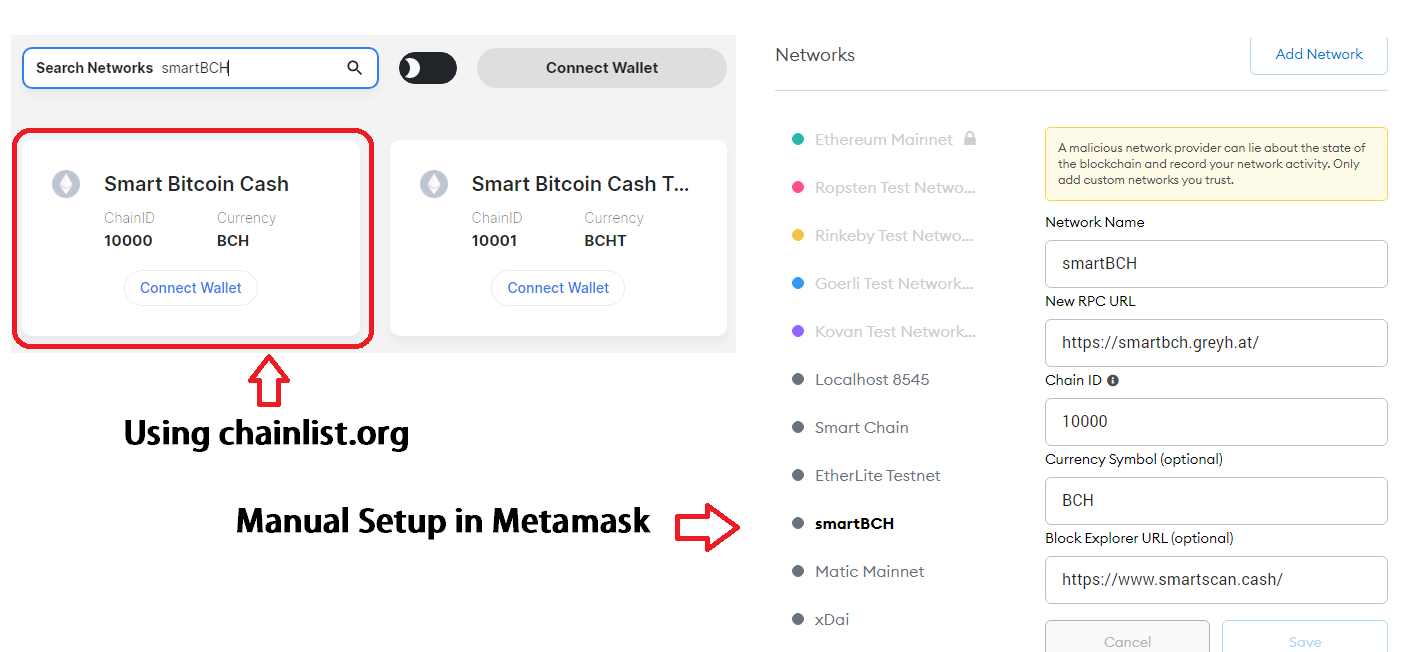
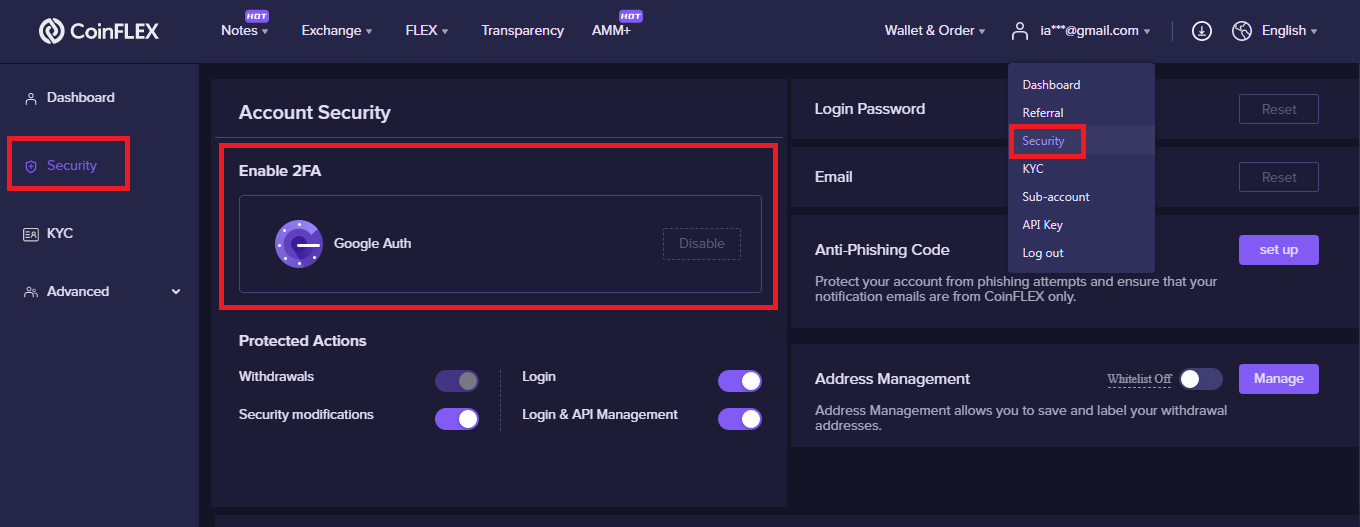
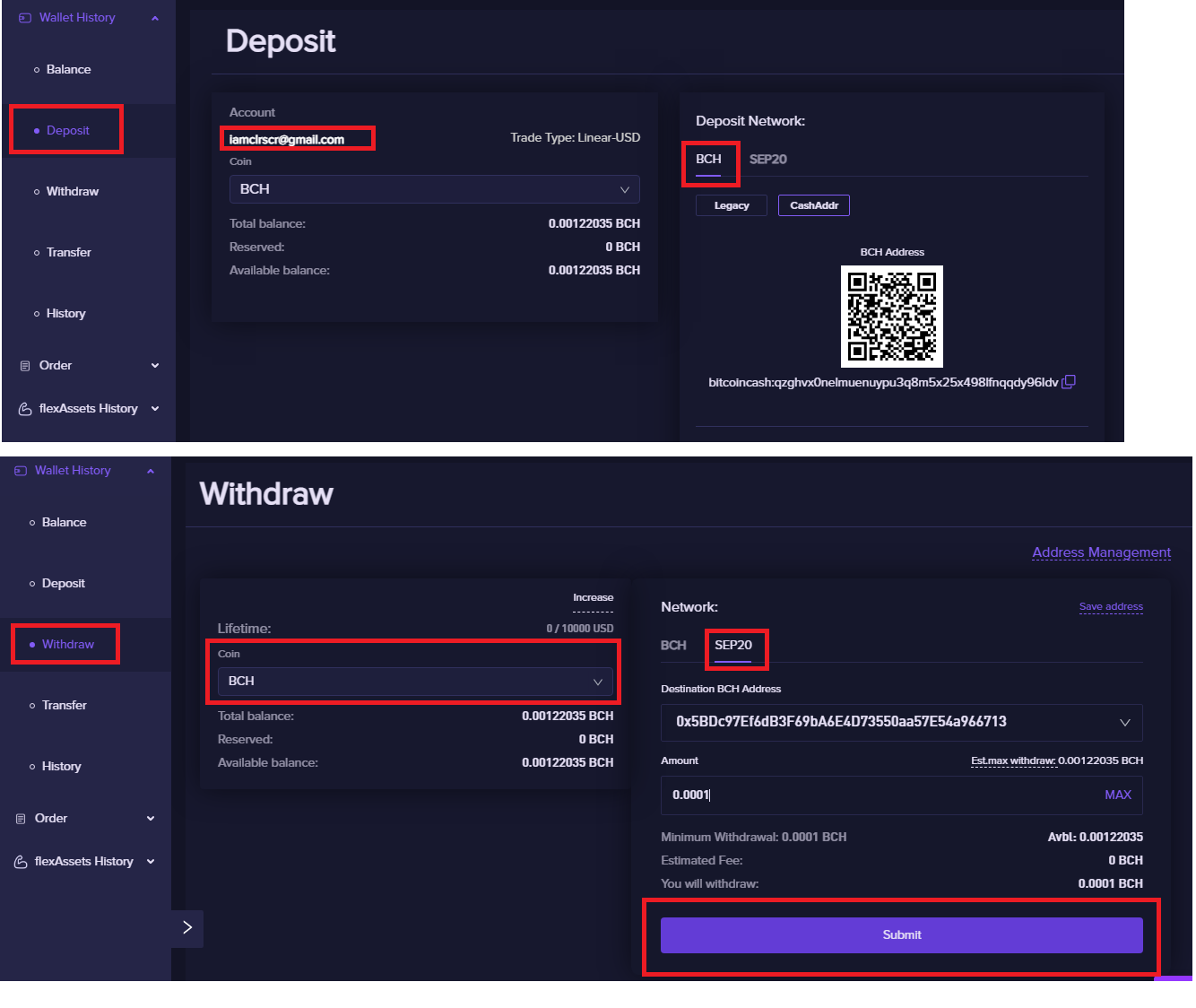
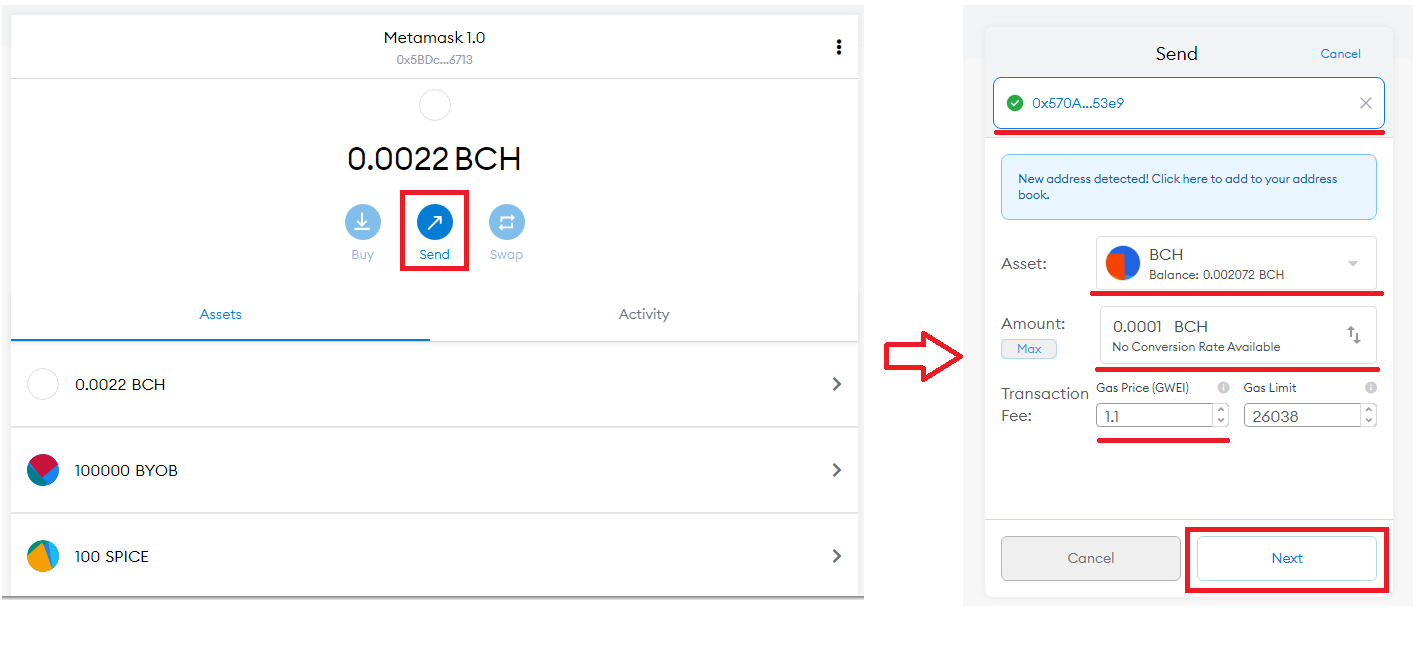
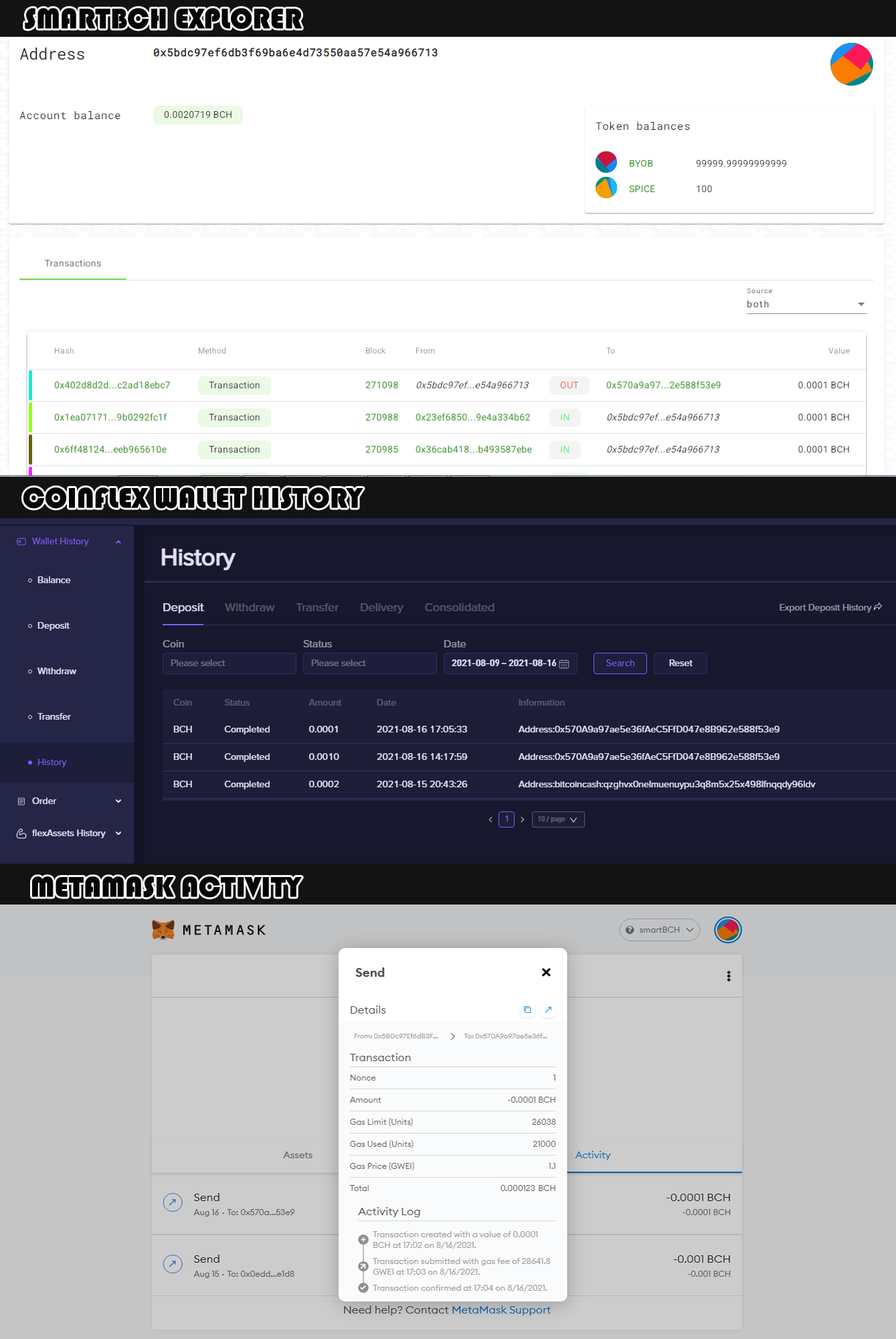
Testing 101: SmartBCH and CoinFlex Bridge Remember my previous post about smartBCH that they will transfer BCH from the sidechain to the mainnet using a semi-decentralized system which is Coinflex. - https://noise.cash/post/1r35v0gk I already tested it, and it's smooth and working fine. Thanks to Carisdaneym, Esteban (Dev of Koingfu), and Mark Lamb (CEO of CoinFlex) for sending me a few BCH while JT (Dev of Juungle and fountainhead. cash) and Joemar (CEO of Paytaca) sent BYOB and SPICE tokens to test if it's working in sending to Metamask. How does it work? Set-up Metamask 1. Download Metamask. Create an account and save your seed/recovery phrase. 2. Go to chainlist. org, Type SmartBCH in the Search Network search box, and click the "Connect Wallet" button with a chainID of 1000 and Currency of BCH. If it isn't working, you should try the manual method, go to the settings of Metamask, and select networks. Click Add network and fill up the form using this link - https://noise.cash/post/18v83x8p. (Image 1) *RPC URL either smartbch. greyh. at or smartbch. fountainhead. cash/mainnet *Don't forget to select the smartBCH Network. CoinFlex 1. Go to the Coinflex website (coinflex.com/user-console/register?shareAccountId=WCK64aQQ). Register using email or Metamask. * Verify your account 2. If you have an account already, Bind your email and Enable 2FA (optional) on the security page. It recommends binding and enables 2FA for sending/transferring BCH. (Image 2) 3. To deposit BCH from Coinflex - Go to Wallet & Order and click Deposit. Select BCH Tab and copy BCH address. (Image 3) 4. To withdraw BCH from Coinflex - Copy your Metamask address, then go to CoinFlex's Wallet & Order and click Withdraw. Select BCH in the coin List and click SEP20 Tab in the Network Section. Paste the metamask address in the destination address textbox and set the amount of BCH you want to withdraw (Image 3) . Click the Submit Button, which will bring up a confirmation modal for you to check, and then click the Confirm Withdrawal Button. Look at your Metamask account if you receive the BCH. *You can view your transaction in Wallet History or SmartBCH Explorer (smartscan. cash). Simply enter your address. (Image 5) Metamask (Send BCH to CoinFlex) 1. Go to your Metmask Account and Select the smartBCH Network 2. Go to your CoinFlex account and go to Deposit Page. Click SEP20 Tab and Copy the SEP20 Address. 3. Go Back to Metamask. Click Send button, and Add the Recipient (Your SEP20 Address in CoinFlex). 4. Choose the Asset, which is BCH. Select the amount you want to send and enter the desired gas price in the transaction fees. Then click the Next button. *I used 5 and 1.1 in my transaction, and it was successfully sent. (Image 4) 5. Click the Confirm button if the information is correct. *You can check your transaction in the Activity Tab and click the transaction. It will pop the full details of the transaction. - Activity logs will be linked to SmartBCH Explorer. (Image 5)
2 comments
Daming ganap, want to try kaso haha. Save ko nga to. Thanks daddiiiiii ☘️🥦🐍
Thank you for sharing this with us! Much appreciated your efforts!