 @MyHero
more from that month
@MyHero
more from that month
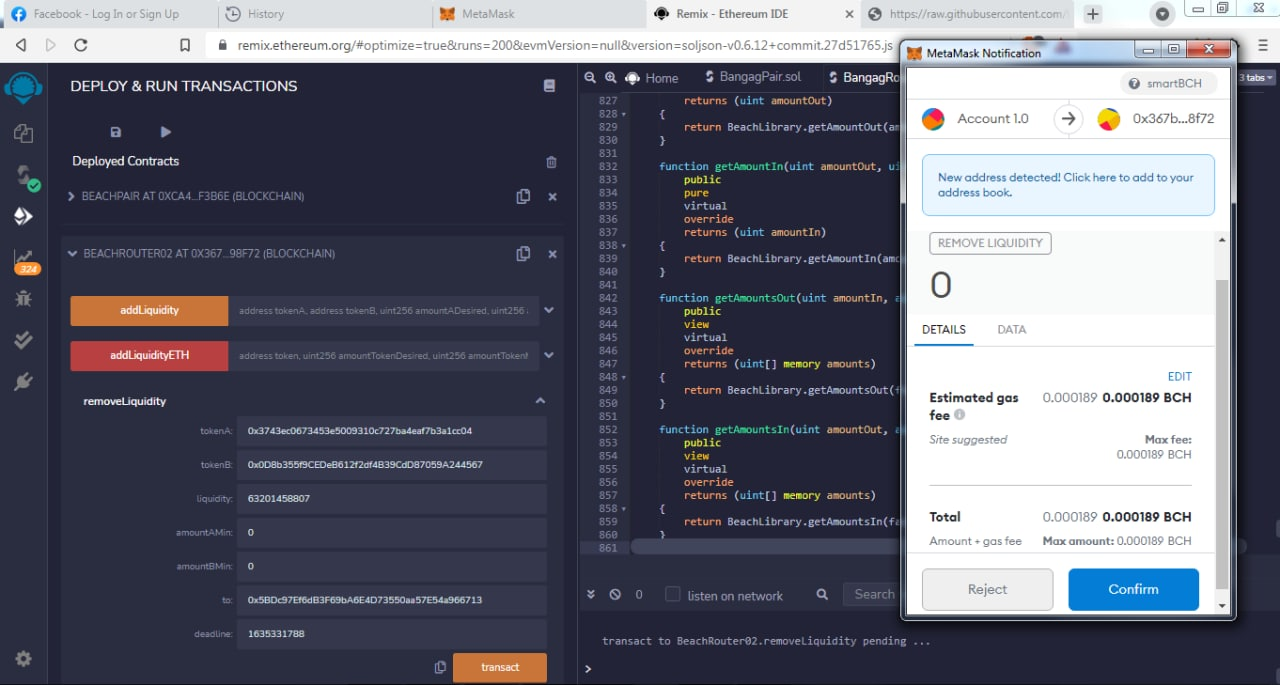
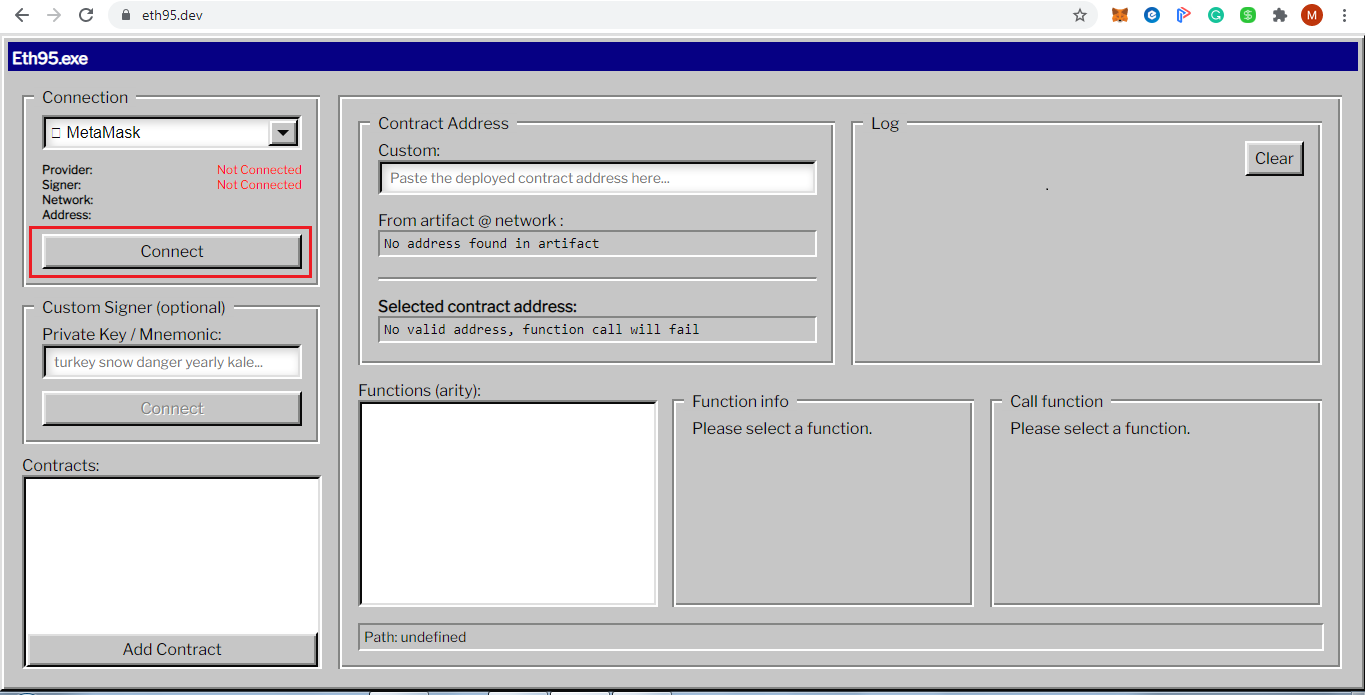
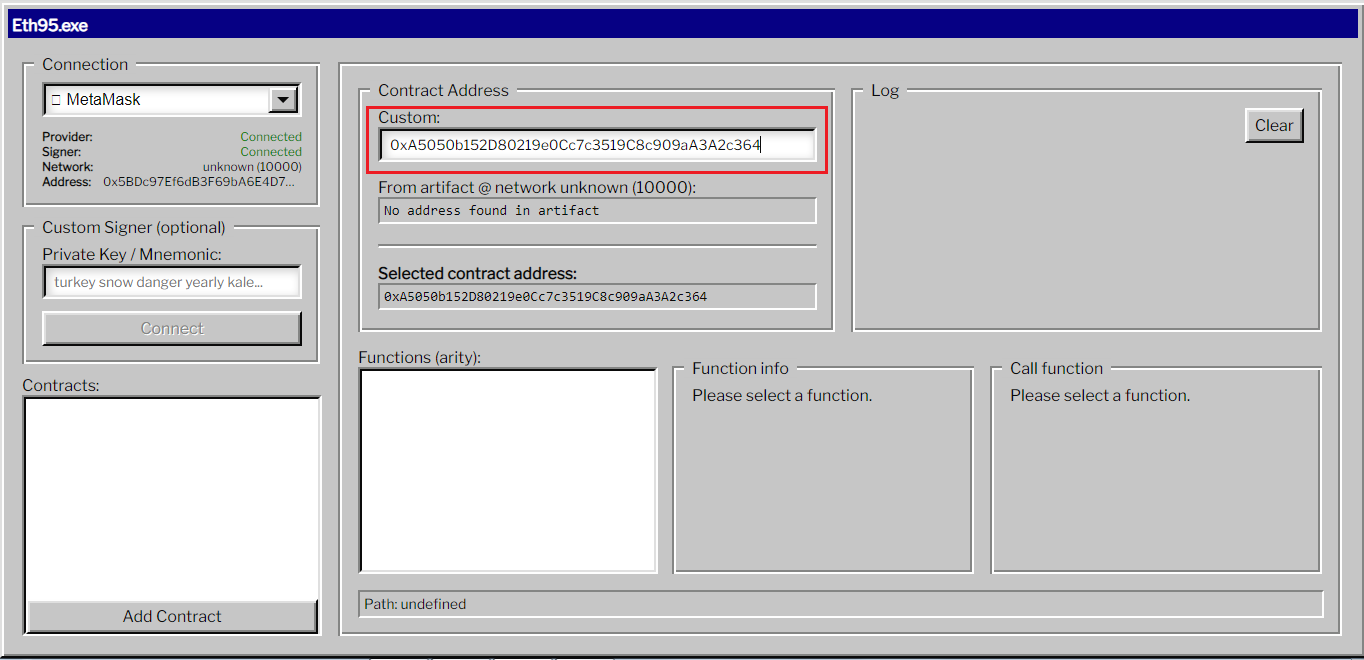
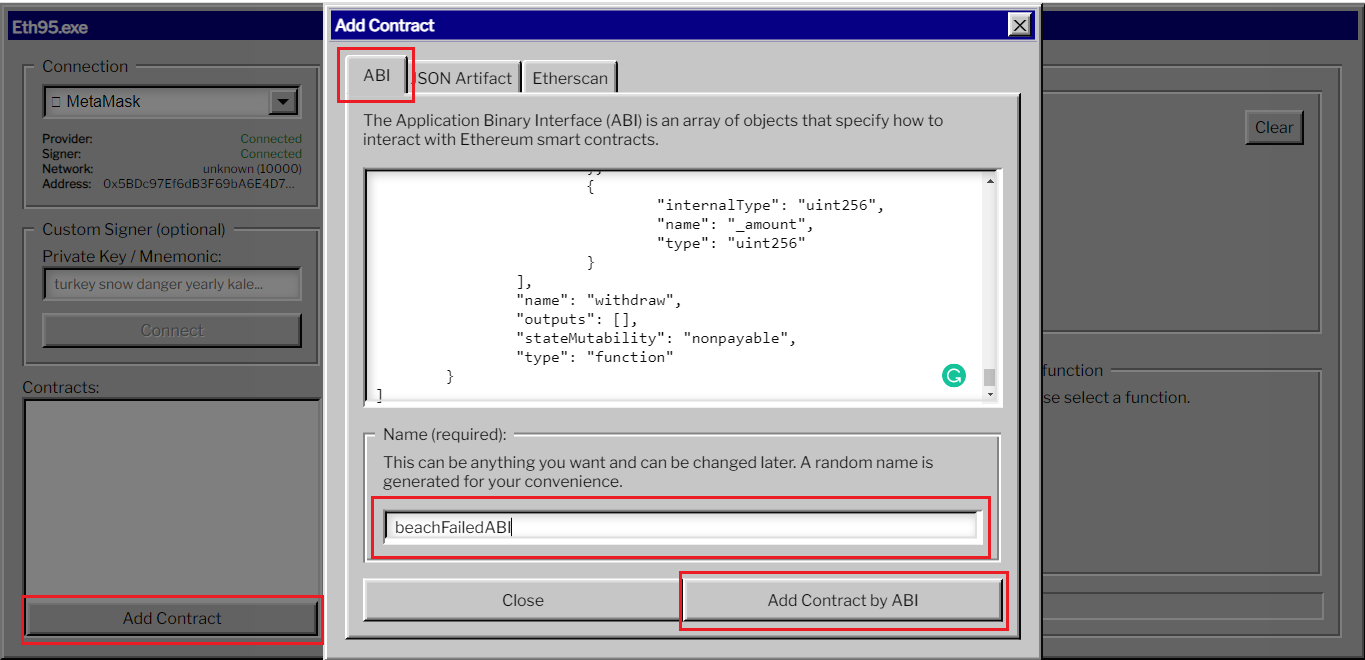
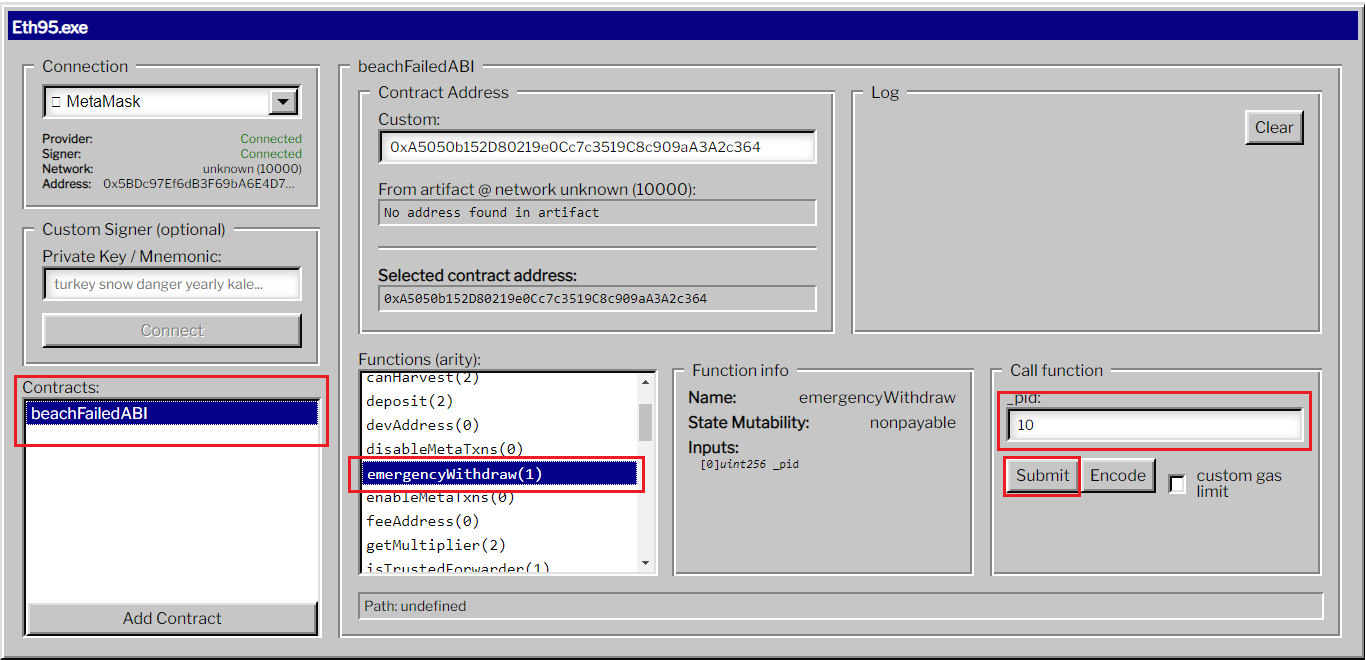
After 1 million light-years, I extracted the candyman/wBCH Beach Liquidity Pool (Image 1). Too many attempts and the issue is my browser; I need to change browser - chrome to brave and try again the step-by-step instructions in the Beach withdrawal docs. I mentioned in one of my posts that I will make an article guide on how to retrieve and extract the LP using Eth95. Dev and remix, but I decided not to do it because Carisdaneym will make one (she's better than me at making articles, bwahaha). Here's a simple step-by-step how to retrieve LP using Eth95.Dev 1. Open Eth95.Dev in your browser and connect Metamask (Image 2) 2. Paste this Contract address to custom (Image 3) - 0xA5050b152D80219e0Cc7c3519C8c909aA3A2c364 3. Navigate to this link - https://github.com/sVNT-Token/beachswapFarmABI/. Open farm.json file then copy it 4. Go back to the Eth95 site, then click the Add Contract Button and paste the code in the ABI tab. You may change the name and click Add Contract by ABI button. (Image 4) 5. Click the contract name and go to the Functions and click emergencywithdraw(1) - (Image 5) 6. In the call Function there's a designated number (check the list below) ad click Submit Button. Accept the Metamask confirmation (Image 5) 0 - WBCH 1 - FleUSD 2 - WBCH-BEACH 3 - BEACH-flexUSD 4 - WBCH-flexUSD 5 - flexUSD-FLEX 6 - $CATS-WBCH 7 - WBCH-$KITTEN 8 - Shiba-WBCH 9 - WBCH-BPAD 10 - CandyMan
1 comment
Congrats and thank your for helping me to walk through the hole of needles in coding 🤣 what a headache but worth learning how to do it :)