 @Jason
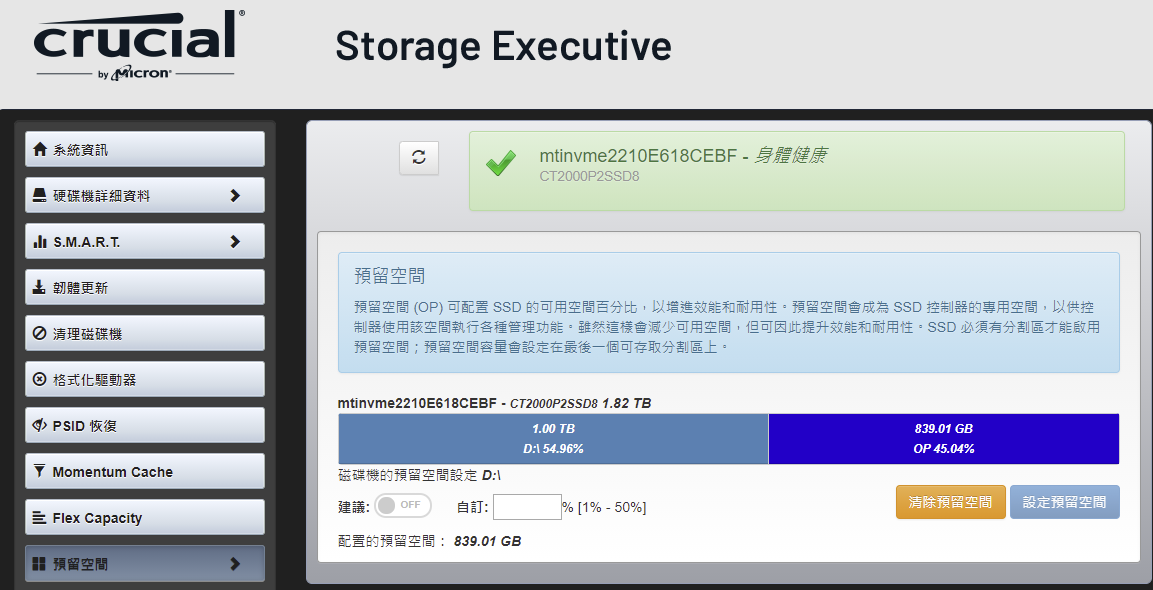
A long time ago, I mentioned the issue of SSD Over-Provision. At that time, I bought a Crucial SSD and also downloaded the Crucial Storage Executive software. https://www.crucial.com/support/storage-executive Although the software claims to have the function of modifying the Over-Provision, I couldn't find my new SSD at that time, so I had to use Partition Manager 17 CE to set it myself. When tidying up the computer today, I found that after the CSE update, I can modify the Over-Provision for the SSD of the computer, and I found that the effect is the same as Partition Manager 17 CE. So in the future, if you buy a new SSD and want to reserve a little bit of reserved space for Over-Provision, you can leave a little bit unallocated space, so that the unused space will be used as Over-Provision by the controller. It is recommended to leave about 20% of the space without splitting. What is over-provisioning? According to the introduction of CSE, the over-provisioning can configure the percentage of free space of the SSD to improve performance and durability. The reserved space becomes the dedicated space of the SSD controller, which is used by the controller to perform various management functions. While this reduces available space, it improves performance and durability. An SSD must have a partition to enable over-provisioning; the over-provisioning will be set on the last accessible partition.
4 comments
Good night
Hehe Are you a computer science student Haha you speak all technical
Not student. Just DIY my computer for fun and saving money.
Alright. That's good my dear Keep learning