 @IndoJp
more from that month
@IndoJp
more from that month
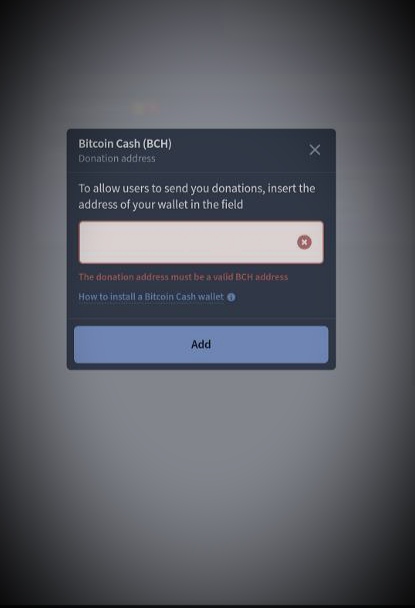
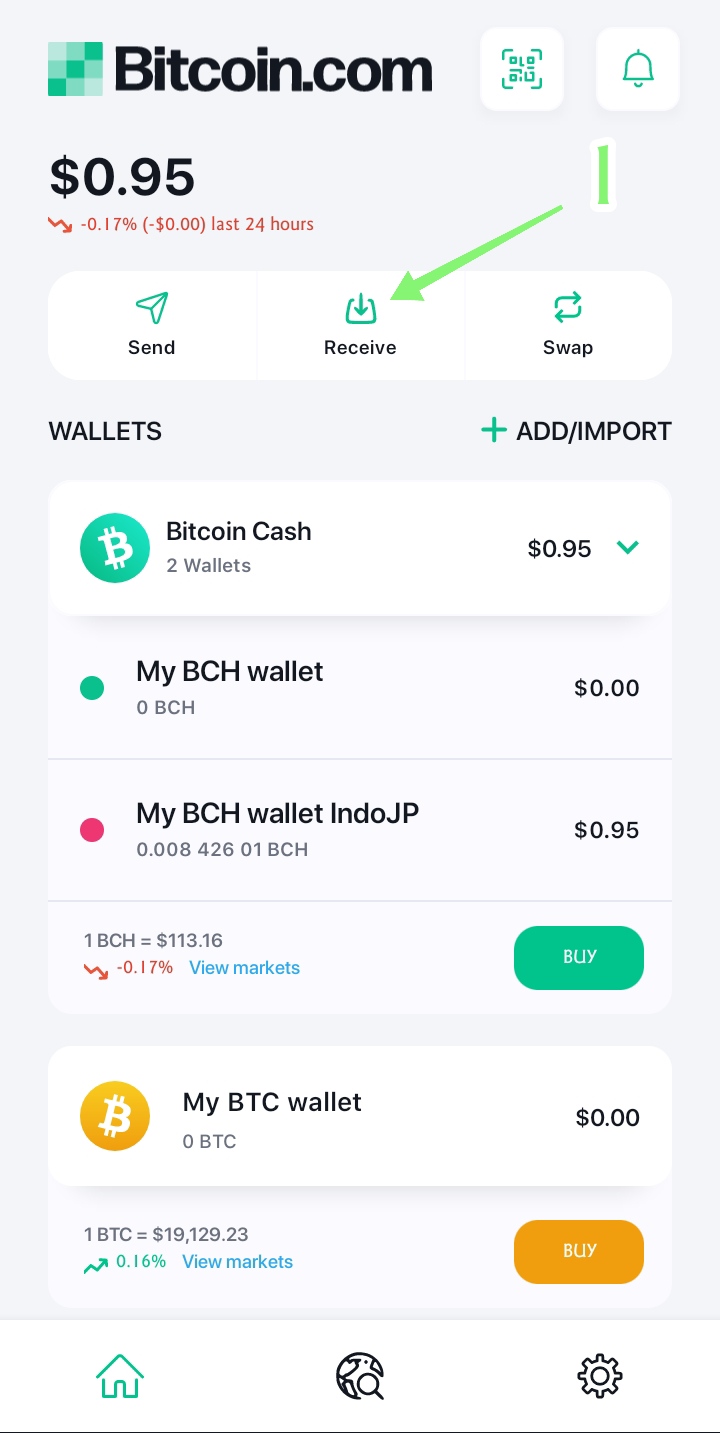
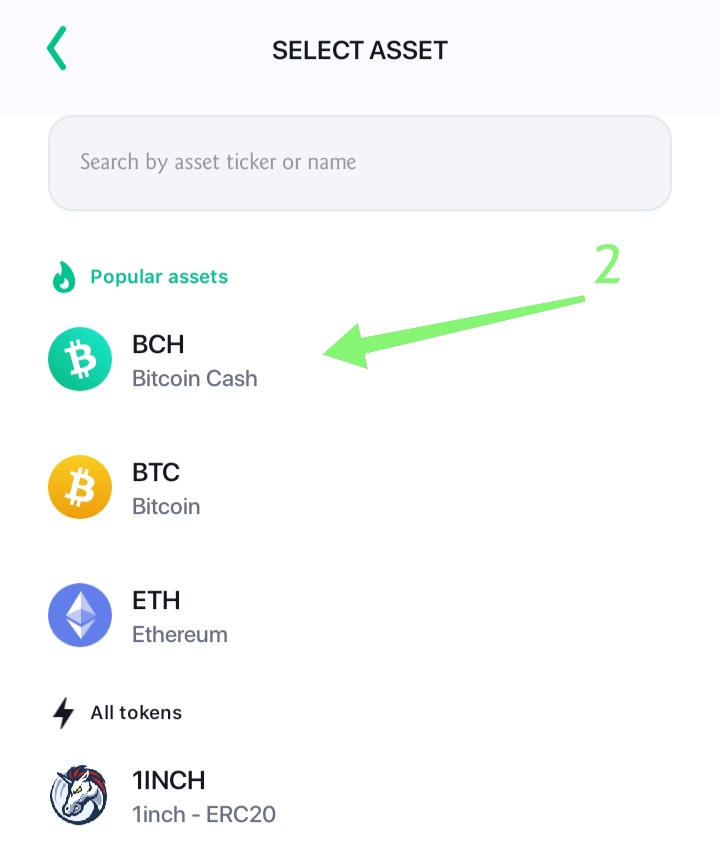
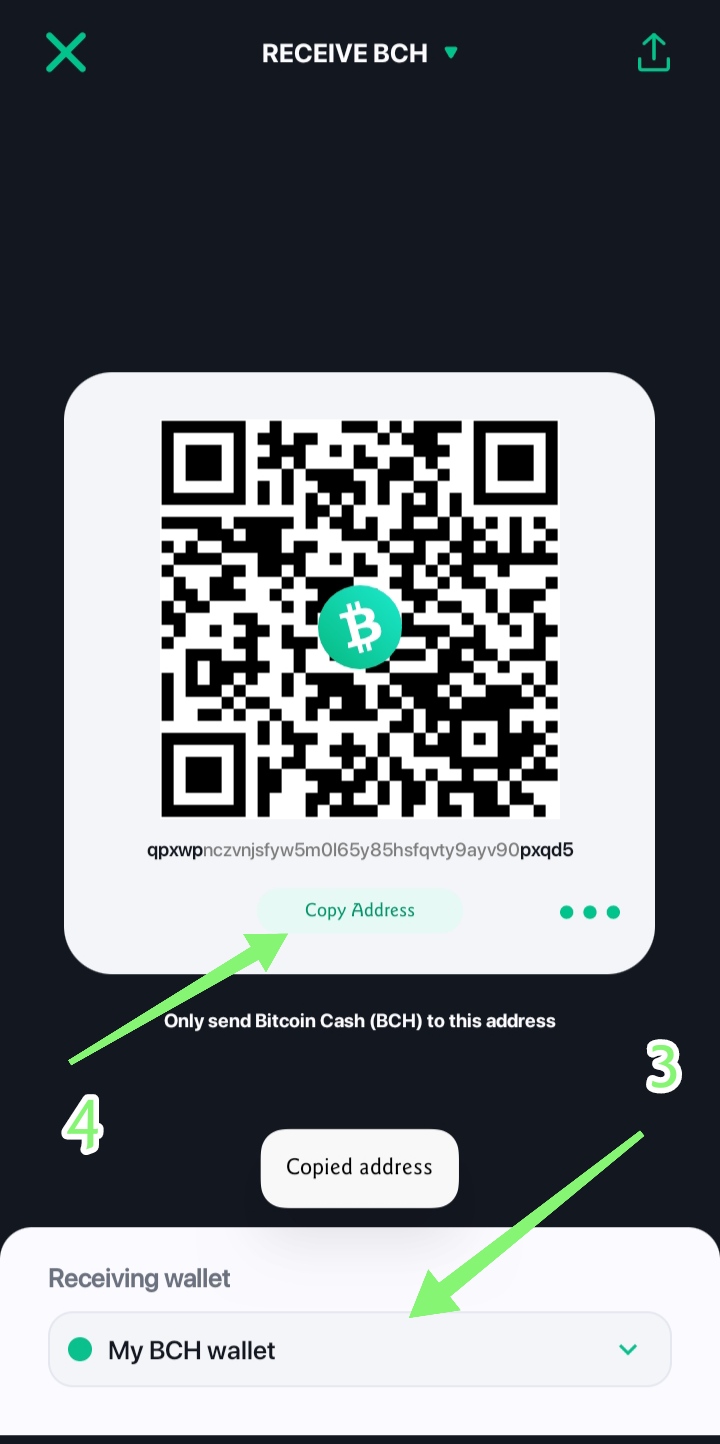
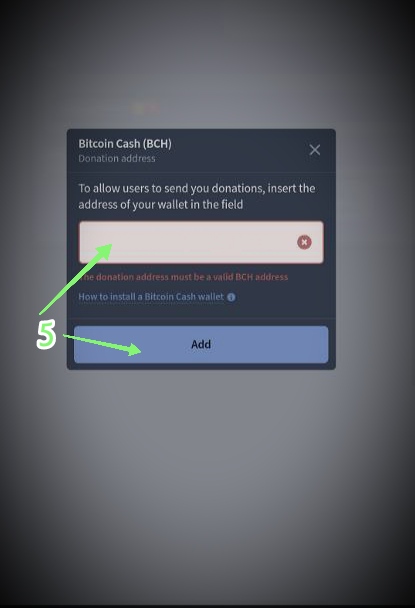
* How to solve failed in setting up donation of BCH Wallet address, in Noise App. If you experience failure in setting up the BCH wallet in the Noise App, you can use the BCH wallet from bitcoin.com. Or you can use the BCH wallet, which uses the mainnet network. Usually the BCH wallet address uses the initial word "bitcoincash:..." my wallet example: bitcoincash:qpxwpnczvnjsfyw5m0l65y85hsfqvty9ayv90pxqd5 Here's how to find the bch address on bitcoin.com, for setting the donation bch address on noise.app: 1. Please open your bitcoin.com application, then select/click Receive. 2. Then select BCH. 3. Select the wallet you will use. 4. Copy the address, 5. Then paste it into the BCH Donation Address in your noise.app and click add. Hopefully the problem of setting up your BCH wallet on noise.app is resolved. By. IndoJp 09.22.2022-10:48 PM. For new users, who will register for the Noise App can use the following link: https://noise.app/invite/iy53yrlw IndoJp Noise Account: Noise Cash: https://noise.app/IndoJp Noise App: https://noise.app/IndoJp #IndoJp #NoiseCash #NoiseApp #Explore #BCH #BitcoinCash #ReelsNoise #RandomThought #Crypto #Cryptocurrency #OriginalContent #Heart #Love
3 comments
good explanation, I used my address from Atomic wallet and it worked
Good input and experience guys, thank you. Hope it can be useful for other users who want to manage their bch wallet on noise.app. Especially those who have a bch wallet on Atomic.🤩
LOL. The problem I had was with my PayPal. I kept typing "paypalme" without the dot before the "me". I was like: "This is right! This is right!" Then I looked closely at the link I had typed and went "Ooops!" LOL.