 @IndoJp
more from that month
@IndoJp
more from that month
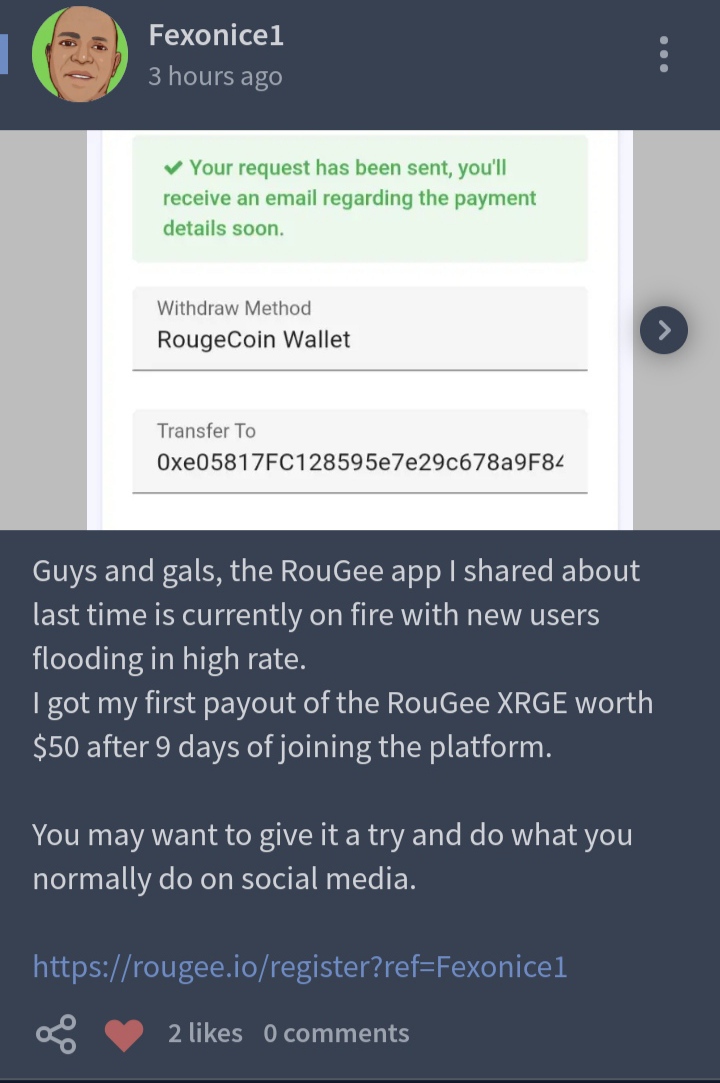
* Congratulations on your hard work that has paid off. Congratulations and success always, on the success of your first withdrawal my friend ...... I have to be excited again, so I can be successful like you... always be happy @Fexonice1. Soon there will be many congratulatory messages, in your mailbox... hahah🥳😍🤩 >> For those who want to join our new adventure, please visit the following link: https://rougee.io/register?ref=Indojp ¶Indo Jp √ Jan, 30.2023|| 07:40 Am #indojp #rougee #crypto #rougecoin #noiseapp # xrge #bch
6 comments
I was just there moments ago 😄 Congrats to @Fexonice1 on his successful pay-out.
Congrats noisemate
How to connect the wallet,and what wallet do I need to connect can you please help and teach me,tia
You can use a 1inch wallet - after downloading and installing, then select the bnb chain network - then click the account menu at the bottom right - select Custom Tokens, please fill in the following token: 0x60290c4350f96a255d923df74aee8fdde3ac7cd7 Next step: Click receive on your card, copy your wallet address and paste it into the wallet settings in Rougee. There is an admin there who can help solve your problems regarding rougee, please send a message to @Rouge he will guide you in making a wallet for rougee. Because you can use many ways, apart from using 1Inch. 🙂
Thank you will try it now
Don't hesitate to ask the admin, Eha Rouge who is kind and ready to help... ☺