 @IndoJp
more from that month
@IndoJp
more from that month
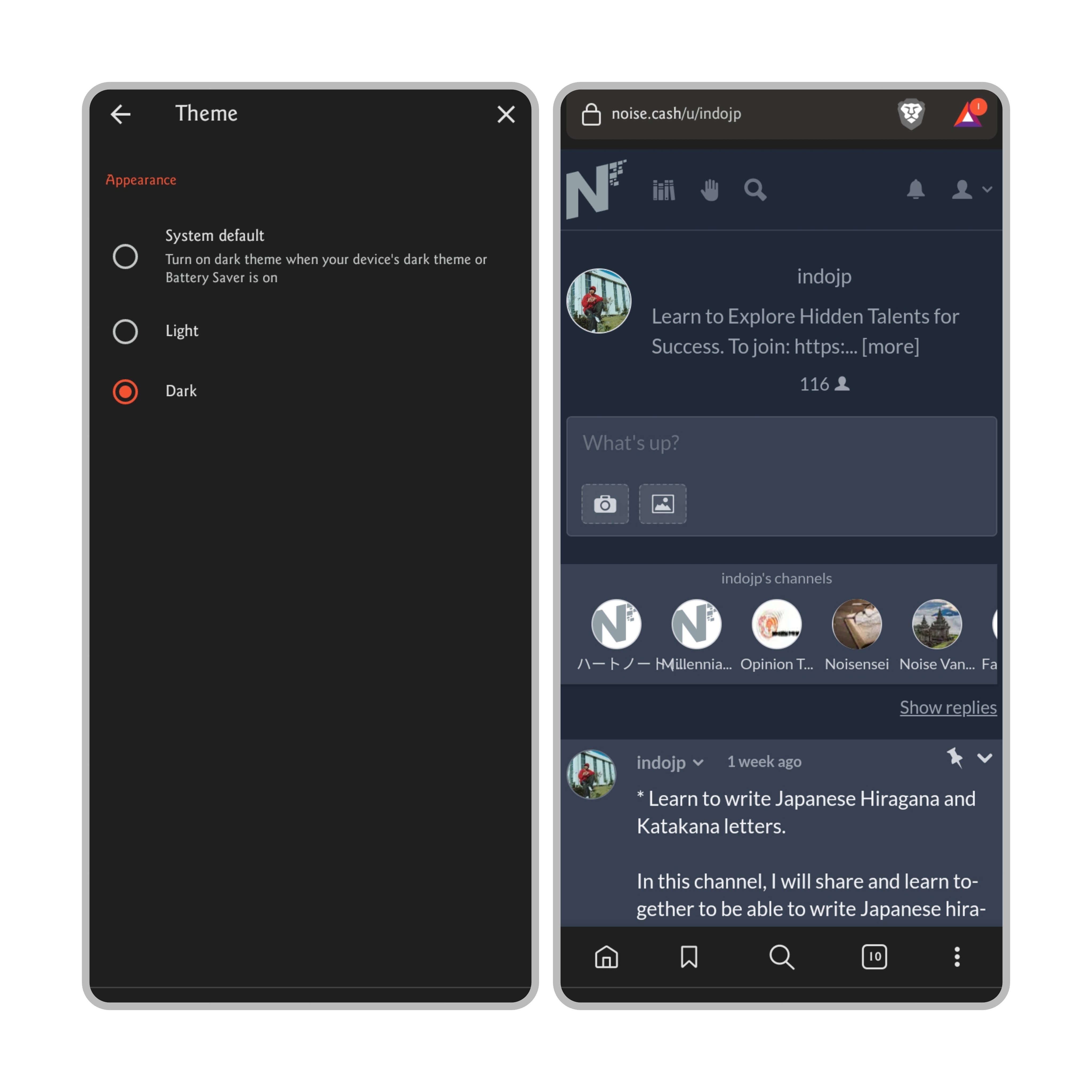
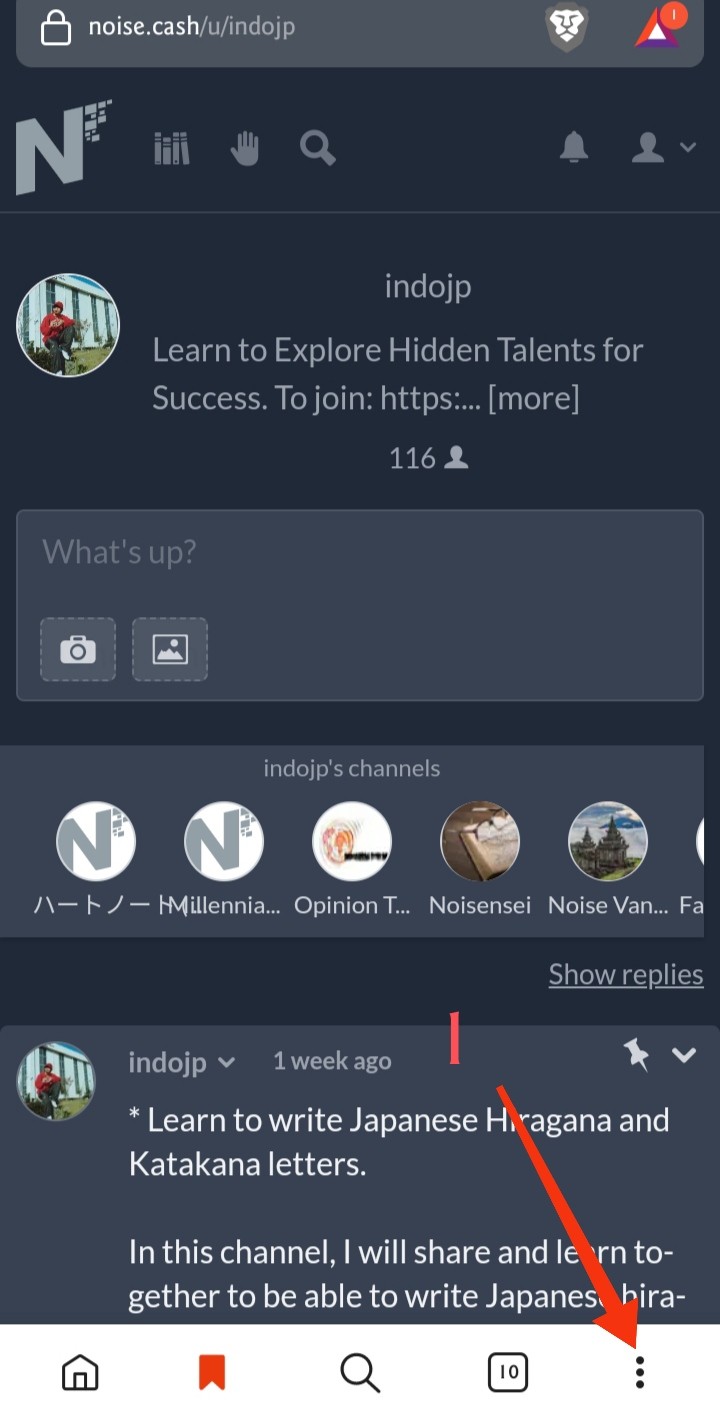
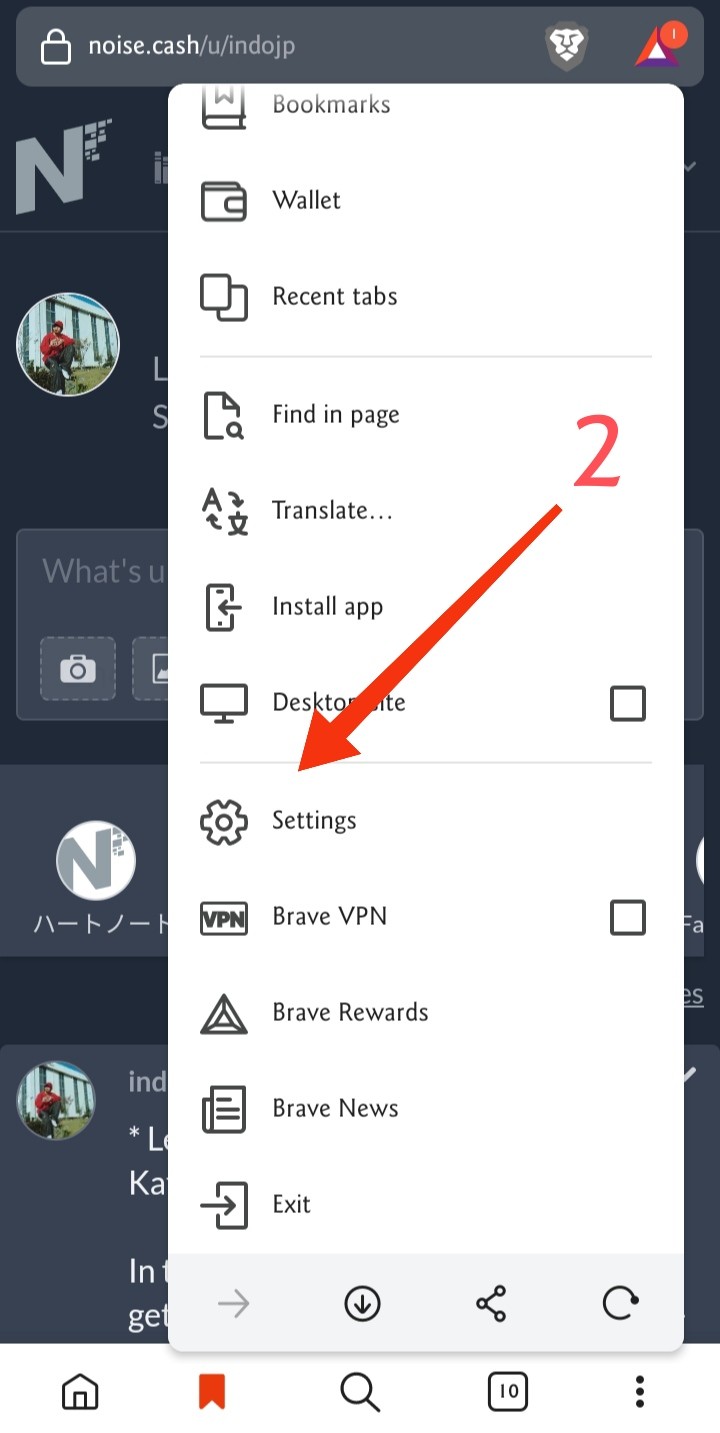
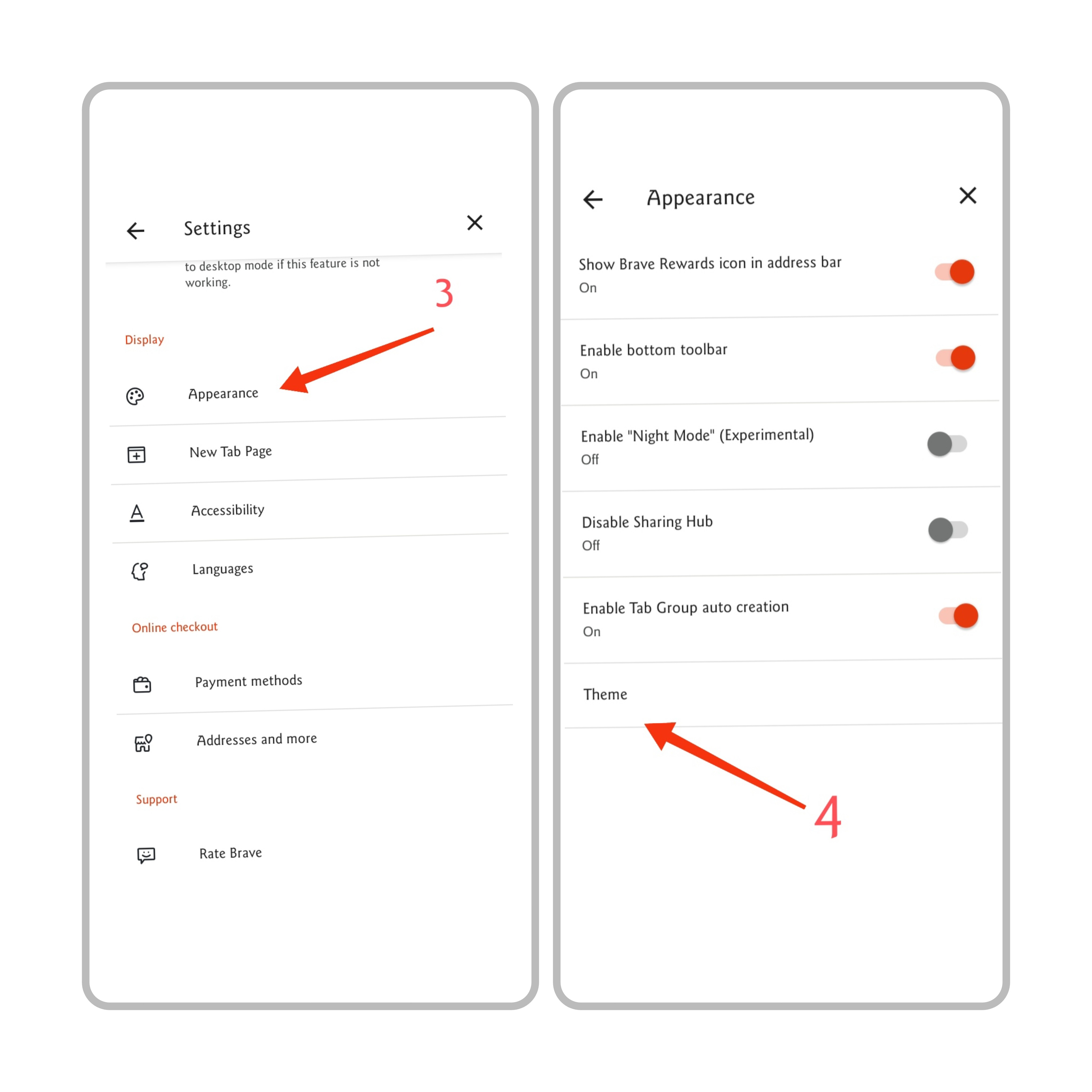
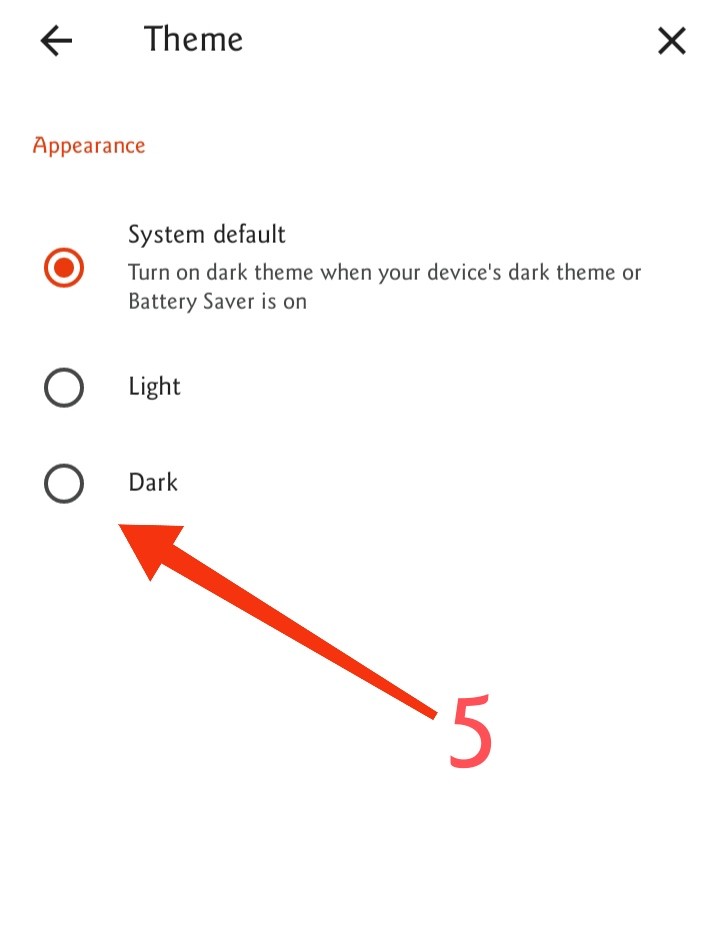
*Dark Mode setting for Brave browser. For users of the Brave browser, if you like the look of dark mode, I will share how to set it up. Here's how to change the appearance of dark mode, on the Brave browser: 1. Click the 3 dots in the lower right corner of the Brave browser. 2. Please select settings. 3. In step 3, please select Appearance. 4. In the Appearance options menu, please select Theme. 5. On the Theme menu, please click/select Dark. Then instantly the display will change, from the normal browser display to dark mode. Good luck, with the Brave browser display on your smartphone that is more comfortable... See you in the next simple tutorial... By. IndoJp 09.10.2022/07.05 PM. #IndoJp #Shimba21 #Angeline #NoiseCash #FlashTutorials #NoiseCash #BCH #BitcoinCash #Crypto #Cryptocurrency #Browser #Brave
No comments yet