 @IgorBelykh
more from that month
@IgorBelykh
more from that month
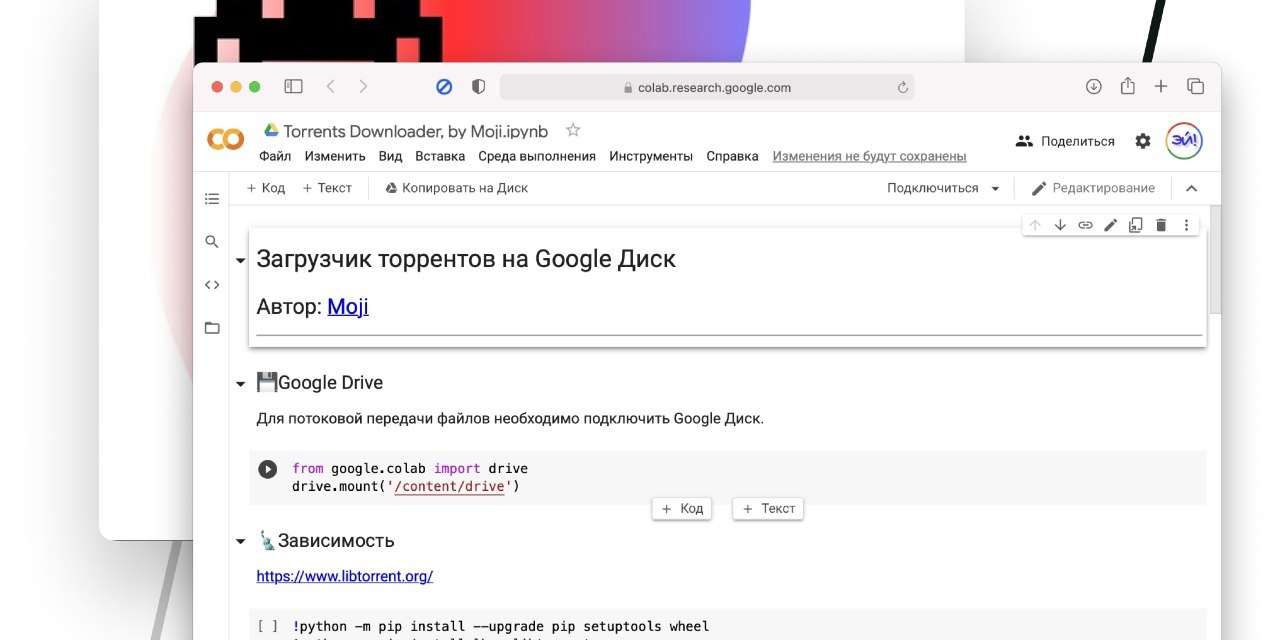
How to download torrents on Google Drive Using the Google Colab service you can restore the previous speed, because the files will be downloaded to Google Drive, and you can already save it to your computer. How to use it: 1. Follow the link https://colab.research.google.com/drive/1xqO5py01BgIu7G_mWosvxAVLyOkoFKRQ?usp=sharing and click "Copy to Disk". 2. On the new page, run the "Google Drive" code, follow the link that appears, copy the received code, paste it into the field below and press "Enter". 3. Launch the "Dependency" section and wait for the download to finish. 4. Run "One torrent" below and paste the link to the torrent file. It remains to launch the "Code" category.
3 comments
Thanks for this tutorial friend
Tbh, I don't use G drive. My basic plan is almost full (15 GB). Speaking on the topic of torrents, I think you may help me with this one. After a long time, I wanted to use rutracker.org again, but can't find my login and password. Do you know if there's a way to use it without one?
Dear @kamhus You can not asses rutracker without login details but manual search may helpful for you. For example Your query rutracker