 @Eybyoung
edited
more from that month
@Eybyoung
edited
more from that month
Explore CoinGecko: How To Add Portfolio?
CoinGecko is one of the world's largest independent sources of credible cryptocurrency data that is often referred from various publication industries shown in the photo below.

In 2014 CoinGecko was established by TM Lee (CEO) and Bobby Ong (COO) having a mission to democratize the access of crypto data, empowering users with its actionable insights. It was also designed to dive into the crypto space delivering valuable insights to the users via cryptocurrency reports as well as zs publications, newsletters, and more. CoinGecko Historic Background **April 2014** CoinGecko launched to provide 360 overviews in the crypto market. **October 2017** CoinGecko launched its quarterly crypto reports **April 2018** They launched their daily newsletter to provide curated crypto news. May They launched their free public API with 20 endpoints available. July They also launched their official iOS and Android app **May 2019** They launched a Trust score in combating fake exchange volume data. October They launch their Derivatives section **January 2020** They launched their podcast March They launched the world-first Defi book (How to Defi) and also Earn section June They launch CoinGecko Candy - as a reward for using CoinGecko! August CoinGecko launched Portfolio September They launched Defi and Yield Farming pages **2021** CoinGecko currently has a cryptocurrency data aggregator of over 6,000 different crypto assets that were tracked on more than 400 exchanges worldwide. They had 200 million-plus monthly page reviews, 10 million-plus average monthly users, 1 million-plus total app downloads, 4.8 average app ratings, 10 billion-plus monthly API calls. While they are neutral, unbiased, and independent. You can check the source, then you can view in there the staff of CoinGecko from CEO down to the lowest. Source: CoinGecko.com https://www.coingecko.com/en/about How To Add Portfolio At CoinGecko? Adding a portfolio at CoinGecko is very easy, and adding all your crypto holdings in there will give you an easy way of tracking your holdings, you will see the percentage of your profit and loss as well. It has live price data so you will no longer have to open all your wallet in the exchanger and noncustodial wallet, you can track all of it in your CoinGecko portfolio.

The first thing you must do is download the app and install it, it is available on Android or IOS. Then sign up using an email address then set up your password.
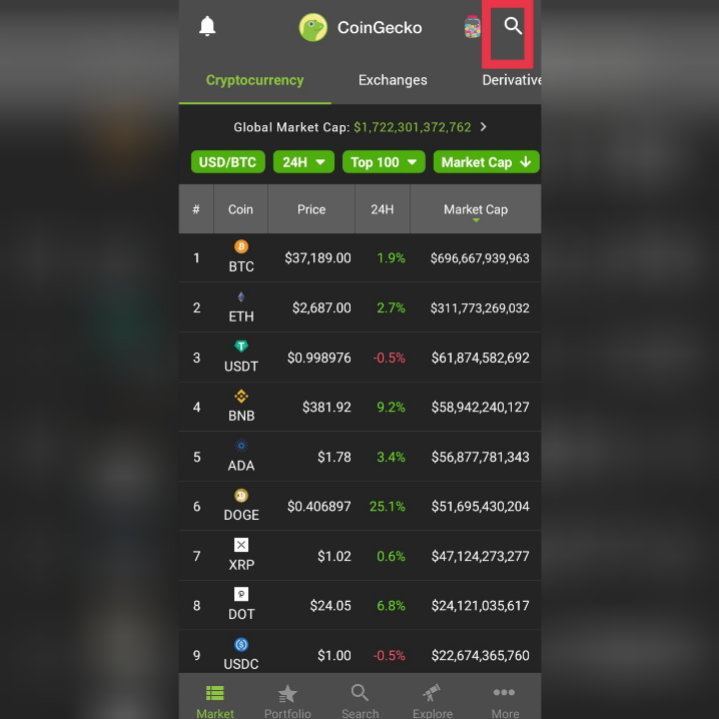
After you downloaded the app and set up your account the photo shown above is the home, you will see the crypto asset. If you cannot find your coin, just click the search tab the one I drew **square** above.
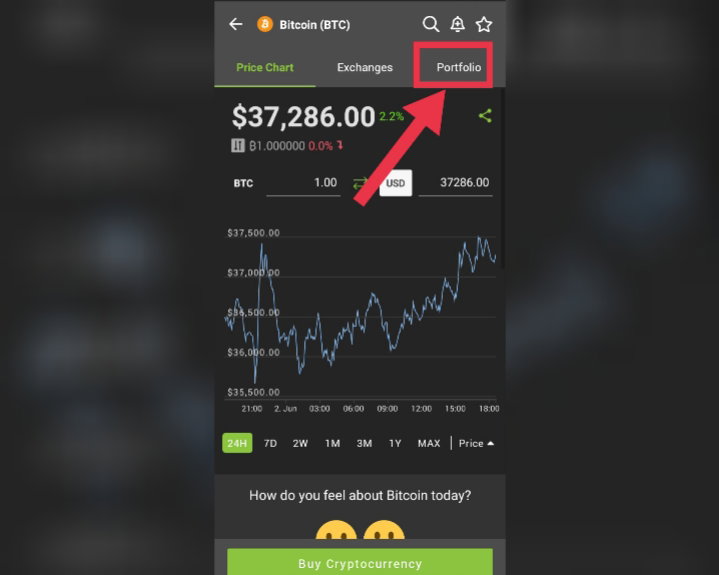
Let say you have BTC and you will add it to the CoinGecko portfolio just tap the coin then click portfolio.
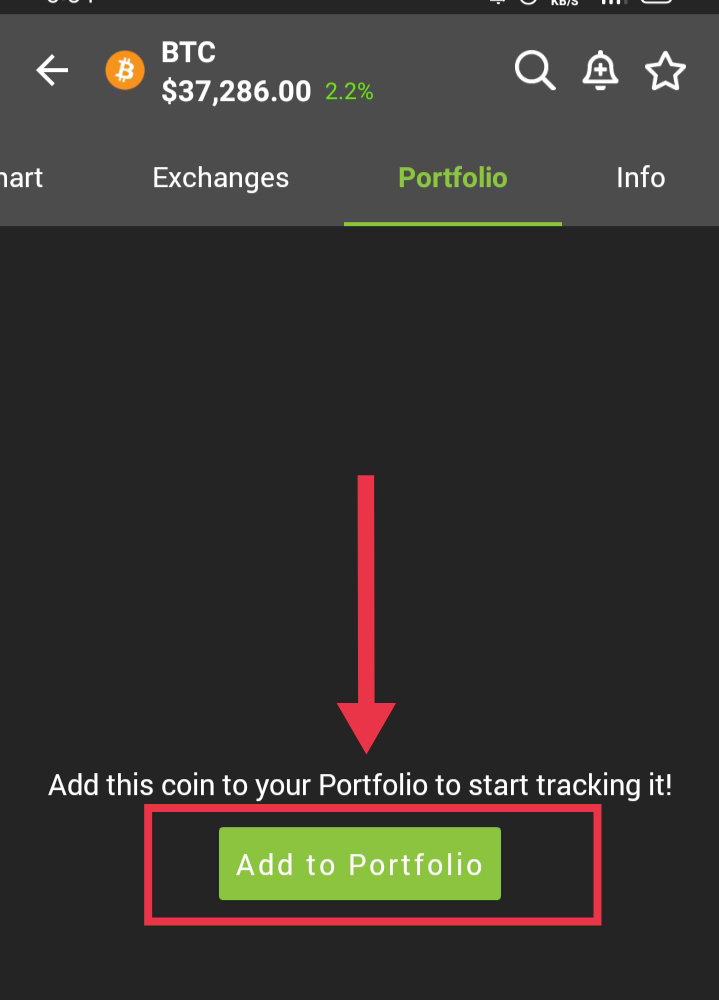
After you click the Portfolio, the photo above will show then just tap **Add to Portfolio.**
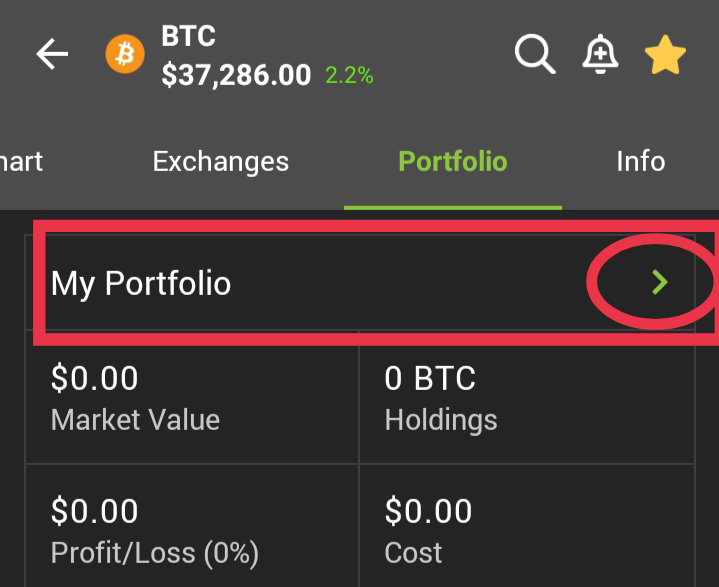
After you click Add to Portfolio photo above will show just tap the little green **(>)** I encircled.
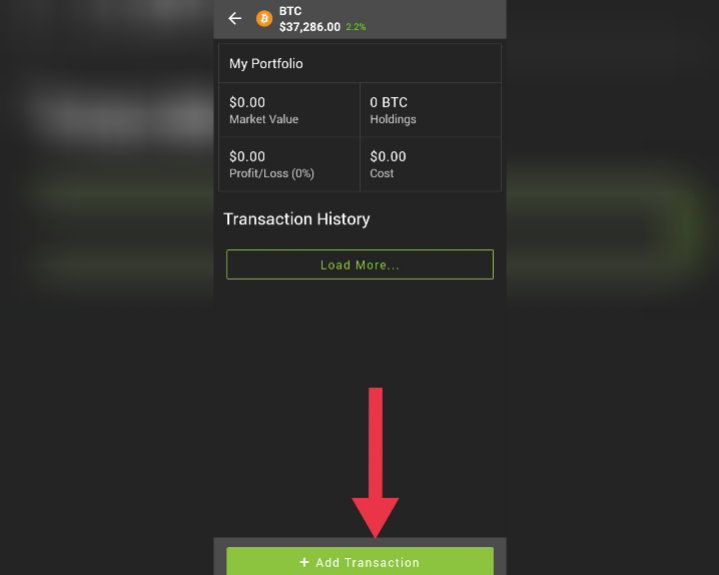
After you click that little green (>) photo above will show just tap **add transaction**.
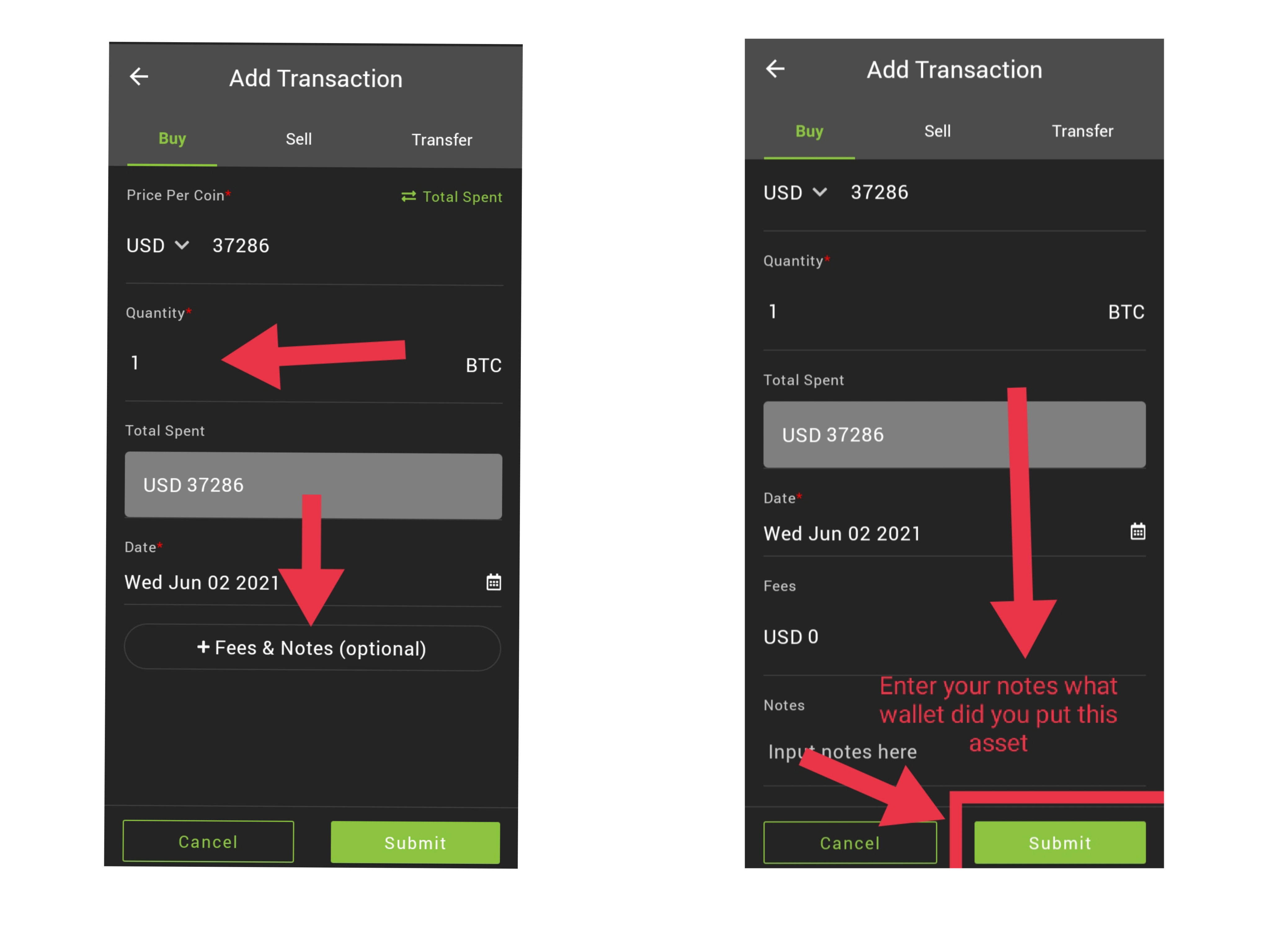
After clicking add transaction you have to input the **Quantity** of your coin, then the **Date**. If you want to add notes just tap **Fee&Notes (optional**), once you click that left photo will show the notes, in there you can add where did you put that asset, for example, you put it on Binance then write “From Binance or At Binance”. After filling in the details click **Submit**. Once you've done clicking submit then you are all done with it.
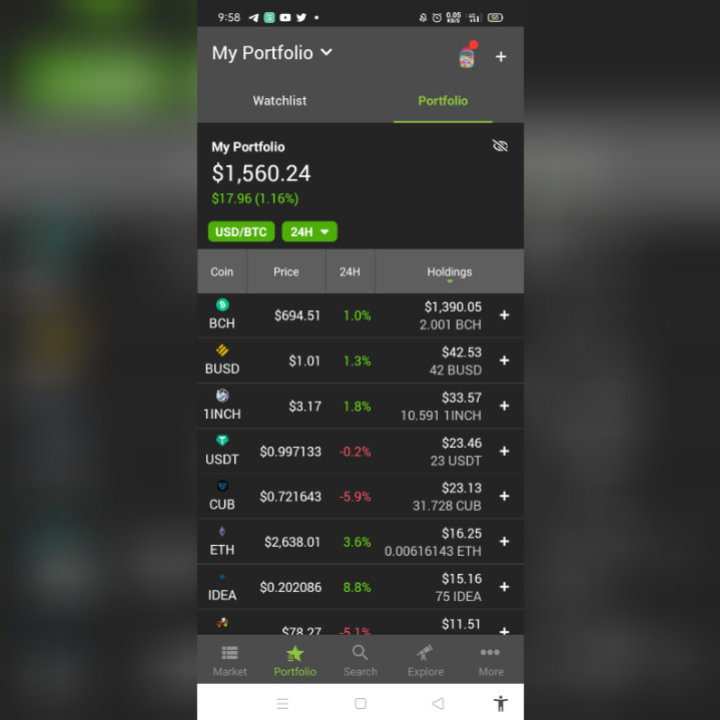
After you click Submit the coin will be added to your portfolio like the photo above. Main Menu On the home screen below you can see the menu which is the **MARKET**, **PORTFOLIO**, **SEARCH**, **EXPLORE**, and **MORE**. If you click those you will be directed to their designated functions
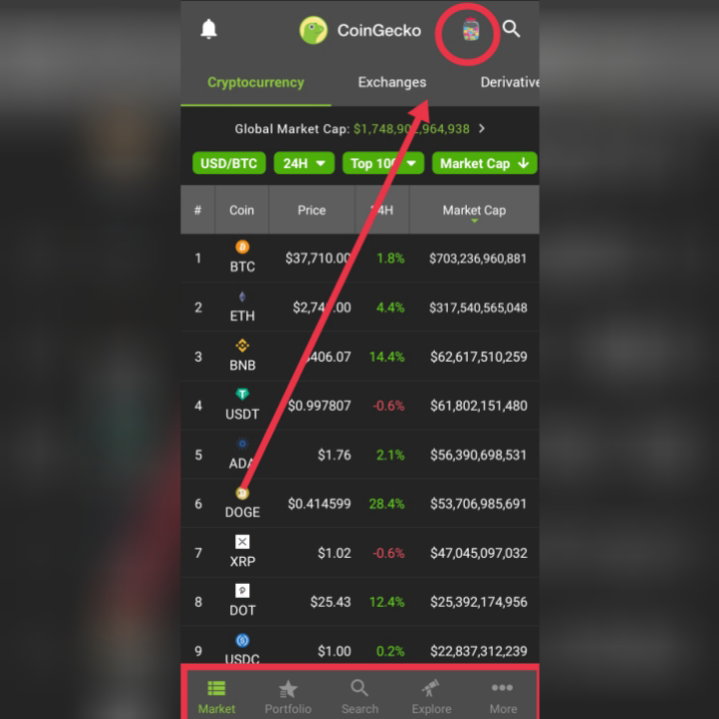
Just tap each of those buttons to learn and explore more about CoinGecko. Collect Candies You can also collect Candies, the photo above just click that little jar I encircled then you will be directed to the candy collection.
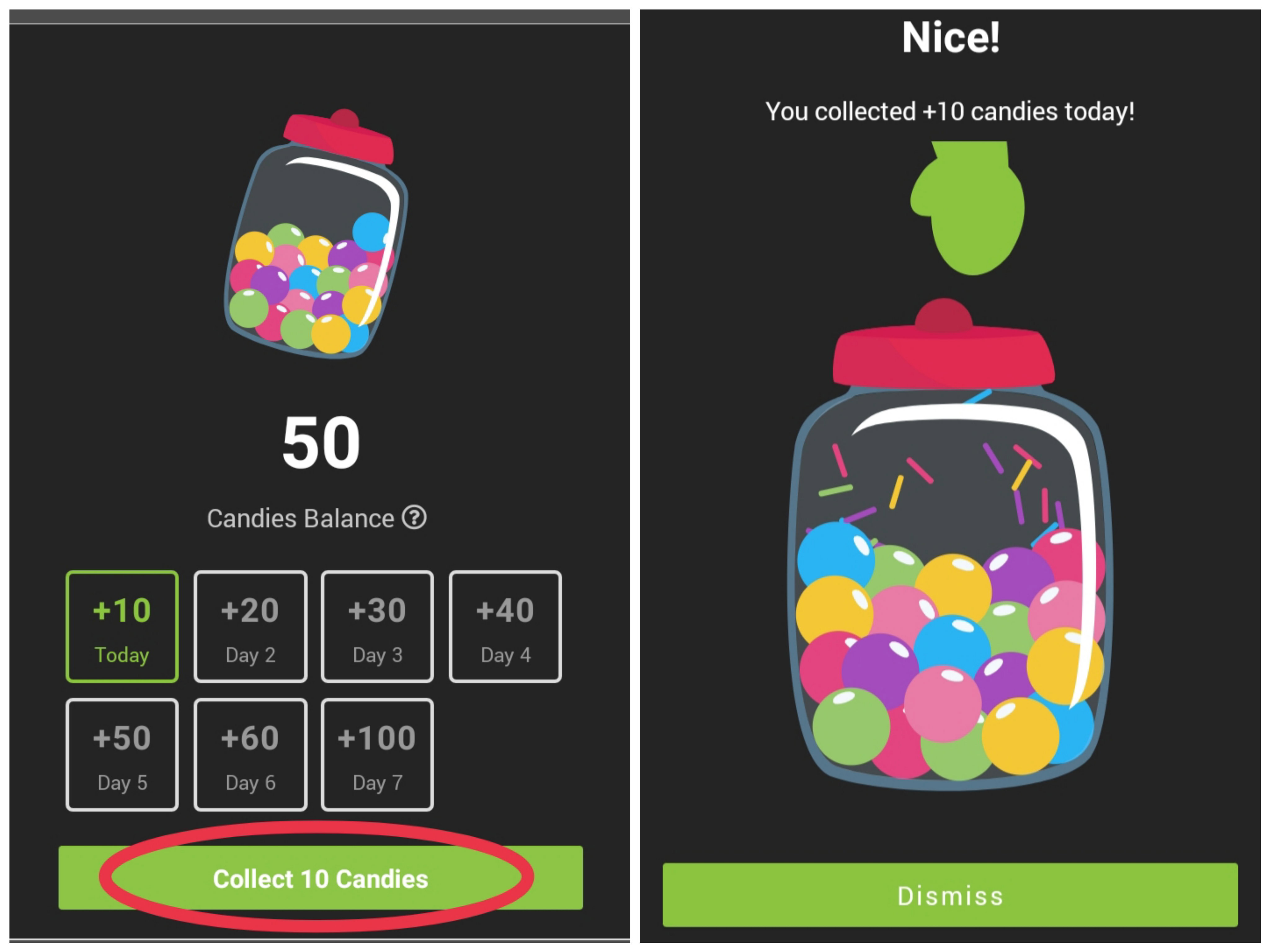
Just tap Collect Candies, each day you log in has a different amount. After you click to collect the numbers of candy you collected will be added to your candy balance. **What's the use of candies?**
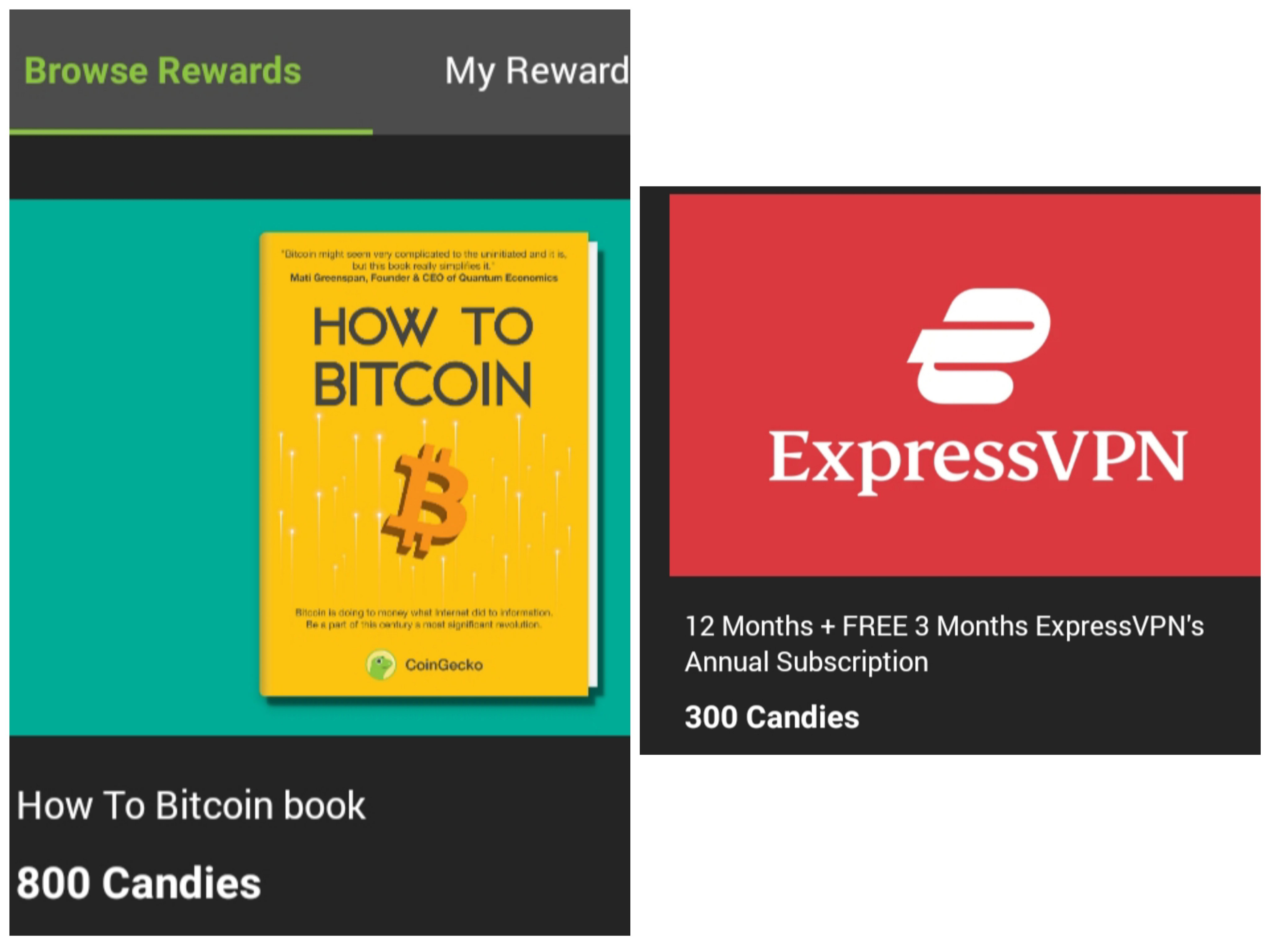
Below the button of collect Candies, there is a list of things where you can use the candies. For example, in the photo above if you want to read their “How To Bitcoin” book you can have it for 800 candies or you can also avail of VPN using 300 candies. They have a lot of partnerships where you can available products and services with discounts using the candies. Closing Thoughts I find CoinGecko cute than CMC (CoinMarketCap) their little Gecko logo is a cutie with those cute little candies perks. But CMC has some advantages too which they have Airdrop And earnings via quizzes of a certain coin. I hope you learn from this and add your portfolio now, less hassle, one tap and you will see all your asset in one app. Lead Image Source: **Link** https://www.bitreporter.com/defi/top-5-trending-coins-on-coingecko/









13 comments
A very informative and easy to follow article bhe! I used to use coingecko just to check the market but now since I have Binance I only focus on what I have 😅
Hehe okay lang yan bhe kung lahat nang asset mo nasa Binance. Pero kung watak watak pwedi mo Pag isahin sa CoinGecko. Cute nga ming dino haha Thanks sa tip bhe lagi 😘
Sana maconvert din yang candies into crypto.
Kaya nga hinanahap ko kung may ganon before wala talaga haha
I didn't know that we can add portfolio to coingecko... I am doing this now . Thanks for sharing. And by the way, its Gecko not dinosaur. 🙂
HAHAHHAA thanks for correction I thought it's dinosaur 🤣🤦
☺️
An extensive explanation for Newbie of CoinGeko.I installed the app and kinda collect Candies😆.After getting info about transaction fee structure I can add some coins.
Waiting for more knowledgeable articles from you!!!,
Hehe thanks for the tip.
Buti nag download ako nito ee. Matatrack ko na laman ng portfolio ko without visiting those wallets one by one. Kaso lagi kong nalilimutan mag collect ng candies haham ung candy ko stuck na sa 109+ hahaha.
May tanong lang ako nagkalat kasi ang mga token ko sa iba't ibang wallet, so for example bch. E total ko lahat ng bch ko sa different wallets?
Oo sis total mo lang. May note naman yan lagay mo lang saan wallet mo nilagay.